How to Check Security Headers During Website QA
Why Security Headers Matter in Website QA
A website can function perfectly and still be missing important browser security controls.
HTTP security headers allow the server to tell a browser how certain content and browser capabilities should be handled.
Depending on the header, these controls can help reduce risks involving:
- content injection;
- clickjacking;
- MIME-type confusion;
- insecure connections;
- unnecessary referrer information;
- browser features and permissions.
Checking security headers can therefore be a useful part of pre-launch website QA.
However, security-header verification should be treated as a security sanity check, not as proof that the website is secure.
A site can have every expected header and still contain serious application vulnerabilities.
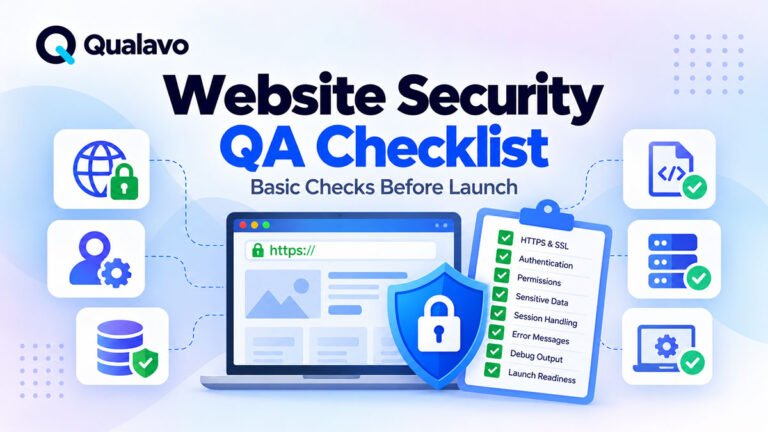
For a broader set of routine checks, see Website Security QA Checklist: Basic Checks Before Launch.
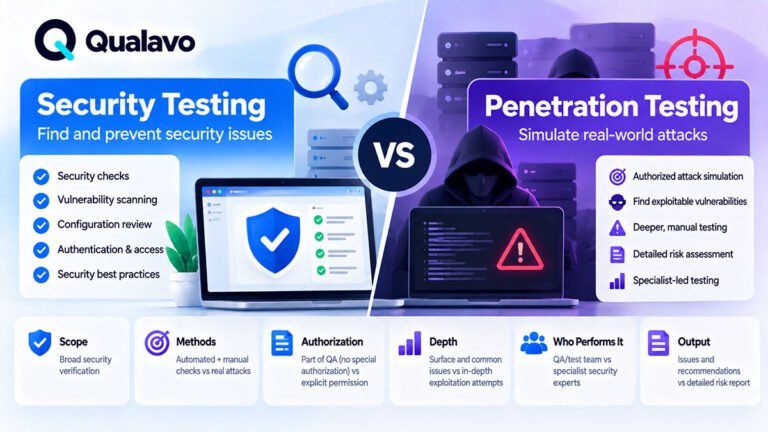
Security Header Testing Is Not Penetration Testing
Checking response headers is relatively straightforward.
A QA tester can inspect whether expected headers exist and whether there are obvious configuration problems.
That is very different from attempting to exploit vulnerabilities.
Routine website QA may reasonably verify:
Is HTTPS enforced?
Is HSTS configured where required?
Does the site have a Content Security Policy?
Can pages unexpectedly be embedded in another site?
But a normal QA pass should not be described as a penetration test or comprehensive security audit.
For the distinction, see Security Testing vs Penetration Testing: What’s the Difference?.
What Are HTTP Security Headers?
When a browser requests a webpage, the web server returns an HTTP response.
That response contains:
- the page content;
- status information;
- HTTP headers.
Some headers communicate security-related browser behavior.
For example:
Strict-Transport-Security
can tell supported browsers to use HTTPS for the site.
Content-Security-Policy
can restrict where scripts, styles, images, frames, and other resources may come from.
X-Content-Type-Options
can tell browsers not to reinterpret certain content types.
Security headers are therefore part of the communication between the website server and the user’s browser.
Where Can You Check Security Headers?
There are several practical options.
During manual QA, browser developer tools are often enough.
In Chrome or Edge:
Developer Tools → Network → Select Request → Headers → Response Headers
Other browsers provide similar network inspection tools.
You can also use command-line tools such as curl, automated QA tools, security scanners, or dedicated header-checking services.
The method is less important than understanding what the result means.
Start With the Main Document Request
When inspecting headers, make sure you are looking at the response for the actual HTML document.
A page may load:
CSS, JavaScript, fonts, images, API calls, and other resources.
Those requests can have different headers.
For a basic website security-header check, start with the main document response.
Then inspect specific API or resource responses where the project requires deeper coverage.
Check Production and Staging Separately
Security headers may differ between environments.
For example, staging might use:
- different web server configuration;
- Basic Authentication;
- different CDN rules;
- relaxed Content Security Policy.
Production might use:
- Cloudflare;
- a CDN;
- different reverse proxy;
- different hosting rules.
Therefore, passing header checks in staging does not automatically prove production is configured correctly.
For the wider environment strategy, see WordPress Staging vs Production: What Should You Test Where?.
Check Content-Security-Policy
One of the most important security headers is:
Content-Security-Policy
commonly abbreviated as:
CSP
A Content Security Policy defines which sources the browser is allowed to use for different resource types.
For example, a policy may control:
- JavaScript;
- CSS;
- images;
- fonts;
- frames;
- connections;
- media.
A very simplified policy might look conceptually like:
default-src 'self'
meaning that resources should normally come from the site’s own origin unless other sources are explicitly allowed.
Real-world policies are often much more detailed.
Why CSP Matters
Content Security Policy can provide an additional defensive layer against certain content-injection and cross-site scripting scenarios.
But CSP configuration can also be complicated.
Modern websites may legitimately load content from:
- analytics platforms;
- payment providers;
- CDNs;
- embedded video services;
- maps;
- customer support tools.
A policy that is too restrictive may break the website.
A policy that is extremely permissive may provide much less protection.
That makes CSP both a security and regression-testing concern.
QA Should Check Whether CSP Breaks Functionality
From a QA perspective, one of the most practical CSP tests is:
Does the site still work correctly with the intended production policy?
After CSP changes, test important workflows such as:
- navigation;
- forms;
- authentication;
- checkout;
- analytics;
- embedded content;
- third-party integrations.
Watch the browser console for CSP violations associated with actual broken behavior.
Do not assume every CSP console message represents a user-visible defect.
Investigate the context.
Watch for Overly Permissive CSP Configuration
A QA tester may notice that a policy allows very broad sources or contains permissive directives.
That can be useful information to raise with the development or security team.
However, QA should avoid claiming:
CSP is insecure.
unless the team has enough context to support that conclusion.
Security-policy design may require specialist review.
QA’s role can be to identify:
missing header, obvious unexpected configuration, broken functionality, or a difference from the agreed requirement.
Check Content-Security-Policy-Report-Only
Some websites first deploy CSP using:
Content-Security-Policy-Report-Only
This allows teams to observe policy violations without actively blocking content.
It can be useful during rollout.
But QA should understand the difference.
A report-only policy does not enforce the same restrictions as an active:
Content-Security-Policy
header.
If production requirements specify enforcement, verify that the appropriate policy is actually active.
Check Strict-Transport-Security
Another important header is:
Strict-Transport-Security
or:
HSTS
HSTS tells supporting browsers to use HTTPS for the domain for a defined period.
A typical header may contain a directive such as:
max-age=31536000
Additional directives may include:
includeSubDomains
and sometimes:
preload
depending on the site’s security strategy.
Why HSTS Matters
HTTPS protects data in transit between the browser and server.
HSTS strengthens that model by telling browsers that the site should be accessed only through HTTPS.
However, HSTS should not be configured casually.
Options such as:
includeSubDomains
affect more than one hostname.
A configuration mistake can create availability problems for subdomains that are not ready for HTTPS.
QA should verify the agreed behavior rather than blindly recommending maximum settings.
Verify HTTP to HTTPS Redirection
Even when HSTS is configured, test normal URL behavior.
Test the following URL variants:
http://example.com
http://www.example.com
https://example.com
https://www.example.com
All four URL variants should resolve to the site’s preferred canonical HTTPS URL (for example, https://example.com), without unnecessary redirect chains.
Check X-Content-Type-Options
A common security header is:
X-Content-Type-Options: nosniff
This instructs supported browsers not to perform certain MIME-type sniffing behavior.
For normal QA, the check is simple:
- Is the expected header present?
- Is the value correct?
- Do important resources still load properly?
If adding or changing the header causes JavaScript, CSS, or other resources to stop loading, investigate whether the server is returning incorrect content types.
That may reveal a configuration defect rather than a problem with the header itself.
Check Clickjacking Protection
A website may use one or both of these mechanisms to control framing:
Content-Security-Policy: frame-ancestors ...
and the older:
X-Frame-Options
The purpose is to control whether the website can be embedded inside a frame on another page.
This can help reduce clickjacking risk.
For modern applications, CSP frame-ancestors provides more flexible control.
Some sites still include X-Frame-Options for compatibility or legacy reasons.
Do Not Assume Every Site Must Completely Block Framing
Some applications intentionally need to be embedded.
Examples include:
widgets, partner integrations, embedded dashboards, or content used inside approved domains.
Therefore, the correct question is not:
Is framing completely disabled?
It is:
Does the framing behavior match the product’s intended security model?
A blanket blocking policy could break legitimate integration functionality.
Test Embedded Functionality After Frame Policy Changes
If the product intentionally supports embedding, test it after changing:
frame-ancestors;X-Frame-Options.
For example:
Approved Partner Domain → Embedded Application
should work if explicitly supported.
An unrelated domain should behave according to the intended restriction.
This is an example of security configuration affecting functional QA.
Check Referrer-Policy
The:
Referrer-Policy
header controls how much referrer information the browser sends when users navigate or resources are requested.
Possible policies provide different trade-offs between:
- privacy;
- analytics;
- functionality.
QA should verify that the configured policy matches the agreed project requirements and does not unexpectedly break important workflows.
For example, certain integrations or analytics assumptions may depend on referrer behavior.
Avoid Treating One Referrer Policy as Universally Correct
There is no single value that automatically fits every website.
The appropriate choice depends on:
- application architecture;
- privacy requirements;
- integrations;
- analytics needs.
A QA tester should confirm:
Expected policy → Actual policy
rather than choosing a policy without project context.
Check Permissions-Policy
Permissions-Policy
allows websites to control access to certain browser capabilities.
Depending on browser support and configuration, this may include capabilities related to:
- camera;
- microphone;
- geolocation;
- fullscreen;
- other browser features.
A site that does not use certain capabilities may restrict them.
An application that legitimately needs camera access, however, must not accidentally block itself.
Test Browser Features the Application Actually Uses
Suppose a web application supports video calls.
A Permissions Policy that disables the camera or microphone could break a core workflow.
After changing this header, test the corresponding user journey.
Likewise, if the application uses geolocation, test the actual feature rather than checking the header in isolation.
Security settings should protect the product without breaking legitimate functionality.
Check Cross-Origin Headers Where Relevant
Some modern applications also use headers such as:
Cross-Origin-Opener-Policy
Cross-Origin-Embedder-Policy
Cross-Origin-Resource-Policy
These can affect how documents and resources interact across origins.
They are particularly relevant to certain advanced web applications and browser isolation requirements.
They are not necessarily required for every website.
If the project uses them, include them in regression testing because incorrect settings can break:
- embedded resources;
- third-party scripts;
- authentication popups;
- cross-origin communication.
Do Not Add Headers Just to Improve a Scanner Score
Security scanners may produce attractive scores such as:
A
or:
100/100
These can be useful signals.
But the goal is not simply to maximize a score.
A security header should be:
appropriate + correctly configured + compatible with the application
rather than added solely because a scanner recommends it.
A header configuration that breaks checkout is not a successful QA outcome.
Do Not Treat Missing Legacy Headers as Automatic Vulnerabilities
The web security landscape changes over time.
Some older security headers or browser mechanisms may no longer be recommended as primary controls.
For example, older guidance often emphasized:
X-XSS-Protection
Modern browser security strategies typically rely more heavily on mechanisms such as CSP and secure application design.
QA should therefore use current project requirements and security guidance rather than copying old checklists indefinitely.
Check Headers on Redirect Responses Too
Security headers are often inspected only after the final page loads.
But important behavior may happen during redirects.
For example:
HTTP → HTTPS
Old URL → New URL
Login → Dashboard
When investigating a problem, inspect the response chain.
This can help identify:
- incorrect domains;
- unexpected redirects;
- headers missing at a certain layer;
- authentication loops.
Check Error Pages
Important security headers should not necessarily exist only on successful 200 OK responses.
Depending on the server configuration and project requirements, check pages such as:
- 404;
- access-denied page;
- server-generated error response.
For example, a normal page may have the intended headers while a custom error page is served by another layer with different configuration.
Check Authentication Pages
Authentication pages deserve particular attention.
Inspect:
- login;
- signup;
- password reset;
- account verification.
These pages often involve:
sessions, sensitive user actions, external identity providers, or redirects.
For broader functional coverage, see How to Test Login, Signup and Password Reset Flows.
Check Important SaaS Pages
SaaS applications may have different server behavior across:
- public marketing pages;
- login;
- dashboard;
- admin area;
- APIs.
Do not assume the homepage response represents the entire product.
For important SaaS applications, inspect representative authenticated and unauthenticated pages.
For broader SaaS coverage, see SaaS QA Checklist: What to Test in a Web Application.
Check E-commerce Critical Pages
For e-commerce projects, representative pages may include:
- product;
- cart;
- checkout;
- account;
- confirmation.
Third-party payment scripts and embedded functionality can make CSP and related policies particularly important.
After any header change, rerun critical transactional workflows.
For the wider testing framework, see E-commerce Website Testing Checklist: What to Test Before Launch.
Test Checkout After CSP Changes
Checkout often loads resources from:
- payment providers;
- fraud systems;
- analytics;
- address services;
- shipping integrations.
An incorrect Content Security Policy can block one of these resources.
The page may still look mostly correct while payment silently fails.
Therefore, after CSP-related changes, run the complete transaction path.
See How to Test an E-commerce Checkout Flow for a more complete checkout QA process.
Test Third-Party Login After Header Changes
OAuth or social-login flows can depend on:
- popups;
- redirects;
- cross-origin communication.
Headers that alter framing or cross-origin behavior may affect these flows.
If the website supports external identity providers, include those authentication paths in regression testing after relevant security-header changes.
Check Headers After CDN or Proxy Changes
Security headers may be generated by:
- application code;
- web server;
- reverse proxy;
- CDN;
- security service.
A CDN migration or configuration update can therefore add, remove, duplicate, or override headers.
After infrastructure changes, compare production behavior with the expected configuration.
Watch for Duplicate Headers
Multiple layers can produce duplicate or conflicting headers.
For example:
the application sends one CSP,
while:
the CDN adds another.
This can create unexpected browser behavior.
If duplicate security headers appear, determine whether they are intentional.
Do not assume more headers automatically mean stronger protection.
Watch for Environment-Specific Differences
A common pattern is:
Staging: Security headers configured correctly.
Production: Missing header.
The reverse can also happen.
Reasons may include:
- different CDN configuration;
- different web server;
- environment variables;
- caching;
- proxy rules.
Document important environment differences before release.
Check Security Headers After WordPress Changes
In WordPress, headers may be affected by:
- hosting configuration;
.htaccess;- server configuration;
- security plugins;
- CDN settings;
- custom code.
Plugin or infrastructure updates can therefore change header behavior even when page content does not change.
For the broader update process, see How to Test a WordPress Website After Plugin Updates.
Do Not Blindly Change Headers in WordPress Plugins
A security plugin may offer toggles for several headers.
That does not mean every switch should automatically be enabled.
Before changing production configuration:
- understand the purpose;
- know what functionality may be affected;
- test in staging;
- run regression testing.
For the environment strategy, see WordPress Staging vs Production: What Should You Test Where?.
Use Staging for Configuration Changes
A good workflow is:
Current Configuration → Change Headers in Staging → Inspect Headers → Run Functional Regression → Fix Violations → Deploy → Verify Production
This is safer than editing production headers and immediately discovering that login or checkout stopped working.
Use the Browser Console Alongside Network Inspection
Security-header problems may appear in the browser console.
For example, CSP violations may identify blocked:
scripts, styles, frames, or network connections.
This can be extremely useful when a website feature stops working immediately after security configuration changes.
But interpret console output carefully.
The presence of a message does not automatically mean the release is broken.
Connect the message to actual expected functionality.
Use Multiple Pages, Not Just the Homepage
A practical QA sample might include:
Homepage
Contact Form
Login
Dashboard
Checkout
depending on the project.
Security-header configuration may vary across routes or applications.
The homepage alone may not provide enough evidence.
Check Headers After Deployment
Security headers can be affected by deployment configuration.
Even if staging passed, production verification should confirm that important headers are still present and correct.
This can be part of a focused production smoke test.
For the wider process, see Post-Deployment Smoke Testing: What to Check After Release.
A Practical Security Header QA Table
| Header / Control | What QA Should Verify |
|---|---|
| Content-Security-Policy | Expected policy exists and important functionality still works |
| Content-Security-Policy-Report-Only | Understand whether policy is monitoring or enforcing |
| Strict-Transport-Security | Expected HSTS configuration exists on HTTPS production responses |
| X-Content-Type-Options | Expected nosniff behavior is configured |
CSP frame-ancestors | Framing restrictions match application requirements |
| X-Frame-Options | Legacy frame protection behaves as expected where used |
| Referrer-Policy | Configured policy matches project requirements |
| Permissions-Policy | Required browser capabilities work and unnecessary ones are restricted as intended |
| Cross-origin policies | Required cross-origin workflows continue functioning |
| HTTPS redirect | HTTP requests reach the correct HTTPS destination |
This is a QA baseline, not a universal security configuration specification.
A Practical Security Header Testing Workflow
Step 1 — Identify Requirements
Determine which headers the project expects.
Step 2 — Open the Page
Use the intended test environment.
Step 3 — Inspect the Main Response
Use browser developer tools or another approved tool.
Step 4 — Compare Expected and Actual Values
Do not check only whether the header exists.
Step 5 — Test Critical Functionality
Particularly after CSP, framing, or cross-origin changes.
Step 6 — Inspect the Browser Console
Look for relevant violations or blocked resources.
Step 7 — Test Representative Pages
Do not rely only on the homepage.
Step 8 — Retest Production
Confirm that deployment infrastructure preserved the configuration.
Security Header QA Checklist
Use this as a practical pre-launch baseline:
- Production uses HTTPS.
- HTTP redirects to the intended HTTPS URL.
- Expected Content Security Policy is present.
- CSP is enforcing or report-only according to the requirement.
- Critical scripts still load.
- Important styles still load.
- Images and fonts still load.
- Forms still work.
- Authentication still works.
- Checkout still works where relevant.
- Approved third-party integrations still work.
- Expected HSTS configuration is present.
- HSTS settings match domain/subdomain requirements.
X-Content-Type-Optionsis configured as expected.- Framing behavior matches project requirements.
- Referrer policy matches the intended configuration.
- Permissions Policy does not block required features.
- Relevant cross-origin features work.
- Important error pages are checked.
- Representative authenticated pages are checked.
- No unexpected duplicate headers exist.
- Staging and production differences are understood.
- Production configuration is rechecked after deployment.
How to Report a Security Header Bug
Avoid a vague report such as:
Security headers are wrong.
A stronger report might be:
Title: Content Security Policy blocks payment provider script on checkout
Environment: Production
Browser: Chrome
Page: Checkout
Steps:
- Add a product to the cart.
- Proceed to checkout.
- Open the payment section.
Expected:
Payment interface loads and allows the customer to continue.
Actual:
Payment interface does not load. Browser console reports that the payment provider script is blocked by the active Content Security Policy.
For a consistent structure, see Bug Report Template: What Every Defect Report Should Include.
Separate Configuration Findings From Functional Defects
You may encounter two different types of problems.
Configuration Finding
An expected header is missing.
Functional Defect
The configured header blocks required functionality.
These can require different owners and different remediation.
Document the actual problem rather than placing every issue under the generic label:
Security bug.
Severity Depends on the Impact
A missing or incorrect header does not automatically have the same severity in every project.
Likewise, a policy that blocks a critical workflow may have immediate business impact.
Consider:
- security consequence;
- affected functionality;
- user exposure;
- environment;
- workaround;
- business criticality.
For general defect classification, see Bug Severity vs Priority: What’s the Difference?.
Some Header Problems Can Block Release
Potential release blockers may include:
- security configuration creating serious exposure;
- CSP preventing checkout;
- authentication failing after a policy change;
- critical third-party integrations being blocked;
- HTTPS configuration failing;
- production security requirements not being met.
For the broader decision process, see Which Bugs Should Block a Website Release?.
Use Risk-Based Testing
Not every page needs identical security-header testing depth.
Prioritize:
- login;
- checkout;
- account areas;
- admin functionality;
- pages with third-party scripts;
- sensitive workflows;
- recently changed infrastructure.
For the wider methodology, see Risk-Based Testing: How to Prioritize What Matters Most.
Include Headers in Release Readiness
Security-header verification should not exist in isolation.
Before launch, combine it with:
- functional testing;
- browser testing;
- authentication QA;
- integration testing;
- security sanity checks;
- production configuration review.
For the broader decision framework, see What Is Release Readiness? A Guide to Website Launch Decisions.
Do Not Claim Security Based on Headers Alone
A common mistake is seeing a strong header configuration and concluding:
The site is secure.
Security headers are only one defensive layer.
They do not automatically detect or prevent every issue involving:
- broken permissions;
- insecure business logic;
- vulnerable application code;
- exposed data;
- outdated dependencies;
- weak authentication.
A complete security program requires more than HTTP headers.
Routine QA should describe its scope accurately.
Make Security Header Checks Repeatable
A reusable workflow can look like:
Define Required Headers → Check Staging → Run Functional Regression → Deploy → Check Production → Run Smoke Test → Record Results
This is especially useful when infrastructure changes frequently.
For example:
- CDN migration;
- web-server update;
- WordPress security configuration;
- proxy change;
- CSP rollout.
Turning header checks into a repeatable release step helps prevent configuration from silently drifting over time.
Use QA Tools as Evidence, Not as the Final Decision
Automated scanners and header-checking services can save time.
They may identify:
- missing headers;
- unusual values;
- configuration opportunities.
But QA should still verify real website behavior.
The final question is not merely:
Did a scanner give us a good score?
It is:
Is the intended security configuration present, and does the website still perform its required workflows correctly?
That is a much more useful release criterion.
Add Security Header Checks to the Wider QA Process
A practical security-related release workflow might be:
HTTPS → Security Headers → Authentication → Permissions → Sensitive Data Checks → Critical Functional Regression → Release Review
For the broader security checklist, see Website Security QA Checklist: Basic Checks Before Launch.
For teams that need structured security sanity checks together with SaaS, WordPress, e-commerce, accessibility, regression testing, and release readiness, Qualavo QA Professional provides the broader QA workflow.
Final Thoughts
Security headers are an important part of modern website configuration, but they should be tested in context.
During website QA, verify important controls such as:
Content Security Policy, HSTS, content-type protection, framing restrictions, Referrer Policy, Permissions Policy, and relevant cross-origin policies.
Do not check only whether a header exists.
Check whether:
the value matches the requirement, the browser actually receives it, important workflows still work, and production matches the tested configuration.
Pay particular attention after:
CDN changes, web-server changes, security-plugin updates, infrastructure migrations, or Content Security Policy changes.
And remember:
good security headers improve defense, but they do not prove that the application itself is secure.
They are one layer of a broader security and QA process.