How to Test an E-commerce Checkout Flow
Why Checkout Testing Matters
Checkout is one of the most critical user journeys in any e-commerce website.
A product page can be perfect, navigation can work correctly, and the cart can look polished — but if checkout fails, the business may still lose the sale.
Checkout combines several systems at once:
- cart state;
- customer data;
- shipping rules;
- taxes;
- discounts;
- payment processing;
- inventory;
- order creation;
- transactional email;
- analytics;
- third-party integrations.
This makes checkout one of the highest-risk areas of an e-commerce release.
A strong QA process should test the entire flow from cart to confirmation.
For a broader e-commerce testing framework, see:
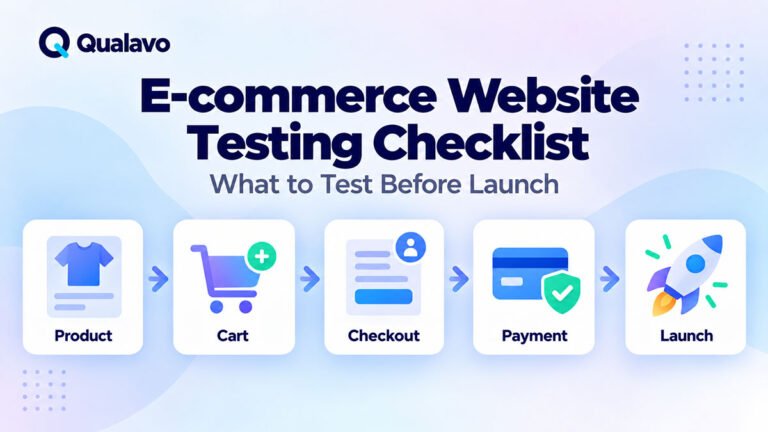
E-commerce Website Testing Checklist: What to Test Before Launch
Checkout Testing Should Cover the Full Journey
Do not test only the payment button.
A realistic checkout test should cover the complete customer journey:
Product → Cart → Checkout → Payment → Order Confirmation → Email
Each transition matters.
A defect at any stage can stop the purchase.
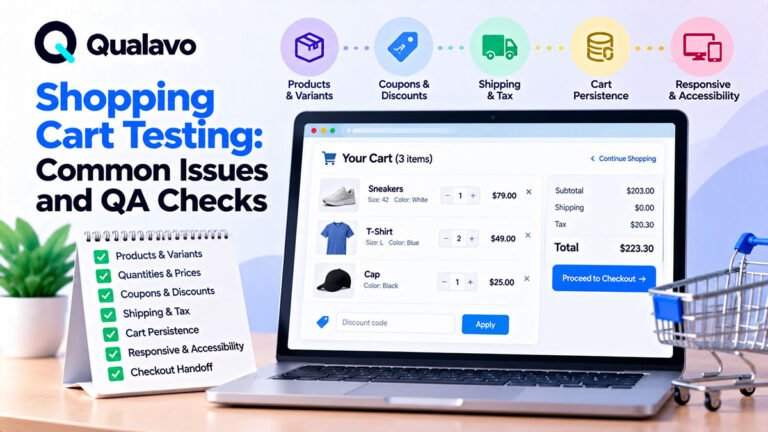
1. Start With a Clean Cart
Before testing checkout, confirm the cart is in a known state.
Check:
- correct product;
- correct variant;
- correct quantity;
- correct price;
- correct subtotal.
If the cart already contains stale data from earlier testing, your checkout results may be misleading.
For repeatable QA, use clear test data and reset the cart between scenarios where needed.
2. Test Guest Checkout
If guest checkout is supported, test it separately from account checkout.
Verify:
- guest can proceed without creating an account;
- required fields are clear;
- email is collected correctly;
- order can be completed;
- confirmation is shown;
- transactional email is delivered.
Guest checkout should not accidentally require hidden account fields.
3. Test Logged-In Checkout
For registered users, verify:
- saved address loads correctly;
- saved email is correct;
- account data is prefilled as intended;
- user can edit details;
- account-specific discounts or benefits work;
- order is attached to the correct account.
Do not assume guest checkout and logged-in checkout behave identically.
They should be tested as separate flows.
4. Test Required Fields
Submit checkout with required fields missing.
Examples:
- first name;
- last name;
- email;
- address;
- city;
- postal code;
- country;
- payment details;
- required consent.
Check:
- form does not proceed incorrectly;
- error message is clear;
- error appears near the correct field;
- keyboard focus moves logically if applicable.
Avoid generic errors such as:
Something went wrong.
Prefer:
Enter a valid postal code.
5. Test Email Validation
Try:
- valid email;
- invalid email;
- missing @;
- leading/trailing spaces;
- uppercase characters.
Examples:
customer@example.com
customer@example.com
Checkout should handle input consistently.
The email address may also be used for:
- order confirmation;
- receipt;
- account creation;
- delivery updates.
So validation quality matters.
6. Test Address Validation
Address fields can behave differently by country.
Check:
- street;
- city;
- postal code;
- state/region;
- country.
Test both valid and invalid values.
If the website supports international checkout, verify country-specific rules.
Examples:
- US ZIP;
- UK postcode;
- EU postal code;
- state/province requirements.
Avoid assuming one address format works everywhere.
7. Test Shipping Options
Shipping logic is a frequent source of checkout defects.
Test:
- standard shipping;
- express shipping;
- free shipping;
- local pickup;
- location-dependent shipping;
- order-value thresholds.
Verify:
- correct methods appear;
- unavailable methods stay hidden;
- shipping cost updates correctly;
- totals recalculate.
If free shipping activates above a threshold, test values:
- just below threshold;
- exactly at threshold;
- just above threshold.
Boundary testing is especially useful here.
8. Test Taxes
Taxes can depend on:
- country;
- state;
- product type;
- shipping destination;
- business rules.
Verify:
- tax appears when expected;
- amount is correct;
- tax-free scenarios work where applicable;
- total updates after address changes.
If tax is calculated by a third-party service, test production-like integration behavior.
9. Test Coupon Codes
Try:
- valid coupon;
- invalid coupon;
- expired coupon;
- usage-limited coupon;
- coupon below minimum order value;
- coupon on excluded product;
- already-used coupon.
Verify:
- discount amount;
- message;
- total;
- tax impact;
- shipping impact.
Do not test only the success case.
10. Test Quantity Changes During Checkout
If quantity can be changed during checkout or returned to cart, verify totals remain consistent.
Check:
- increase quantity;
- decrease quantity;
- remove item;
- change variant;
- return to checkout.
The order summary should update correctly.
11. Test Price Consistency
The customer should see consistent pricing across:
- product page;
- cart;
- checkout;
- payment;
- confirmation;
- email.
Watch for:
- rounding differences;
- stale sale price;
- incorrect currency;
- missing discount;
- different tax amount.
Price inconsistencies quickly reduce trust.
12. Test Currency
If multiple currencies are supported, verify:
- correct symbol;
- correct code;
- correct amount;
- conversion behavior;
- payment provider currency;
- confirmation currency.
Do not assume displaying $ is enough.
USD, CAD, AUD and other currencies may use the same symbol.
13. Test Payment Success
Use an approved test or sandbox payment method where available.
Verify:
- payment form loads;
- valid payment succeeds;
- order is created;
- customer sees confirmation;
- payment status is correct;
- inventory updates;
- confirmation email is sent.
This is the core happy path.
14. Test Payment Failure
Payment failure must be tested deliberately.
Examples:
- declined card;
- insufficient funds;
- invalid card;
- expired card;
- authentication failure;
- gateway timeout.
Check:
- order is not incorrectly completed;
- customer receives clear feedback;
- cart is not lost unnecessarily;
- retry is possible;
- duplicate orders are not created.
A failed payment should not leave the order in an ambiguous state.
15. Test Card Validation
Where card entry is part of the site, verify:
- invalid number;
- expired date;
- invalid CVV;
- missing cardholder name;
- incorrect format.
Frontend and payment-provider validation should work together consistently.
Do not expose raw technical gateway messages to customers.
16. Test 3D Secure or Additional Authentication
If the payment flow uses additional authentication, test:
- successful challenge;
- failed challenge;
- cancelled challenge;
- timeout;
- browser back;
- return to merchant.
After completion, the user should land in the correct state.
The site should not create duplicate payment attempts.
17. Test Payment Retry
After a failed payment, retry with a valid method.
Verify:
- previous failure does not block retry;
- cart remains intact;
- totals remain correct;
- only one successful order is created.
Retry flows often expose state-management bugs.
18. Prevent Duplicate Orders
Double-clicking or repeated submission can create serious issues.
Test:
- double-click Pay;
- refresh during processing;
- back/forward navigation;
- slow connection;
- repeated API callback.
The system should avoid creating duplicate:
- orders;
- payments;
- emails;
- inventory deductions.
19. Test Browser Refresh During Checkout
Refresh at different stages.
Examples:
- shipping step;
- payment step;
- confirmation step.
Check:
- data persistence;
- session behavior;
- duplicate submission risk;
- whether the user can continue safely.
20. Test Browser Back and Forward
Checkout is often multi-step.
Use browser back/forward navigation.
Verify:
- completed steps do not break;
- payment is not resubmitted;
- cart state remains correct;
- sensitive information is handled safely.
21. Test Session Expiration
Leave checkout inactive long enough for the session to expire, if feasible.
Check:
- user receives a clear message;
- cart behavior is understood;
- user can resume or restart;
- no incomplete order is created unexpectedly.
22. Test Inventory Changes
Stock can change between cart and payment.
Test scenarios such as:
- item goes out of stock;
- requested quantity is no longer available;
- limited stock remains.
The customer should receive a clear message before completing payment where possible.
Inventory errors after payment are much harder to resolve.
23. Test Out-of-Stock Products
Try to add or checkout with unavailable items.
Verify:
- purchase is blocked;
- message is clear;
- cart can be corrected;
- other products remain unaffected.
24. Test Free Orders
Some carts may reach zero after:
- 100% discount;
- store credit;
- gift balance.
Check whether checkout still works.
A zero-total order may not require normal payment processing.
25. Test Minimum and Maximum Order Rules
Where business rules exist, test boundaries.
Examples:
- minimum order value;
- maximum quantity;
- shipping limits;
- purchase limit per user.
Test:
- just below;
- exactly at;
- just above.
26. Test Terms and Consent
If checkout requires terms acceptance, verify:
- checkbox visible;
- legal link works;
- checkout blocked until accepted;
- consent stored appropriately.
Where marketing consent is optional, make sure it is not treated as required.
27. Test Mobile Checkout
Mobile checkout deserves separate testing.
Check:
- fields fit the screen;
- virtual keyboard does not hide controls;
- sticky buttons remain usable;
- payment fields work;
- autofill works;
- dropdowns work;
- order summary remains readable.
A desktop checkout can pass while the mobile flow remains difficult to complete.
28. Test Browser Coverage
At minimum, test checkout in the browsers relevant to the audience.
Common examples:
- Chrome;
- Safari;
- Firefox;
- Edge.
Safari is especially important for:
- Apple Pay;
- browser autofill;
- mobile behavior.
Use a defined browser/device matrix rather than random coverage.
Browser and Device Test Matrix: How to Choose What to Test
29. Test Accessibility
Checkout accessibility directly affects conversion.
Check:
- keyboard navigation;
- focus order;
- visible focus;
- form labels;
- error association;
- button names;
- contrast;
- mobile zoom.
Users should be able to complete the purchase without relying solely on a mouse.
For deeper guidance:
WCAG 2.2 Explained for Website QA Teams
30. Test Order Confirmation
After successful payment, verify the confirmation page.
Check:
- order number;
- purchased items;
- quantities;
- price;
- shipping;
- tax;
- total;
- customer details;
- delivery information.
The confirmation should match what the customer actually purchased.
31. Test Confirmation Email
Verify the email arrives.
Check:
- recipient;
- sender;
- subject;
- order number;
- product details;
- amount;
- currency;
- shipping information;
- production links.
Make sure links do not point to staging.
32. Verify Order Creation in the Backend
Do not stop at the confirmation page.
Check the order record.
Verify:
- correct customer;
- correct products;
- correct amount;
- correct payment status;
- correct fulfillment status;
- correct shipping method.
Frontend success does not always guarantee backend success.
33. Verify Payment Provider State
Where access is available, compare the order with the payment provider.
Check:
- transaction exists;
- amount matches;
- currency matches;
- payment status matches.
This is especially useful when testing gateway integration changes.
34. Verify Inventory Updates
After order creation:
- stock decreases correctly;
- only purchased quantity is deducted;
- cancelled/failed payments do not reduce stock incorrectly.
Inventory state should align with order state.
35. Verify Analytics
Important e-commerce tracking may include:
- begin checkout;
- add payment info;
- purchase;
- revenue;
- product data.
Verify the purchase event fires once.
Duplicate purchase events can distort revenue analytics.
36. Test Checkout Error Handling
Errors should be understandable.
Poor:
Error 402
Better:
Your payment could not be completed. Please check your payment details or try another method.
Avoid exposing:
- stack traces;
- raw gateway responses;
- internal IDs;
- database messages.
37. Test Slow Connections
Where practical, test slower network conditions.
Check:
- loading indicators;
- repeated clicks;
- button disabling;
- timeout behavior.
Users should understand that checkout is processing.
The interface should discourage accidental duplicate submission.
38. Test Third-Party Failures
Checkout may depend on:
- payment gateway;
- tax API;
- shipping API;
- address validation;
- fraud service.
Consider what happens if one service fails.
The application should fail gracefully.
A third-party timeout should not leave the customer unsure whether they were charged.
39. Test Security Sanity Checks
Routine QA is not penetration testing, but basic security sanity checks belong in checkout QA.
Check:
- HTTPS;
- sensitive information not exposed in URLs;
- card data handled by approved payment components;
- unauthorized order access blocked;
- order IDs do not expose other customers’ data.
For broader website security QA:
Website Security QA Checklist: Basic Checks Before Launch
40. Test Checkout After Deployment
Checkout should be part of production smoke testing after a relevant release.
A minimal smoke test may include:
Product → Cart → Checkout → Approved payment/test method → Confirmation
Verify the live production configuration works.
For the post-release process:
Post-Deployment Smoke Testing: What to Check After Release
A Practical E-commerce Checkout Checklist
Cart and Order Data
- Correct product
- Correct variant
- Correct quantity
- Correct price
- Correct subtotal
Customer Details
- Required fields work
- Email validation works
- Address validation works
- Guest checkout works
- Logged-in checkout works
Shipping
- Correct shipping options
- Correct shipping cost
- Free shipping rules work
- Location restrictions work
Discounts and Taxes
- Valid coupon works
- Invalid coupon rejected
- Tax calculated correctly
- Totals update correctly
Payment
- Successful payment works
- Failed payment handled
- Retry works
- Duplicate payment prevented
- Additional authentication works
Confirmation
- Order created
- Confirmation page correct
- Confirmation email delivered
- Payment record correct
- Inventory updated
Quality
- Mobile checkout works
- Supported browsers tested
- Accessibility basics checked
- Error states are clear
- Analytics purchase event correct
Prioritize Checkout Scenarios by Risk
It may not be practical to test every possible combination before every release.
Prioritize based on:
- revenue impact;
- payment methods;
- top devices;
- top browsers;
- primary markets;
- recent changes.
For example:
If most customers use:
iPhone + Safari + Apple Pay
that combination deserves higher priority than an obscure browser/payment pairing with almost no traffic.
Risk-based coverage gives teams better value than random testing.
Automate Carefully
Checkout contains scenarios that may benefit from automation.
Examples:
- cart totals;
- coupon rules;
- required fields;
- navigation;
- basic checkout regression.
But payment flows can be difficult to automate reliably because of:
- third-party gateways;
- authentication;
- CAPTCHA;
- dynamic fraud checks.
Use automation where it adds stability and speed.
Keep manual coverage for areas where real interaction matters.
Checkout Testing Should Be Repeatable
A structured checkout QA workflow might be:
Cart → Customer Details → Shipping → Discount → Payment → Confirmation → Backend Verification
Then add negative scenarios:
Invalid Data → Payment Failure → Retry → Session/State Checks
This creates a reliable baseline for future releases.
Qualavo Professional includes advanced e-commerce QA resources for teams testing more complex website workflows.
Final Thoughts
Checkout is where browsing becomes revenue.
That makes it one of the highest-value areas of e-commerce QA.
Do not test only whether the payment button works.
Test the complete journey:
cart, customer data, shipping, taxes, discounts, payment, order creation, email, inventory, and tracking.
Then test what happens when something goes wrong.
A reliable checkout flow should succeed when conditions are correct and fail safely when they are not.
Need a structured QA workflow for e-commerce projects? Explore Qualavo Professional.