Website Rollback Plan: What It Is and Why You Need One
What Is a Website Rollback Plan?
A website rollback plan is a predefined procedure for returning a production website or application to a known stable state when a deployment causes serious problems.
In simple terms:
Deploy → Detect Serious Problem → Stop → Restore Stable Version → Verify
A rollback plan answers questions such as:
- What can be rolled back?
- Who decides when rollback is necessary?
- Who performs it?
- Which version should be restored?
- What happens to database changes?
- How will production be verified afterward?
- How will stakeholders be informed?
The goal is not to assume every deployment will fail.
The goal is to avoid inventing the recovery process while production is already broken.
A rollback plan should therefore be part of release preparation rather than an emergency afterthought.
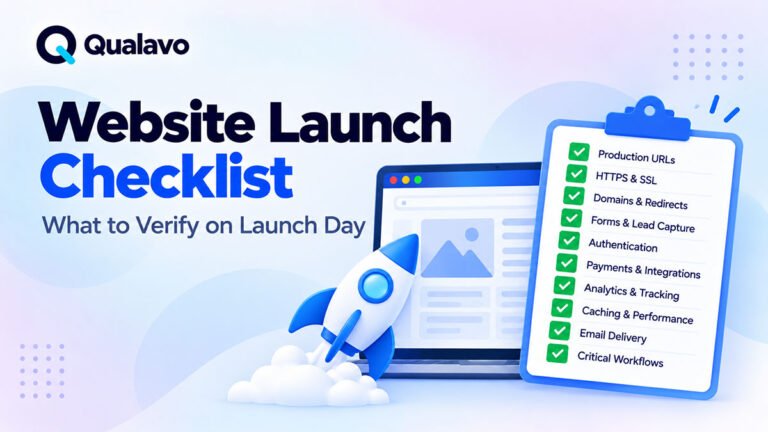
For the wider launch process, see Website Launch Checklist: What to Verify on Launch Day.
Why Every Important Website Release Needs a Recovery Strategy
Even well-tested releases can fail in production.
Staging cannot reproduce every production condition perfectly.
Production may contain different:
- infrastructure;
- traffic;
- caching;
- credentials;
- third-party integrations;
- database state;
- CDN behavior;
- security configuration;
- environment variables.
A deployment can therefore pass QA and still create an unexpected production problem.
That does not mean staging QA was useless.
It means release management needs another layer of protection.
A rollback plan provides that layer.
Rollback Is Part of Release Readiness
Release readiness is not only about whether testing passed.
It also includes the team’s ability to respond if production does not behave as expected.
Before deployment, the team should understand:
What happens if this release fails?
If the answer is:
We will figure it out if something goes wrong.
the release process carries unnecessary operational risk.
For the broader framework, see What Is Release Readiness? A Guide to Website Launch Decisions.
Rollback Is Not the Same as Fixing Forward
When a production issue occurs, teams generally have two broad options.
Roll Back
Return to the previous stable state.
Fix Forward
Keep the new release in production and deploy another change that fixes the problem.
Neither option is always correct.
Rollback may be faster and safer when the new deployment introduces a severe regression.
Fixing forward may be preferable when rollback would create greater risk, especially after irreversible data changes.
The release plan should help the team decide which strategy is appropriate.
When Is Rollback Usually the Better Choice?
Rollback is often appropriate when:
- a critical workflow is unavailable;
- a severe production regression appears immediately after deployment;
- the cause is not yet understood;
- the previous release is known to be stable;
- rollback can be performed safely and quickly.
For example:
A checkout deployment goes live.
Customers suddenly cannot complete payment.
The team does not yet know why.
If the previous production version is known to work and can be safely restored, rollback may reduce customer impact much faster than debugging the new release in production.
When Might Fixing Forward Be Better?
Rollback is not always safe.
Suppose the deployment included a database migration that changed production data in a way that cannot simply be reversed.
Restoring old application code may now be incompatible with the new database structure.
In that situation, fixing forward may be safer.
Other examples include:
- irreversible data migrations;
- new user data created after deployment;
- payment transactions processed under the new version;
- external system changes that cannot easily be reversed.
This is why rollback planning must happen before deployment.
Start by Defining What Can Be Rolled Back
A website release may contain several layers.
For example:
Application Code
Database
Configuration
Static Assets
WordPress Plugins
Theme
Infrastructure
CDN Configuration
Each layer may require a different rollback method.
Do not use the vague statement:
We have a backup.
Instead define:
Which components can be restored, to which version, and how?
Code Rollback
Code rollback is often relatively straightforward when releases are version-controlled.
A previous stable version may be redeployed.
For example:
v2.4.1 → problematic v2.5.0 → restore v2.4.1
The team should know:
- which version is currently stable;
- where the deployment artifact exists;
- how long redeployment takes;
- whether configuration changes must also be reversed.
The rollback version should be identifiable before deployment begins.
Database Rollback Is More Complicated
Database changes often create the greatest rollback risk.
A deployment may:
- create tables;
- modify columns;
- migrate data;
- change relationships;
- delete obsolete structures.
Some changes can be reversed easily.
Others cannot.
For example, adding a nullable column may be straightforward.
Transforming millions of records into a new structure may not be.
Database rollback should therefore be explicitly considered during release planning.
Backups Are Not Automatically a Rollback Plan
A backup is an important component of recovery.
It is not the complete plan.
Questions still remain:
- How long does restoration take?
- What data will be lost?
- How recent is the backup?
- Has restoration been tested?
- Who has permission to perform it?
- Does it restore files, database, or both?
A backup that takes six hours to restore may not provide an acceptable recovery path for a revenue-critical site.
Consider Data Created After Deployment
This is one of the most important rollback questions.
Suppose a new release goes live at 10:00.
By 10:30, customers have created:
- accounts;
- orders;
- payments;
- form submissions.
If the team restores the entire database from 09:55, that new production data may disappear.
A rollback process therefore needs to distinguish between:
application rollback
and:
production-data restoration.
Do not assume they are the same thing.
Define Rollback Triggers Before Launch
The team should know what types of problems justify rollback.
Potential triggers might include:
- complete site outage;
- checkout unavailable;
- severe authentication failure;
- data corruption;
- major authorization problem;
- critical integration failure;
- unacceptable error rate;
- widespread production regression.
Defining these conditions in advance reduces indecision during an incident.
Do Not Roll Back for Every Minor Bug
Rollback itself carries risk.
A minor visual issue usually does not justify reversing an entire deployment.
For example:
- small spacing problem;
- minor content typo;
- non-critical icon issue.
These may be better handled through a normal fix-forward process.
The rollback decision should be proportional to production impact.
For guidance on which defects may justify stopping a release, see Which Bugs Should Block a Website Release?.
Use Severity as One Input
Defect severity helps inform rollback decisions.
A Critical production issue deserves immediate attention.
A Low-severity cosmetic issue normally does not.
However, severity is only one factor.
The team should also consider:
- number of users affected;
- revenue impact;
- data risk;
- security implications;
- workaround availability;
- rollback risk.
For the distinction between defect impact and urgency, see Bug Severity vs Priority: What’s the Difference?.
Define Who Can Trigger a Rollback
During an incident, there should be no confusion about authority.
Potential roles include:
QA Lead
Identifies the production failure and provides evidence.
Developer / DevOps
Executes the rollback.
Release Owner
Coordinates the decision.
Product Owner / Client
May approve business-impact decisions.
The exact roles depend on the organization.
What matters is that the decision path is clear before the deployment starts.
Avoid Decision-Making by Committee During an Outage
If a revenue-critical website fails, waiting for six people to agree on every technical detail can increase downtime.
A rollback plan should define:
- who evaluates the issue;
- who has authority to make the decision;
- who performs the recovery.
This does not mean bypassing governance.
It means establishing governance in advance.
Define the Stable Version
Before deployment, record:
Current stable production version
and:
New release version
For example:
Production: v3.7.2
Release: v3.8.0
If rollback is necessary, the team should know exactly what state it is returning to.
Avoid vague labels such as:
old version
or:
previous files.
Preserve the Previous Release Artifact
If possible, retain the deployment artifact for the previous stable release.
Depending on the project, this might include:
- compiled application build;
- container image;
- plugin package;
- theme package;
- deployment package.
Rollback should not depend on reconstructing an old release from memory while production is failing.
Document Configuration Changes
Many deployments involve more than code.
Examples include:
- environment variables;
- API keys;
- feature flags;
- server settings;
- CDN configuration;
- cache rules;
- security headers.
If these values changed during deployment, restoring old code alone may not restore the previous behavior.
Configuration changes need their own rollback instructions.
Treat Feature Flags as a Recovery Tool
Feature flags can sometimes reduce the need for a complete rollback.
Suppose a new feature causes problems.
If it can be disabled independently, the team may restore service without reverting the entire release.
A possible response becomes:
Disable Feature → Verify Stable System → Investigate Later
This can be much faster than redeploying the entire previous version.
But feature flags themselves need testing and operational control.
Rollback Planning for WordPress
WordPress releases may include:
- core updates;
- plugins;
- themes;
- custom code;
- database changes;
- page-builder content;
- configuration.
A rollback strategy might therefore involve:
Plugin Version Restore
Theme Restore
File Backup
Database Backup
Hosting Snapshot
The exact method depends on the hosting environment.
For broader WordPress environment strategy, see WordPress Staging vs Production: What Should You Test Where?.
Plugin Rollback Needs Extra Care
Suppose a plugin is upgraded from:
v4.2 → v5.0
and v5.0 performs a database migration.
Simply reinstalling v4.2 may not restore the old database structure.
This is why high-risk plugin updates should first be tested in staging.
For the full process, see How to Test a WordPress Website After Plugin Updates.
Rollback Planning for E-commerce
E-commerce rollback carries special risks because production continuously generates transactional data.
During a release, customers may create:
- carts;
- orders;
- payments;
- refunds;
- accounts.
Restoring an old database snapshot can therefore cause serious data loss or inconsistencies.
For many e-commerce releases, code rollback should be considered separately from transaction-data recovery.
Critical workflows such as cart and checkout should also receive strong pre-release testing.
See E-commerce Website Testing Checklist: What to Test Before Launch for wider coverage.
Payment Systems Need Special Attention
Suppose payment succeeds at the provider but the application fails to create an order.
Rolling back application code does not automatically reverse the payment.
The incident process may need to:
- identify affected transactions;
- reconcile payment and order state;
- avoid duplicate charging;
- communicate with customers.
This is why rollback plans for transactional systems need more than technical deployment instructions.
Rollback Planning for SaaS Applications
SaaS releases may involve:
- application code;
- database migrations;
- user permissions;
- APIs;
- background jobs;
- billing;
- integrations.
A rollback must preserve consistency between these systems.
For example:
restoring old frontend code while leaving a new API or database schema active may make the system less stable rather than more stable.
High-risk SaaS releases need coordinated rollback planning across the full stack.
Consider Background Jobs
A deployment may start:
- migrations;
- scheduled tasks;
- queue workers;
- email jobs;
- imports.
If rollback occurs, determine what happens to work already in progress.
A previous application version may not understand tasks generated by the new version.
This is another reason rollback plans should reflect the real application architecture rather than being a generic checklist.
Consider Third-Party Integrations
A deployment may change:
- webhook endpoints;
- authentication credentials;
- API payloads;
- CRM mappings;
- payment integrations.
Rolling back your own application does not necessarily undo changes made in an external system.
Document external dependencies that may also require restoration or verification.
Define the Rollback Window
Some releases become harder to roll back as time passes.
For example:
A release may be simple to reverse within the first ten minutes.
After six hours of new production data, reversal may become significantly more complicated.
The team may therefore define a preferred rollback window.
Example:
If a Critical regression is detected within the first 30 minutes and no incompatible production data has been created, restore the previous release.
The exact window depends on the system.
Use Enhanced Monitoring Immediately After Deployment
The sooner a serious problem is detected, the easier rollback may be.
Monitor important indicators such as:
- site availability;
- error rate;
- checkout success;
- form submissions;
- authentication;
- API failures;
- server errors.
A production issue discovered five minutes after deployment is often easier to contain than one discovered the next morning.
Production Smoke Testing Is the First Line of Detection
Immediately after deployment, execute a focused production smoke test.
Verify:
- homepage;
- critical navigation;
- primary form;
- authentication;
- checkout where relevant;
- important integrations.
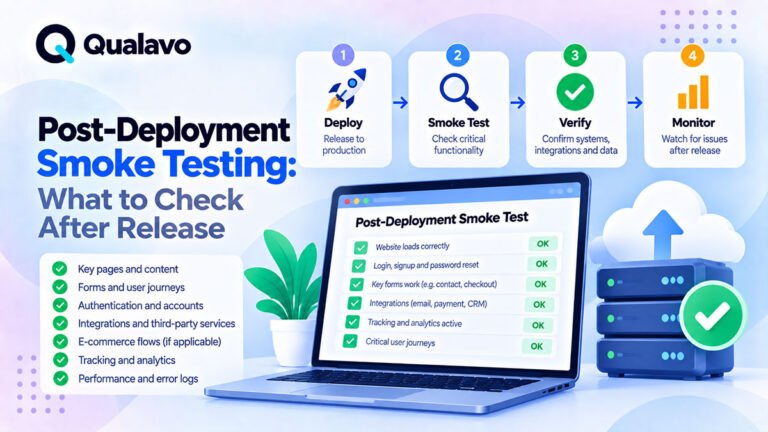
For the detailed process, see Post-Deployment Smoke Testing: What to Check After Release.
Smoke testing should be fast enough that serious deployment regressions are identified before extended production exposure.
Define the Rollback Verification Process
Rollback is not finished when the previous code is restored.
The restored production system must be tested.
A rollback verification might include:
Homepage → Critical Workflow → Integration → Data Verification
For e-commerce:
Product → Cart → Checkout → Payment
For SaaS:
Login → Core Workflow → Save Data
For marketing websites:
Homepage → Form → Lead Delivery
The stable version needs evidence that it is actually stable again.
Clear Caches After Rollback
Caching can create confusing results after restoring an earlier release.
Depending on the architecture, consider:
- browser cache;
- WordPress cache;
- server cache;
- CDN cache;
- object cache.
Otherwise, users may continue receiving assets or pages from the failed deployment.
A rollback procedure should state which caches need to be cleared or invalidated.
Check Static Assets
A deployment may change JavaScript or CSS filenames.
After rollback, mismatched cached assets can create:
- missing styles;
- JavaScript errors;
- broken interaction;
- blank pages.
Verify that application code and static assets correspond to the same release version.
Verify Database Compatibility
If the database changed during deployment, confirm that the restored application version can still use it safely.
Do not assume compatibility.
Potential symptoms include:
- SQL errors;
- missing fields;
- incorrect data;
- failed application startup.
Database compatibility should be known before rollback is attempted.
Protect Customer Data
Rollback decisions should prioritize data integrity.
Never restore a database simply because it is the fastest technical option if doing so would erase legitimate customer activity.
Before restoring production data, understand:
- what will disappear;
- what will be overwritten;
- what can be reconstructed.
For transactional systems, the recovery strategy may need partial reconciliation rather than a full database restore.
Document the Rollback Procedure Step by Step
A useful rollback plan should be executable by someone under pressure.
For example:
1. Confirm rollback decision.
2. Pause further deployments.
3. Record current production version.
4. Restore previous application release.
5. Reverse compatible configuration changes.
6. Clear required caches.
7. Restart required services.
8. Run production smoke testing.
9. Confirm data integrity.
10. Communicate status.
The actual steps should match the project’s technology.
Avoid Ambiguous Instructions
Instructions such as:
Restore the old site.
are not enough.
A useful rollback plan identifies:
- exact version;
- exact system;
- exact owner;
- exact validation step.
Operational documentation should reduce interpretation during an incident.
Define the Communication Plan
Technical recovery is only part of incident management.
Relevant people may need to know:
- release has been stopped;
- rollback is in progress;
- service has been restored;
- investigation continues.
For client projects, the agency may need a clear external communication path as well.
Do not allow multiple people to send conflicting status updates independently.
Record the Timeline
During a serious production incident, note key times.
For example:
10:00 — Deployment started
10:05 — Deployment completed
10:09 — Checkout failure detected
10:12 — Rollback approved
10:16 — Previous release restored
10:20 — Smoke test passed
This timeline can later help with:
- incident review;
- root-cause analysis;
- process improvement.
Preserve Evidence Before Rolling Back Where Possible
If it can be done safely without delaying recovery, preserve enough information to investigate the failure later.
Examples include:
- logs;
- screenshots;
- error messages;
- monitoring data;
- failing request details.
Rollback may remove the conditions needed to reproduce the production problem.
But recovery should still take priority over perfect evidence collection during a severe outage.
Do Not Debug Indefinitely Before Rolling Back
A common mistake is continuing to investigate a severe production failure while customers remain affected.
For example:
We think we are close to finding the cause.
That can continue for an hour.
If rollback is safe and the previous release is stable, restoring service may be more valuable than diagnosing the defect in production.
Debugging can continue in staging after service is restored.
Use a Time-Based Decision Threshold Where Appropriate
Some teams define an operational rule such as:
If a Critical production issue cannot be understood and safely corrected within 15 minutes, evaluate rollback.
This does not need to be a universal rule.
But having a threshold can prevent endless uncertainty during an incident.
Test Rollback Before You Need It
A recovery process that has never been tested is partly theoretical.
For high-risk systems, periodically verify:
- previous release can be deployed;
- backups can be restored;
- required credentials are available;
- responsible team members have access.
You do not necessarily need to perform a destructive production exercise.
But the recovery path should be more than an assumption.
Include Rollback in Staging or Release Rehearsals
For important releases, teams may simulate:
Deploy New Version → Verify → Restore Previous Version
in a safe environment.
This can expose:
- missing deployment artifacts;
- incompatible migrations;
- undocumented configuration changes;
- permission problems.
Finding these issues before launch is much safer.
Risk-Based Releases Need Risk-Based Rollback Planning
Not every release needs the same recovery complexity.
A content update may need only:
- previous page revision;
- backup.
A major SaaS release with database migrations may need:
- versioned code rollback;
- migration strategy;
- queue handling;
- data reconciliation;
- monitoring.
For broader prioritization, see Risk-Based Testing: How to Prioritize What Matters Most.
The greater the potential impact, the more detailed the rollback plan should be.
Last-Minute Releases Need Extra Caution
Rollback risk increases when releases happen:
- late at night;
- before holidays;
- immediately before campaigns;
- when key team members are unavailable.
Even technically low-risk deployments can become operationally high-risk if nobody is available to recover them.
Release timing should therefore consider support availability.
Define a Release Owner
One person should understand the complete release state.
The release owner may coordinate:
- deployment;
- QA status;
- rollback decision;
- communication.
This prevents confusion about who is responsible when something fails.
The role does not necessarily need to perform every technical step.
It needs to ensure the response is coordinated.
Connect Rollback Planning to Go/No-Go Decisions
Rollback readiness should influence the release decision.
Imagine two identical high-risk deployments.
Release A
Known recovery path, tested backup, stable previous version, team available.
Release B
No verified backup, unclear database rollback, no responsible engineer available.
Release B carries more operational risk even if QA results are identical.
For the wider decision framework, see Go/No-Go Checklist: Is Your Website Ready to Launch?.
A Missing Rollback Plan Can Be a No-Go Condition
For a small content update, this may not be critical.
For a high-risk production deployment involving payments, database changes, or critical business functionality, lack of recovery capability may itself justify delaying the release.
QA and release management should evaluate:
If this fails, can we recover safely?
If the answer is unknown, the release risk is also unknown.
A Practical Website Rollback Plan Template
A reusable rollback plan can include:
Release Information
Release:
Version or release name
Deployment Date:
Planned production time
Previous Stable Version:
Known rollback target
Rollback Triggers
Define conditions that may require rollback.
Decision Owner
Who can authorize rollback?
Technical Owner
Who performs it?
Code Rollback
How is the previous application version restored?
Database Strategy
What database changes occurred, and can they be reversed?
Configuration Rollback
Which settings must be restored?
Cache / CDN
What needs invalidation?
Integrations
Which external systems need verification?
Data Risk
What production data could be affected by rollback?
Verification
Which smoke tests must pass after recovery?
Communication
Who needs status updates?
This does not need to be a fifty-page document.
It needs to be specific enough to execute.
Website Rollback Checklist
Before Deployment
- Previous stable version is identified.
- Previous release artifact is available.
- Backup is current where required.
- Backup restoration process is understood.
- Database changes are reviewed.
- Migration reversibility is understood.
- Configuration changes are documented.
- Feature flags are documented.
- Rollback owner is identified.
- Technical owner is available.
- Rollback triggers are defined.
- Smoke test is prepared.
- Monitoring is active.
During Deployment
- Deployment start time is recorded.
- Production errors are monitored.
- Critical user journeys are tested.
- Integrations are verified.
- Unexpected behavior is documented.
If Rollback Is Triggered
- Further deployment activity is stopped.
- Rollback decision is recorded.
- Previous stable version is restored.
- Required configuration is restored.
- Caches/CDN are cleared where needed.
- Database compatibility is verified.
- Data integrity is checked.
- Production smoke test is executed.
- Stakeholders are updated.
After Recovery
- Critical workflows pass.
- Monitoring is stable.
- Incident timeline is documented.
- Evidence is preserved.
- Root-cause investigation begins.
- Failed release is moved back to staging.
- Fix receives appropriate regression testing.
What QA Should Do During a Rollback
QA’s role is usually not to perform infrastructure recovery unless that is explicitly part of the team’s responsibilities.
QA can provide critical support by:
- confirming the production defect;
- documenting reproduction;
- assessing severity;
- identifying affected workflows;
- verifying the restored release;
- running the smoke test;
- documenting the final production state.
This gives the rollback decision evidence rather than guesswork.
Report Production Defects Clearly
During a deployment incident, defect reports need to be concise and reproducible.
Capture:
- production environment;
- release version;
- affected workflow;
- steps;
- expected behavior;
- actual behavior;
- severity;
- evidence.
For a reusable structure, see Bug Report Template: What Every Defect Report Should Include.
Do Not Re-Deploy the Failed Release Immediately
Once rollback restores production, avoid rushing the same release back out with a speculative fix.
Return the problem to a controlled environment.
A safer process is:
Reproduce → Fix → Test → Retest → Regression → Release Review → Redeploy
A production failure is evidence that the previous QA assumptions were incomplete.
Use that information to improve the next attempt.
Perform a Post-Incident Review
After the immediate issue is resolved, ask:
- Why did the problem reach production?
- Could staging have detected it?
- Was monitoring fast enough?
- Did rollback work as expected?
- Was the decision process clear?
- Did documentation help?
- What should change before the next release?
The goal is process improvement rather than blame.
Add Escaped Defects to Regression Coverage
If the incident revealed a scenario missing from QA, consider adding it to the regression suite.
For example:
A production CDN configuration caused checkout JavaScript to fail.
Future release testing might add:
Production asset verification after deployment
to the smoke test.
Real production incidents are valuable sources of regression knowledge.
Keep the Rollback Plan Current
A rollback plan can become outdated as the system changes.
Review it after changes involving:
- hosting;
- deployment pipeline;
- database architecture;
- payment provider;
- CDN;
- WordPress plugins;
- application framework.
A recovery document describing infrastructure that no longer exists provides false confidence.
Rollback Planning Should Be Proportional
Not every website needs enterprise-level disaster recovery documentation.
A five-page marketing website may have a simple recovery process.
A high-volume e-commerce system may require a much more sophisticated approach.
The appropriate question is:
What level of recovery planning matches the consequence of failure?
That keeps the process practical.
Rollback Does Not Replace QA
A strong rollback plan should never become an excuse to reduce pre-release testing.
The mindset:
We can always roll back.
is dangerous.
Rollback itself may:
- fail;
- lose data;
- cause downtime;
- create integration problems.
The best strategy remains:
Prevent serious defects before release + prepare to recover if prevention fails.
QA Does Not Eliminate the Need for Rollback Either
The opposite is also true.
No realistic QA process guarantees that every production issue will be detected before deployment.
Production contains conditions that pre-production environments cannot always reproduce perfectly.
Good release management therefore combines:
QA + monitoring + rollback capability + production verification.
Build Rollback Into the Release Process
A mature release workflow can look like:
Plan → Define Rollback → Test → Fix → Retest → Regression → Go/No-Go → Deploy → Smoke Test → Monitor
If production remains stable:
Release Complete
If a severe problem appears:
Rollback → Verify Stable State → Investigate → Fix → Retest → Re-release
This makes recovery part of the system rather than a panic response.
Use Production Smoke Testing After Every Rollback
After a rollback, verify the most important live workflows again.
Do not assume restoring the old version automatically restored the old behavior.
For the complete verification framework, see Post-Deployment Smoke Testing: What to Check After Release.
The restored version should earn the same basic production confidence as any other deployment.
Document the Outcome in the QA Report
For significant client projects, the final report may note:
- failed release;
- rollback;
- affected functionality;
- restored version;
- successful verification;
- remaining actions.
Clear reporting prevents confusion about which version is actually in production.
For client-facing reporting guidance, see How to Write a Website QA Report for Clients.
Make Rollback Part of Agency QA Standards
Agencies managing several clients benefit from a repeatable release policy.
Each important release can require:
QA Complete
Release Decision Recorded
Rollback Path Confirmed
Production Smoke Test Prepared
This reduces reliance on individual memory and creates more consistent release governance.
For teams managing structured release workflows across multiple projects, Qualavo QA Professional provides a broader system for QA planning, regression testing, release readiness, security sanity checks, and reporting.
Final Thoughts
A website rollback plan answers one critical question:
What will we do if the production release goes wrong?
The best time to answer that question is before deployment.
A good rollback plan identifies:
the previous stable version, rollback triggers, responsible people, code recovery, database implications, configuration changes, data risks, verification steps, and communication process.
It should also recognize that rollback is not always the right answer.
Sometimes fixing forward is safer, particularly when database or production-data changes cannot easily be reversed.
The goal is not to roll back frequently.
The goal is to make sure that when a serious production problem occurs, the team has a controlled path to recovery.
Strong release management therefore combines:
pre-release QA + Go/No-Go review + rollback readiness + production smoke testing + monitoring.
That makes a website launch far safer than relying on the hope that nothing will go wrong.