Security Testing vs Penetration Testing: What’s the Difference?
Security Testing and Penetration Testing Are Not the Same Thing
The terms security testing and penetration testing are often used interchangeably.
They are related, but they do not mean exactly the same thing.
Security testing is a broad category of activities used to identify weaknesses, configuration problems, access-control issues, insecure behavior, and other security risks.
Penetration testing is a more specialized form of security assessment in which authorized testers actively attempt to identify and validate exploitable weaknesses within a defined scope.
A simple way to think about the relationship is:
Security Testing = Broad Security Verification
Penetration Testing = Focused, Authorized Attack Simulation
Penetration testing can be part of a broader security-testing strategy.
It does not replace every other type of security review, and routine website QA does not replace penetration testing.
What Is Security Testing?
Security testing is the broader process of checking whether a website, web application, API, or infrastructure behaves securely.
Depending on the project, it may include:
- authentication testing;
- authorization testing;
- session checks;
- security configuration review;
- vulnerability scanning;
- code review;
- dependency review;
- input validation;
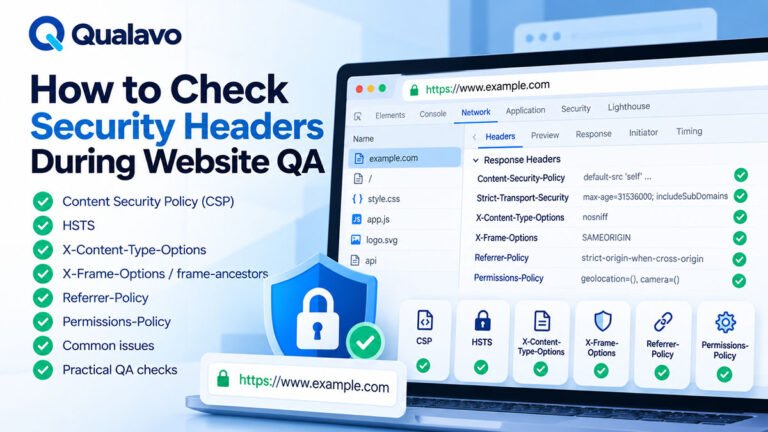
- security-header checks;
- sensitive-data exposure checks;
- file-access testing;
- API security checks;
- penetration testing.
Not every website QA cycle includes all of these.
The phrase security testing describes a category rather than one specific technique.
What Is Security Sanity Testing in Website QA?
Website QA teams often perform a much smaller subset of security checks.
These may include verifying:
- HTTPS;
- protected routes;
- login and logout behavior;
- user permissions;
- basic session behavior;
- production debug output;
- sensitive information exposure;
- obvious configuration problems.
This is better described as:
security sanity testing
rather than a full security assessment.
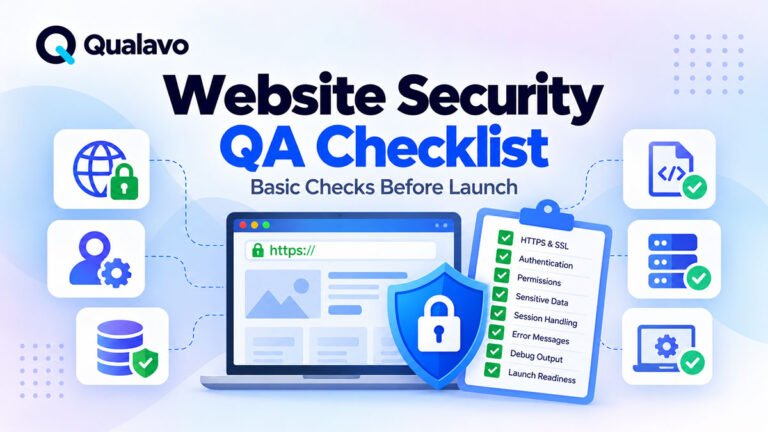
For a practical baseline, see Website Security QA Checklist: Basic Checks Before Launch.
What Is Penetration Testing?
Penetration testing is an authorized security assessment in which testers actively investigate whether vulnerabilities can be exploited.
The purpose is not simply to identify that a potential weakness exists.
The tester may also attempt to determine:
- whether it is actually exploitable;
- what access it could provide;
- what data or functionality may be affected;
- how serious the practical impact is.
A penetration test is normally performed under a clearly defined:
- scope;
- authorization;
- testing window;
- rules of engagement;
- reporting process.
This is important because penetration testing intentionally goes beyond normal user behavior.
The Main Difference: Verification vs Attack Simulation
Routine security QA usually asks:
Does the website behave securely under expected and obvious misuse scenarios?
Penetration testing asks a more adversarial question:
Can an authorized tester find a way around the intended security controls?
For example:
A QA tester may verify that a standard user cannot open the admin page.
A penetration tester may investigate whether the application’s authorization model can be bypassed through less obvious paths.
Both activities are useful.
They simply operate at different depths.
Security Testing Is a Broader Category
Security testing may include many techniques.
For example:
Configuration Review
Checking whether important production settings are secure.
Vulnerability Scanning
Using automated tools to identify known classes of weaknesses.
Dependency Review
Checking libraries, frameworks, and packages for known vulnerabilities.
Code Review
Examining source code for insecure implementation patterns.
Authentication Testing
Reviewing login, password recovery, sessions, and account states.
Authorization Testing
Checking whether users can access only the data and actions they are permitted to use.
Penetration Testing
Actively attempting to exploit vulnerabilities within an authorized scope.
This is why penetration testing is better understood as one specialized part of the wider security-testing landscape.
Penetration Testing Goes Deeper
Suppose a website has an account dashboard.
Routine QA may check:
- Log in as User A.
- Open User A’s account.
- Log out.
- Try to access the protected page directly.
- Confirm access is blocked.
That is useful security sanity testing.
A penetration test may go further by examining whether:
- object identifiers can be manipulated;
- APIs enforce authorization;
- alternative endpoints expose the same data;
- session controls can be bypassed;
- related weaknesses can be combined.
That requires specialist methodology and explicit authorization.
Security QA Focuses on Expected Behavior
Routine QA is generally driven by requirements.
For example:
A customer should not be able to access the WordPress administration area.
QA verifies that requirement.
Similarly:
Password reset links should expire.
QA can verify the intended reset lifecycle.
For authentication-specific QA, see How to Test Login, Signup and Password Reset Flows.
Penetration Testing Looks for Unexpected Paths
A penetration tester does not focus only on expected product behavior.
The goal is to investigate whether the system can be used in unintended ways.
That may involve looking at:
- access-control boundaries;
- application logic;
- exposed services;
- APIs;
- session handling;
- misconfigurations;
- unexpected trust relationships.
This adversarial mindset is one of the main differences between functional QA and penetration testing.
Security Testing Can Start During Development
Security testing does not need to happen only before launch.
It can be integrated throughout development.
Examples include:
- code review;
- dependency scanning;
- configuration review;
- authentication QA;
- permission testing;
- automated security checks.
Finding security problems earlier is usually easier and cheaper than discovering them immediately before release.
Penetration Testing Usually Targets a Defined System State
Penetration tests are often performed when the application is sufficiently stable for meaningful assessment.
The tester needs to know:
- what system is being tested;
- what is in scope;
- which environments are allowed;
- which techniques are permitted.
Testing an unstable environment that changes constantly may reduce the usefulness of the assessment.
Scope Is Critical for Both
Security work should never be vague.
A statement such as:
Test the security.
is not enough.
The scope should clarify:
- application;
- environment;
- domains;
- APIs;
- authentication;
- roles;
- integrations;
- exclusions.
For general QA scope planning, see How to Define QA Scope for a Website Project.
For penetration testing, scope becomes even more important because the testing may involve intentionally aggressive techniques.
Penetration Testing Requires Explicit Authorization
Penetration testing should be performed only against systems the tester is authorized to assess.
The project should define:
- who authorized the test;
- what systems are included;
- what systems are excluded;
- when testing may occur;
- what techniques are permitted;
- how incidents are handled.
Testing outside the authorized scope can create legal, operational, and security problems.
This distinguishes legitimate penetration testing from unauthorized attempts to compromise systems.
Security QA Usually Has Lower Operational Risk
Normal QA generally uses expected application workflows.
For example:
- invalid login;
- expired reset link;
- restricted page;
- invalid form input.
These checks typically create little operational risk when performed with test accounts.
Penetration testing may intentionally stress or manipulate security boundaries.
That is why preparation, authorization, and rules of engagement are more important.
Automated Vulnerability Scanning Is Not Penetration Testing
Another common confusion is treating a vulnerability scan as a penetration test.
A scanner can help detect:
- outdated components;
- exposed services;
- certain configuration problems;
- known vulnerability patterns.
This is useful.
But an automated scan generally does not provide the same analysis as a skilled penetration tester.
A human tester may identify relationships between weaknesses that automated tools cannot understand reliably.
Penetration Testing Is Not Just Running a Security Tool
Installing a scanner and pressing Start Scan does not automatically create a penetration test.
Professional penetration testing includes human analysis.
The tester may:
- understand application behavior;
- interpret scanner findings;
- eliminate false positives;
- investigate access boundaries;
- test business logic;
- evaluate practical impact.
Tools assist the process.
They do not define it.
Security Testing Is Not Only About Technical Vulnerabilities
Security problems can also appear in normal product logic.
Examples:
- a user sees another customer’s order;
- a cancelled account retains premium access;
- a standard user can approve an administrator-only action;
- private files are available through public URLs.
These are security issues even if no sophisticated exploit is involved.
QA teams can often discover these problems through good functional and role-based testing.
Authentication Is Only One Part of Security
Login is important, but security does not stop once the user successfully authenticates.
Testing should also consider:
- authorization;
- sessions;
- account states;
- permissions;
- password recovery;
- sensitive data;
- protected resources.
A system can have a secure login form and still expose private data after login.
Authentication vs Authorization
The distinction is fundamental.
Authentication asks:
Who are you?
Authorization asks:
What are you allowed to do?
For example:
A customer may successfully authenticate.
That does not mean they should be able to:
- access admin settings;
- view another customer’s data;
- change another user’s account;
- download private files belonging to someone else.
Both QA and specialist security testing should consider these boundaries.
Security Testing for E-commerce
E-commerce projects have additional security-sensitive areas.
Examples include:
- customer accounts;
- checkout;
- payment;
- order history;
- personal data;
- admin functions.
Routine QA should at least verify obvious security boundaries around these features.
For broader transaction testing, see How to Test an E-commerce Checkout Flow.
Payment-security certification or deeper payment-system testing may require specialist processes beyond normal website QA.
Security Testing for SaaS
SaaS applications may have more complicated authorization models.
Examples include:
- multiple roles;
- workspaces;
- teams;
- organizations;
- subscriptions;
- APIs.
A major risk is incorrect data isolation.
For example:
User A should never see Workspace B’s data.
Routine SaaS QA can test these boundaries using authorized test accounts.
A penetration test may investigate them much more deeply.
Security Testing for WordPress
WordPress security QA may include:
- HTTPS;
- user roles;
- administrator access;
- plugin behavior;
- debug output;
- staging exposure;
- protected pages.
Plugins and themes also increase the number of components involved in the system.
For general WordPress coverage, see WordPress QA Checklist: What to Test Before Going Live.
Penetration Testing Is Not a Replacement for Secure Development
A penetration test can find important vulnerabilities.
It should not be treated as the only security control.
A stronger security process can include:
Secure Design → Secure Development → Code Review → Automated Checks → Security Testing → Penetration Testing → Monitoring
Waiting until the end of the project for a penetration tester to find everything is inefficient.
Security QA Is Not a Replacement for Penetration Testing Either
The reverse is also true.
Suppose QA confirms:
- HTTPS works;
- login works;
- permissions appear correct;
- debug output is disabled.
That is useful.
But it does not prove that the application has no deeper exploitable vulnerabilities.
A normal QA pass should never be described as a penetration test unless actual penetration testing was performed.
When Is Routine Security QA Enough?
For lower-risk websites, routine security sanity testing may be appropriate as part of normal QA.
For example:
- simple marketing site;
- no customer accounts;
- no sensitive business data;
- limited custom functionality.
Even then, security configuration still matters.
The appropriate level of assurance depends on the project’s actual risk.
When Should You Consider Penetration Testing?
Deeper specialist testing may be appropriate when a website or application handles:
- sensitive information;
- financial transactions;
- customer accounts;
- confidential documents;
- complex permissions;
- business-critical workflows;
- public APIs.
It may also be required by:
- contracts;
- customers;
- internal security policy;
- regulatory or compliance requirements.
The correct assessment should be based on risk rather than on whether the application appears visually complex.
Penetration Testing Before a Major Launch
A high-risk application may schedule penetration testing before an important production release.
The process might look like:
Development → Functional QA → Security Testing → Penetration Test → Remediation → Retest → Release
This allows serious findings to be addressed before production.
However, timing should allow enough room for remediation.
Scheduling a penetration test the night before launch provides little practical time to fix serious problems.
Penetration Testing After Major Changes
Security assessment may also be repeated after significant architectural changes.
Examples include:
- new authentication system;
- new payment flow;
- new API;
- major permission changes;
- new customer portal;
- infrastructure migration.
Risk changes when the system changes.
Security coverage should change with it.
What Does a Penetration Test Report Include?
A professional report commonly includes information such as:
- scope;
- methodology;
- findings;
- affected systems;
- severity;
- evidence;
- potential impact;
- remediation recommendations.
A technical report may contain much more detail than a normal QA defect report.
The exact format depends on the provider and engagement.
What Does a Security QA Report Include?
Routine QA reporting is usually more product-focused.
For example:
Issue: Standard user can access administrator settings
Severity: Critical
Expected: Administrator-only access
Actual: Standard user can open the settings page directly
This can be documented using the normal QA defect process.
For a practical structure, see Bug Report Template: What Every Defect Report Should Include.
Do Not Mix Specialist Security Findings With Ordinary Bugs Without Context
A penetration-test finding may require different handling from a normal UI defect.
Security findings may need:
- restricted visibility;
- security ownership;
- special remediation;
- confidentiality;
- risk acceptance.
The issue-management process should reflect the sensitivity of the information.
Severity Can Be Different From QA Severity
Normal QA severity often focuses on user and business impact.
Security assessments may evaluate additional factors such as:
- exploitability;
- exposure;
- privileges required;
- data sensitivity;
- potential impact.
Therefore, do not assume a security tester’s severity scale maps directly to a normal QA severity model.
The systems can still be connected, but terminology should be defined.
False Positives Need Review
Automated security tools may report potential problems that turn out not to be exploitable or relevant.
A finding should be reviewed before being treated as confirmed.
This is another reason human analysis remains important.
Automated tools increase coverage.
Humans provide context.
Retesting Matters
Security findings should not simply be marked fixed because code changed.
The relevant issue should be retested.
A useful process is:
Find → Fix → Retest → Confirm
For important security findings, retesting may be performed by the same specialist team that identified the issue.
This provides stronger evidence that the remediation actually worked.
Security Findings Can Affect Release Readiness
Before launch, unresolved security issues should be reviewed alongside other release risks.
Questions include:
- What is the severity?
- What data or users are affected?
- Is exploitation realistic?
- Is a workaround available?
- Can the issue be safely accepted?
A serious authorization or data-exposure problem may justify delaying release.
For the broader decision framework, see Go/No-Go Checklist: Is Your Website Ready to Launch?.
Security Should Be Included in Launch Planning
Launch-day QA can also verify basic production security configuration.
Examples:
- HTTPS;
- authentication;
- protected routes;
- correct user roles;
- debug mode disabled;
- production URLs.
For the wider launch process, see Website Launch Checklist: What to Verify on Launch Day.
How Should QA Teams Work With Security Specialists?
QA and security teams should complement each other.
QA can provide:
- product knowledge;
- user journeys;
- business rules;
- test accounts;
- known defect history.
Security specialists bring:
- adversarial methodology;
- deeper vulnerability analysis;
- exploitation expertise;
- security-specific risk assessment.
Collaboration is often much more effective than treating the two disciplines as unrelated.
QA Can Help Prepare for a Penetration Test
Before a penetration test begins, QA can help confirm:
- environment is stable;
- test accounts work;
- critical functionality is available;
- relevant roles exist;
- known functional defects are documented.
This prevents penetration testers from spending valuable assessment time investigating ordinary broken functionality.
Penetration Testing Cannot Guarantee Zero Vulnerabilities
Even a high-quality penetration test provides evidence within a defined scope and time window.
It cannot prove:
There are no vulnerabilities anywhere.
Applications change.
New vulnerabilities are discovered.
Configurations change.
Dependencies update.
Security should therefore be an ongoing process rather than a one-time certification exercise.
Security Testing Is Continuous
A practical security lifecycle may include:
Build → Review → Test → Assess → Fix → Retest → Monitor
Different activities happen at different stages.
Routine QA provides one layer.
Automated tools provide another.
Specialist security testing provides another.
Together, they provide stronger coverage than any one activity alone.
Security Testing vs Penetration Testing: Quick Comparison
| Area | Security Testing | Penetration Testing |
|---|---|---|
| Scope | Broad category | Specialized security assessment |
| Main Goal | Identify security weaknesses and verify controls | Validate whether weaknesses can be exploited |
| Approach | Preventive and verification-focused | Adversarial and attack-oriented |
| Automation | Often used | Used alongside manual analysis |
| Human Analysis | Depends on method | Essential |
| Normal QA Involvement | Often includes basic sanity checks | Usually specialist-led |
| Authorization | Required for all legitimate testing | Explicit authorization and scope especially critical |
| Typical Output | Defects, risks, configuration findings | Vulnerabilities, exploitability, impact and remediation guidance |
A Practical Security Assurance Model
For many web projects, a layered model works well:
Layer 1 — Functional QA
Verify expected behavior.
Layer 2 — Security Sanity Testing
Check obvious authentication, authorization, HTTPS, session, and exposure problems.
Layer 3 — Automated Security Checks
Use appropriate scanning and dependency tools.
Layer 4 — Specialist Security Review
Perform deeper manual analysis where risk requires it.
Layer 5 — Penetration Testing
Conduct authorized adversarial testing for higher-risk applications or where required.
Not every project requires every layer.
The appropriate combination depends on risk.
Security Testing Checklist for QA Teams
Routine website QA can reasonably verify:
- HTTPS works.
- Login and logout behave correctly.
- Protected pages require authentication.
- Relevant user roles are enforced.
- Users cannot obviously access another user’s private data.
- Password reset behaves correctly.
- Sensitive information is not exposed in URLs.
- Production debug output is disabled.
- User-facing errors do not expose unnecessary internal information.
- Production configuration behaves as expected.
- Serious findings are documented and retested.
This is useful security QA.
It is not a penetration test.
What QA Teams Should Not Claim
After basic security QA, avoid statements such as:
The website is completely secure.
The website passed penetration testing.
No vulnerabilities exist.
Instead, use precise wording.
For example:
Basic security sanity checks were completed within the agreed QA scope, including authentication, authorization, HTTPS, sensitive-data exposure, and production configuration.
This accurately describes the work performed.
Client Reporting Should Explain the Difference
Clients may not know the distinction between security QA and penetration testing.
The final QA report should clearly state what was included.
Example:
The QA scope included functional security sanity checks but did not include penetration testing or a formal security audit.
This helps prevent false assumptions.
For reporting guidance, see How to Write a Website QA Report for Clients.
Choose the Right Level of Security Testing
Do not ask:
Do we need security testing or penetration testing?
Instead ask:
What level of security assurance does this project require?
A low-risk marketing website and a multi-user financial application should not automatically receive the same security process.
Consider:
data sensitivity + business impact + application complexity + exposure + contractual requirements
when deciding.
Make Security Part of the QA Process
Security should not appear as an isolated checkbox on the final day.
A stronger process looks like:
Define Scope → Build → Functional QA → Security Sanity Testing → Specialist Assessment Where Required → Fix → Retest → Release
This provides much clearer ownership and expectations.
Qualavo Professional includes structured security sanity checks as part of a broader website QA workflow covering authentication, release readiness, accessibility, e-commerce, SaaS, and client reporting.
Final Thoughts
Security testing and penetration testing are related, but they are not interchangeable.
Security testing is the broader category.
It can include configuration review, authentication testing, authorization checks, vulnerability scanning, code review, and many other security activities.
Penetration testing is a specialized, authorized form of security assessment that uses an adversarial approach to investigate whether vulnerabilities can actually be exploited.
Website QA teams can and should perform practical security sanity checks.
But routine QA should not be presented as a penetration test.
For higher-risk applications, sensitive data, financial workflows, complex permissions, or formal security requirements, specialist security testing may be necessary.
The strongest approach is layered:
good development practices + QA security checks + appropriate automated tools + specialist assessment where the risk justifies it.
That provides a far stronger security process than relying on a single test at the end of the project.