How to Write a Website QA Report for Clients
What Is a Website QA Report?
A website QA report is a structured summary of what was tested, what issues were found, what remains unresolved, and whether the website appears ready for release.
For clients, the report should answer practical questions such as:
- What did the QA team test?
- Which areas passed?
- What important problems were found?
- Which issues are still open?
- Do any remaining issues affect launch?
- What should happen next?
The purpose is not to overwhelm the client with every technical detail.
The purpose is to make the testing outcome clear enough for informed decisions.
A good client QA report translates technical testing into understandable project status.
Why Client-Facing QA Reports Matter
Internal QA teams often work with detailed information:
- defect IDs;
- logs;
- browser versions;
- screenshots;
- console errors;
- retest notes;
- technical comments.
Clients usually need a different level of detail.
They need to understand:
- quality status;
- business impact;
- remaining risk;
- release recommendation;
- responsibilities;
- next steps.
A raw defect export is not the same as a useful client report.
The report should provide context.
For example:
Poor client communication:
14 defects open, 6 closed, 3 pending retest.
Better:
All critical user journeys passed. No critical or high-severity defects remain open. Three medium-severity issues remain, none of which block the primary conversion flow.
The second version helps the client understand what the numbers mean.
Start With the Project Context
Every QA report should clearly identify the project.
Include:
- client name;
- project name;
- website/application name;
- environment;
- QA period;
- report date;
- release version where relevant.
Example:
Client: Acme Ltd.
Project: Corporate Website Redesign
Environment: Staging
QA Period: 14–18 September 2026
Report Date: 18 September 2026
This becomes especially important when a client receives multiple reports over time.
Define the QA Scope
The client should know what was actually tested.
Avoid:
Full website QA completed.
That can easily be misunderstood.
Instead, define the scope.
Example:
QA covered the public website, responsive layouts, primary navigation, lead-generation forms, supported desktop and mobile browsers, accessibility sanity checks, and release readiness.
Also document exclusions.
Example:
Payment processing and CRM data validation were outside the agreed scope for this QA cycle.
This prevents the report from implying coverage that did not happen.
Explain the Test Environment
State where testing was performed.
Possible environments include:
- development;
- staging;
- UAT;
- production.
Example:
Functional and responsive testing was completed in the staging environment. Production-specific checks will be completed after deployment.
This distinction matters because some behavior can change between environments.
Examples:
- payment credentials;
- analytics;
- email delivery;
- caching;
- API configuration.
Summarize Test Coverage
Clients do not normally need every individual test case.
A summary is usually more useful.
Coverage might include:
- number of key pages;
- critical user journeys;
- forms;
- browsers;
- devices;
- accessibility checks;
- integrations.
Example:
QA Coverage
- 28 priority pages
- 7 lead-generation forms
- 10 critical user journeys
- Chrome, Safari, Edge and Firefox
- Desktop, tablet and mobile layouts
- Basic accessibility review
Keep this concise.
Include an Executive Summary
The executive summary should appear near the beginning of the report.
It should give the client a quick understanding of the overall result.
A strong summary may include:
- overall QA outcome;
- critical workflow status;
- key open issues;
- release risk;
- recommendation.
Example:
Core website functionality is operating as expected across the agreed test scope. No critical defects remain open. Two medium-severity layout issues are still unresolved, but neither affects lead generation or navigation. QA recommends proceeding with release, followed by production smoke testing.
For a deeper guide:
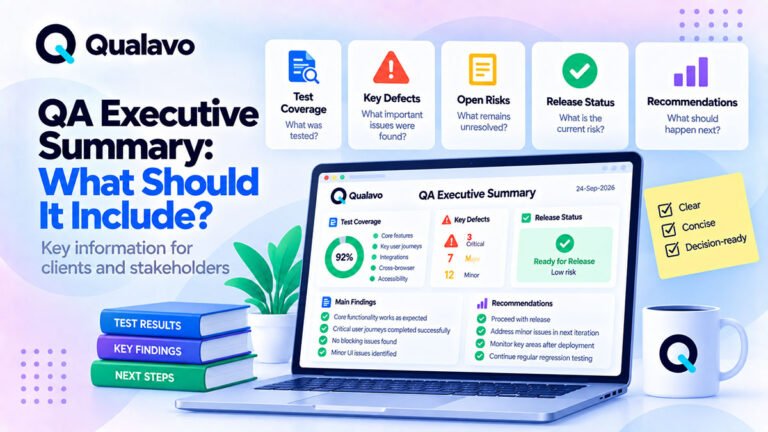
QA Executive Summary: What Should It Include?
Use Clear Defect Severity
Clients should be able to understand the importance of each issue.
A simple severity model may use:
Critical
Blocks release or a core business workflow.
High
Major impact on important functionality.
Medium
Meaningful issue with limited business impact.
Low
Minor visual, content, or usability issue.
The exact names are less important than consistency.
Add a short definition if clients may not already know the model.
Summarize Defects by Severity
A simple summary can look like:
| Severity | Open | Fixed | Total |
|---|---|---|---|
| Critical | 0 | 1 | 1 |
| High | 0 | 2 | 2 |
| Medium | 3 | 4 | 7 |
| Low | 5 | 6 | 11 |
This gives the client an immediate overview.
But do not rely on numbers alone.
Explain what the important open defects actually mean.
Highlight Important Defects
The client report does not need to describe every minor issue in detail.
Focus on defects that affect:
- business goals;
- critical user journeys;
- launch risk;
- customer experience;
- important supported environments.
Example:
Issue: Contact Form Fails in Safari
Severity: High
Impact: Safari users cannot submit the main lead-generation form.
Status: Fixed and retested successfully.
This is more useful than a technical ticket reference alone.
Explain Business Impact
Technical descriptions are often not enough.
Compare:
JavaScript exception occurs after form submit.
with:
The contact form does not complete in Safari, preventing affected visitors from sending enquiries.
The second version explains why the client should care.
Where relevant, connect the defect to:
- conversion;
- revenue;
- leads;
- account access;
- usability;
- legal/compliance risk.
Separate Open and Resolved Issues
Clients should be able to distinguish between:
- issues that were found and fixed;
- issues still open;
- issues intentionally accepted.
Do not make a fixed critical bug look like an active blocker.
A simple status model can include:
- Open;
- In Progress;
- Ready for Retest;
- Closed;
- Accepted;
- Deferred.
Include Known Issues
Known issues should be visible before release.
For each one, consider including:
- description;
- severity;
- impact;
- workaround;
- owner;
- planned resolution.
Example:
Issue: Footer links wrap incorrectly at 320px width
Severity: Low
Impact: Visual only
Status: Deferred
Planned Resolution: Next maintenance release
This prevents surprises after launch.
Explain What Was Retested
A fix should not be treated as verified simply because development says it is complete.
The report should distinguish:
- fixed;
- retested;
- passed retest.
Example:
All previously reported high-severity defects were retested successfully in staging.
That gives the client more confidence than:
All bugs were fixed.
Include Browser and Device Coverage
Where browser/device coverage matters, summarize it clearly.
Example:
Tested environments:
- Chrome / Windows
- Safari / macOS
- Safari / iPhone
- Chrome / Android
- Edge / Windows
- Firefox / Windows
If the project used tiered coverage, note that.
For example:
Full critical-flow testing was completed on Tier 1 environments. Tier 2 browsers received core workflow and visual compatibility checks.
For more guidance:
Browser and Device Test Matrix: How to Choose What to Test
Include Accessibility Scope
If accessibility was part of the QA cycle, state exactly what was tested.
Example:
Accessibility QA included keyboard navigation, focus visibility, heading structure, form labels, basic contrast checks, and zoom/reflow sanity testing.
Avoid saying:
Accessibility passed.
unless the scope and standard are clearly defined.
If the work was not a formal accessibility audit, say so.
For broader guidance:
WCAG 2.2 Explained for Website QA Teams
Document Testing Limitations
Every QA cycle has limitations.
Examples:
- production not yet available;
- third-party service unavailable;
- browser/device not accessible;
- limited test data;
- accessibility review limited to sanity checks;
- security testing excluded.
Document these openly.
Example:
Payment testing was performed in sandbox mode. Live payment processing requires production verification after deployment.
Limitations do not weaken the report.
They make it more accurate.
Include Release Risk
The report should explain the current release risk.
Avoid vague labels without context.
Instead of:
Risk: Medium
use:
Release risk is currently limited to two non-blocking responsive layout issues on secondary pages. No known defects affect lead generation, navigation, or account access.
If you use Low / Medium / High risk labels, define what they mean.
Include a Clear Recommendation
A QA report should not end with a bug table.
It should help the client understand what to do next.
Common outcomes include:
Go
Release can proceed.
Conditional Go
Release can proceed with agreed conditions or accepted known issues.
No-Go
Release should be delayed until blocking issues are resolved.
For a practical release framework:
Go/No-Go Checklist: Is Your Website Ready to Launch?
Example Release Recommendation
QA recommends proceeding with release. All critical user journeys have passed, no critical or high-severity defects remain open, and the remaining issues are non-blocking. Production smoke testing should be completed immediately after deployment.
This is direct and decision-focused.
Include Next Steps
The report should end with clear actions.
Examples:
- Resolve remaining medium-severity issues.
- Retest affected pages.
- Deploy approved build.
- Perform production smoke test.
- Confirm final client acceptance.
This helps everyone understand ownership and sequence.
A Practical Client QA Report Structure
A useful report can follow this structure:
1. Project Information
Client, project, environment, QA period, report date.
2. Executive Summary
Overall result and recommendation.
3. QA Scope
What was and was not tested.
4. Coverage
Browsers, devices, pages, workflows and relevant test areas.
5. Defect Summary
Counts by severity and status.
6. Key Findings
Important defects and business impact.
7. Known Issues
Open or accepted defects.
8. Retest Status
What was verified after fixes.
9. Limitations
Coverage constraints.
10. Release Risk
Remaining release concerns.
11. Recommendation
Go / Conditional Go / No-Go.
12. Next Steps
Actions and ownership.
This structure works well for many website projects.
Example Client QA Summary
Project
Acme Website Redesign
QA Status
Testing complete.
Scope
Public website, lead forms, responsive layouts, primary browsers, basic accessibility and release readiness.
Result
All critical user journeys passed.
Defects
- Critical: 0 open
- High: 0 open
- Medium: 2 open
- Low: 4 open
Key Open Issues
Two responsive UI issues remain on secondary pages.
Neither prevents users from completing core workflows.
Risk
Low.
Recommendation
Proceed with release.
Next Step
Perform production smoke testing immediately after deployment.
This is concise enough for stakeholders while still providing useful release context.
Do Not Overload the Client With Raw QA Data
A common mistake is delivering:
- hundreds of test-case rows;
- long technical logs;
- every screenshot;
- internal comments;
- development notes.
That material may be useful internally.
It is rarely the best client report.
The client should be able to understand the release state quickly.
Detailed evidence can be attached separately when needed.
Keep Technical Detail Available
Simplifying the client report does not mean hiding evidence.
Maintain detailed internal records.
For example:
Client Report:
Summary, risk, recommendation.
Supporting Evidence:
Bug tracker, screenshots, browser matrix, detailed testing results.
This creates both clarity and traceability.
Avoid Making Unsupported Claims
Do not write:
The website is completely bug-free.
QA cannot prove that.
Prefer:
No critical defects were identified within the agreed QA scope.
That statement is both useful and accurate.
Similarly, do not claim:
The website is fully WCAG compliant.
unless the appropriate level of formal evaluation actually supports that conclusion.
Use Consistent Language Across Reports
Standardize terminology such as:
- severity;
- status;
- release recommendation;
- test result;
- known issue.
This is particularly important for agencies handling multiple clients.
If one report uses:
Critical / Major / Minor
and another uses:
P0 / P1 / P2
client communication becomes inconsistent.
A shared reporting standard solves this.
Make Reports Easy to Scan
Client reports should be visually structured.
Use:
- headings;
- short paragraphs;
- tables;
- bullet points;
- status summaries.
Avoid pages of uninterrupted prose.
A client should be able to scan the report and locate:
- overall result;
- blockers;
- open issues;
- recommendation.
Include the Report Date
QA results represent a point in time.
A report from before the final development changes may no longer reflect the current release.
Always include:
- report date;
- relevant build/release version;
- environment.
This makes historical reports easier to interpret later.
Link Reports to the Correct Release
If the team releases frequently, identify the build or release.
Example:
Release: v2.4.1
Build: 2026.09.22.3
Environment: Staging
This prevents confusion when several versions exist.
Client QA Reports for Agencies
Agencies benefit particularly from standardized reporting.
A repeatable client report makes it easier to:
- maintain quality across projects;
- communicate consistently;
- onboard project managers;
- compare releases;
- provide professional handover.
The core structure can remain the same while the content adapts to each client.
For the broader agency process:
How to Build a Website QA Process for a Digital Agency
White-Label QA Reporting
Some agencies want QA reports to appear as part of their own service.
A white-label report may include:
- agency logo;
- agency colors;
- client details;
- project name;
- agency contact information.
The reporting structure remains standardized while the client-facing presentation follows the agency brand.
Teams managing QA across multiple clients can extend this with Qualavo QA Agency, including standardized white-label reporting and release governance.
QA Reporting for Complex Projects
More complex website, SaaS, or e-commerce projects may need deeper reporting.
Examples:
- formal test plan;
- specialized test modules;
- detailed launch readiness;
- post-launch monitoring;
- client handover.
Qualavo Professional includes structured client QA reporting and handover resources for advanced project-level QA workflows.
Client QA Report Checklist
Before delivering the report, confirm:
- Client and project are identified.
- Environment is stated.
- Report date is included.
- QA scope is clear.
- Out-of-scope areas are documented.
- Coverage is summarized.
- Executive summary is included.
- Defects are grouped by severity/status.
- Important defects explain business impact.
- Known issues are documented.
- Retest status is clear.
- Testing limitations are stated.
- Release risk is explained.
- Recommendation is explicit.
- Next steps are listed.
- Technical detail is appropriate for the client.
Make Client QA Reporting Repeatable
A good reporting process should not depend on rewriting the entire report structure for every project.
Use a standard framework:
Project → Scope → Coverage → Findings → Risk → Recommendation → Next Steps
Then customize:
- project details;
- test areas;
- results;
- known issues;
- client branding.
This provides consistency without making every report generic.
Final Thoughts
A good website QA report should help the client understand the current release — not force them to interpret raw test data.
Focus on:
what was tested, what was found, what remains, what the risk is, and what should happen next.
Keep technical evidence available.
But translate the outcome into clear, client-relevant language.
The best QA report gives stakeholders enough information to make a confident release decision without needing to become QA specialists themselves.
For complex project-level reporting, explore Qualavo Professional.
For multi-client agency reporting and white-label delivery, explore Qualavo QA Agency.