Go/No-Go Checklist: Is Your Website Ready to Launch?
What Is a Go/No-Go Decision?
A go/no-go decision is the final release decision made before a website or web application is launched.
The question is simple:
Is the release safe enough to go live?
But the answer should not be based on intuition.
A good release decision considers:
- whether critical workflows work;
- whether testing is complete;
- whether release-blocking defects remain;
- whether known issues are acceptable;
- whether rollback is possible;
- whether the team understands the remaining risk.
The goal is not to prove that the website has zero bugs.
The goal is to make a deliberate release decision based on evidence.
For a broader introduction to release readiness, see:
What Is Release Readiness? A Guide to Website Launch Decisions
Why Go/No-Go Decisions Matter
Many poor releases are not caused by a lack of testing.
They happen because the team has no clear rule for deciding whether the remaining problems are acceptable.
Without a structured decision process, teams may launch because:
- the deadline arrived;
- the client expects it;
- “most things work”;
- developers say the release is ready;
- nobody wants to delay.
That can lead to avoidable risk.
A go/no-go checklist creates a shared decision framework.
It helps answer:
- What must work?
- What defects are acceptable?
- What risks are understood?
- What would require delay?
- What happens if production fails?
Go Does Not Mean Perfect
A Go decision does not mean:
There are no defects.
It means:
The remaining risk is understood and acceptable for this release.
A website can sometimes launch with:
- minor visual issues;
- low-impact content problems;
- documented known defects;
- deferred improvements.
It should generally not launch with:
- broken checkout;
- unavailable login;
- failed lead forms;
- serious permission issues;
- critical production configuration problems.
The decision depends on impact, not simply bug count.
Start With Critical User Journeys
Before discussing minor defects, verify the workflows the website exists to support.
Examples:
Lead-generation website
- visitor opens website;
- finds service;
- submits contact form;
- enquiry is received.
E-commerce website
- user finds product;
- adds to cart;
- completes checkout;
- payment succeeds;
- order is created.
SaaS application
- user signs up;
- verifies account;
- logs in;
- completes core product action.
Booking website
- user selects service;
- chooses date;
- completes booking;
- receives confirmation.
If a critical user journey fails, that is usually a strong no-go signal.
1. Are Critical Workflows Passing?
Check:
- Primary user journeys pass.
- Core forms work.
- Login/authentication works where relevant.
- Checkout/payment works where relevant.
- Critical integrations work.
- Confirmation states work.
- Important emails are delivered.
If the answer to one of these is no, understand the impact before proceeding.
2. Are There Any Critical Defects?
Review all open defects.
Ask:
- Is production unavailable?
- Is a primary business workflow blocked?
- Is data at risk?
- Is there a serious security or permission issue?
- Can users complete the main task?
A critical unresolved defect generally means:
No-Go
unless there is a very specific and validated workaround.
3. Review High-Severity Defects
High-severity issues may or may not block release depending on context.
Examples:
- Safari users cannot submit a lead form;
- mobile navigation is unusable;
- password reset fails;
- payment works only for some payment methods.
Ask:
- How many users are affected?
- Is there a workaround?
- Is the affected workflow business-critical?
- Can the issue be fixed safely after launch?
Do not classify severity only by technical complexity.
User and business impact matter more.
4. Review Medium and Low Defects
Medium and low issues are less likely to block release, but they still need review.
Examples:
- spacing issue;
- minor validation wording;
- secondary-page layout defect;
- small content inconsistency.
A release may proceed with these issues if:
- they are documented;
- stakeholders understand them;
- they do not affect critical workflows;
- follow-up ownership exists.
Avoid simply ignoring them.
5. Are Known Issues Documented?
A known issue should not remain known only to the QA tester.
Document:
- issue;
- severity;
- impact;
- workaround;
- owner;
- planned resolution.
Example:
Issue: Mobile footer alignment incorrect at 320px
Severity: Low
Impact: Visual only
Workaround: None required
Owner: Frontend
Target: Next maintenance release
This makes acceptance explicit.
6. Has Testing Covered the Agreed Scope?
A release decision is only as reliable as the coverage behind it.
Confirm whether QA covered:
- critical pages;
- important browsers;
- relevant devices;
- forms;
- integrations;
- responsive behavior;
- authentication;
- e-commerce flows;
- accessibility basics;
- production-sensitive functionality.
Do not say:
QA passed.
if major areas were never tested.
7. Are Important Browsers and Devices Covered?
Review the agreed browser/device matrix.
For example:
- Chrome desktop;
- Safari desktop;
- Edge desktop;
- Firefox desktop;
- iPhone Safari;
- Android Chrome.
If an important supported environment is completely untested, that increases release risk.
For guidance:
Browser and Device Test Matrix: How to Choose What to Test
8. Has Regression Testing Been Completed?
Recent fixes can create new defects.
Before launch, verify that:
- resolved bugs were retested;
- related workflows were checked;
- critical areas were regression-tested;
- no new blockers were introduced.
Do not assume:
Developer marked it fixed.
means:
QA confirmed it works.
9. Are Forms Working End to End?
Forms are especially important for marketing and service websites.
Check:
- form submits;
- validation works;
- success message appears;
- data reaches the intended destination;
- notification email arrives.
A form is not working if the user sees success but the business never receives the enquiry.
10. Are Production Configurations Ready?
A release can pass staging and fail in production because configuration differs.
Check relevant items such as:
- domain;
- HTTPS;
- environment variables;
- API keys;
- email settings;
- payment credentials;
- analytics IDs;
- CDN;
- caching;
- robots settings.
Production readiness is more than application code.
11. Is Search Engine Visibility Correct?
For public websites, check whether search engine indexing is configured intentionally.
In WordPress, one common launch problem is leaving the site set to discourage search engines.
Check:
- robots settings;
- sitemap;
- canonical URLs;
- noindex directives;
- production domain.
This should be verified before or immediately after launch.
12. Are Analytics and Tracking Ready?
If tracking matters to the business, verify:
- analytics installed;
- key page views recorded;
- form events work;
- purchase tracking works where relevant;
- no obvious duplicate events.
A release can technically succeed while business measurement silently fails.
13. Are Legal and Required Pages Ready?
Where applicable, check:
- Privacy Policy;
- Terms & Conditions;
- Refund Policy;
- cookie information;
- consent mechanisms;
- required company information.
Make sure links work.
Do not treat legal content as a last-minute placeholder.
14. Is Accessibility Coverage Acceptable?
Review the agreed accessibility scope.
Typical launch checks may include:
- keyboard access;
- focus visibility;
- form labels;
- heading structure;
- contrast;
- zoom/reflow;
- mobile accessibility.
If accessibility requirements are contractual or regulatory, incomplete coverage may be a release blocker.
For guidance:
WCAG 2.2 Explained for Website QA Teams
15. Are Security Sanity Checks Complete?
Routine QA is not penetration testing, but basic security checks should still be reviewed.
Examples:
- HTTPS;
- restricted areas;
- unauthorized access;
- sensitive data exposure;
- session behavior;
- basic authentication controls.
If a serious access-control issue is known, that should heavily influence the go/no-go decision.
For broader coverage:
Website Security QA Checklist: Basic Checks Before Launch
16. Is Content Ready?
Check final content quality.
Look for:
- placeholder text;
- test accounts;
- incorrect contact details;
- outdated pricing;
- development notes;
- broken downloads;
- staging references;
- incomplete images.
A technically stable website can still look unfinished if content QA is incomplete.
17. Are Deployment Steps Clear?
Before release, the team should understand:
- who deploys;
- when deployment starts;
- expected duration;
- dependencies;
- communication channel;
- approval owner.
Avoid launch processes that depend on unstated assumptions.
18. Is Rollback Possible?
One of the most important release-readiness questions is:
What happens if production breaks?
A rollback plan may include:
- previous build;
- database backup;
- configuration backup;
- responsible person;
- rollback trigger;
- estimated recovery process.
Not every website needs a complex rollback system.
But every meaningful release should have some recovery plan.
19. Are Backups Confirmed?
Where applicable, verify:
- database backup exists;
- files are backed up;
- backup is recent;
- restore process is understood.
A backup that cannot be restored is not very useful.
20. Is Post-Deployment Smoke Testing Planned?
The go/no-go decision happens before deployment.
Verification must continue after deployment.
Define the production smoke test in advance.
Examples:
- homepage;
- login;
- checkout;
- form;
- integration;
- email;
- key tracking.
For the full process:
Post-Deployment Smoke Testing: What to Check After Release
21. Is Someone Responsible for the Final Decision?
Ownership matters.
Possible approvers include:
- client;
- product owner;
- release manager;
- project manager;
- delivery lead.
QA provides evidence and risk information.
The organization should define who makes the final release decision.
Avoid situations where everyone assumes someone else approved the launch.
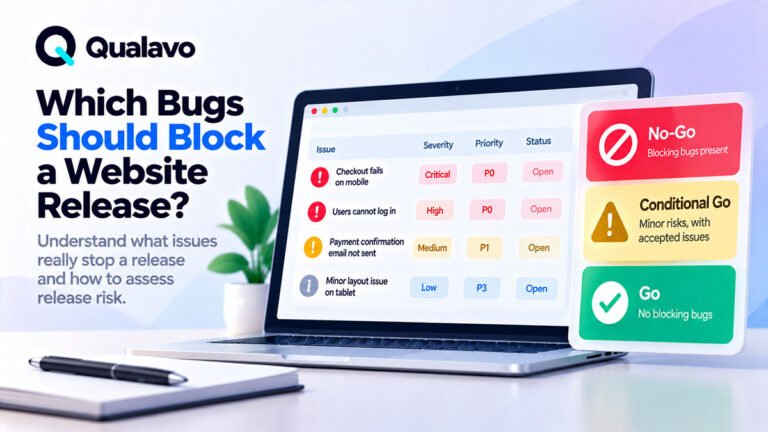
Go, Conditional Go and No-Go
A simple decision model can use three states.
Go
Use when:
- critical flows pass;
- no release-blocking defects remain;
- coverage is acceptable;
- known issues are low risk;
- deployment and rollback are ready.
Example:
Proceed with release. Critical workflows have passed, no critical or high-severity defects remain open, and all known issues are non-blocking.
Conditional Go
Use when release can proceed only with explicit conditions.
Examples:
- a known issue is accepted;
- a workaround exists;
- a follow-up fix is scheduled;
- extra post-launch monitoring is required.
Example:
Proceed with release provided the two known mobile UI defects are accepted and monitored. Neither affects critical workflows.
Conditional Go should not become a way to avoid difficult decisions.
The conditions must be explicit.
No-Go
Use when the remaining risk is unacceptable.
Typical reasons:
- critical workflow blocked;
- payment fails;
- login unavailable;
- severe security defect;
- production configuration incomplete;
- required testing not completed.
Example:
Do not release. Checkout fails on Safari, which affects a supported browser and blocks purchase completion.
A no-go decision should explain what must change before reconsideration.
A Practical Go/No-Go Checklist
Critical Functionality
- Critical user journeys pass.
- Forms work end to end.
- Authentication works.
- Payments work where applicable.
- Critical integrations work.
Defects
- No unresolved critical defects.
- High-severity defects reviewed.
- Known issues documented.
- Fixes retested.
Coverage
- Agreed QA scope completed.
- Supported browsers tested.
- Relevant devices tested.
- Regression testing completed.
Production Readiness
- Production configuration ready.
- Domain and HTTPS ready.
- Search visibility correct.
- Analytics/tracking configured.
- Required legal content present.
Accessibility and Security
- Accessibility scope completed.
- Basic security sanity checks completed.
- No known serious access-control issues.
Deployment
- Deployment owner defined.
- Backups confirmed.
- Rollback plan understood.
- Smoke test prepared.
- Final approver identified.
If a critical item is unchecked, understand why before approving release.
Do Not Use Bug Count Alone
A release with:
20 low-severity defects
may be safer than one with:
1 critical defect
Bug count does not equal risk.
Prioritize:
- impact;
- workflow importance;
- affected users;
- workaround availability.
The question is not:
How many bugs are open?
It is:
What risk do the open bugs create?
Document the Decision
The final decision should leave a clear record.
Example:
Decision: Go
Date: 01-Oct-2026
Open issues: 3 Low
Critical workflows: Passed
Rollback: Ready
Approver: Product Owner
Notes: Production smoke test required immediately after deployment.
This creates useful release history.
Use an Executive Summary for Stakeholders
For larger projects, the go/no-go decision should be supported by a concise QA executive summary.
That summary can include:
- scope;
- coverage;
- open defects;
- risk;
- recommendation.
For a detailed guide:
QA Executive Summary: What Should It Include?
Make Go/No-Go Decisions Repeatable
Release decisions become more reliable when teams use the same structure every time.
A repeatable process might be:
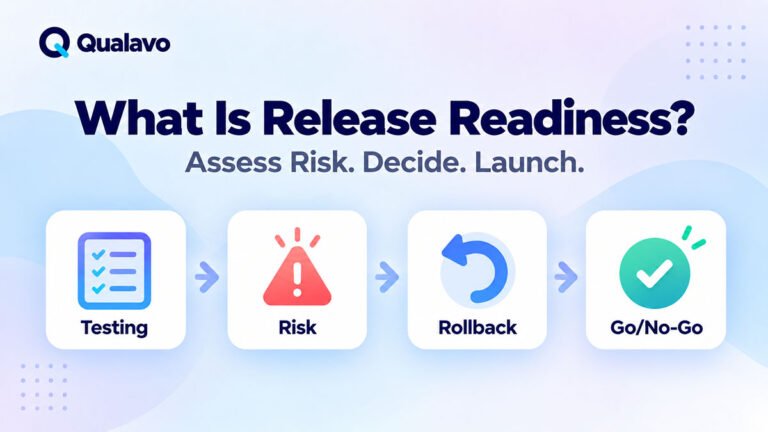
QA complete → Open issues reviewed → Risk assessed → Go/No-Go decision → Deploy → Smoke test
This reduces deadline-driven guesswork.
Qualavo Starter includes release-readiness resources for teams that need a structured pre-launch decision process.
For more complex projects with deeper release governance, use Qualavo Professional.
Final Thoughts
A website should not launch simply because development is finished.
It should launch because the team understands the current quality and accepts the remaining risk.
A good go/no-go decision considers:
critical workflows, open defects, test coverage, production readiness, rollback, and post-launch verification.
If the evidence supports release, go.
If risk is understood but requires explicit conditions, use Conditional Go.
If a critical problem remains, choose No-Go and resolve it before launch.
The point of a checklist is not bureaucracy.
It is to make release decisions deliberate, consistent, and defensible.
Need a structured release-readiness process? Explore Qualavo Starter.