Which Bugs Should Block a Website Release?
Not Every Bug Should Block a Release
Finding bugs during website QA does not automatically mean the website cannot launch.
Almost every sufficiently complex website or web application has known issues at some point.
The important question is not:
Are there any bugs?
It is:
Do any of the remaining bugs create an unacceptable release risk?
A minor spacing issue on a secondary page may be perfectly acceptable for launch.
A checkout failure, broken signup flow, serious permission problem, or data-loss defect may make release unsafe.
Release-blocking decisions should therefore be based on impact and risk, not simply on the number of open defects.
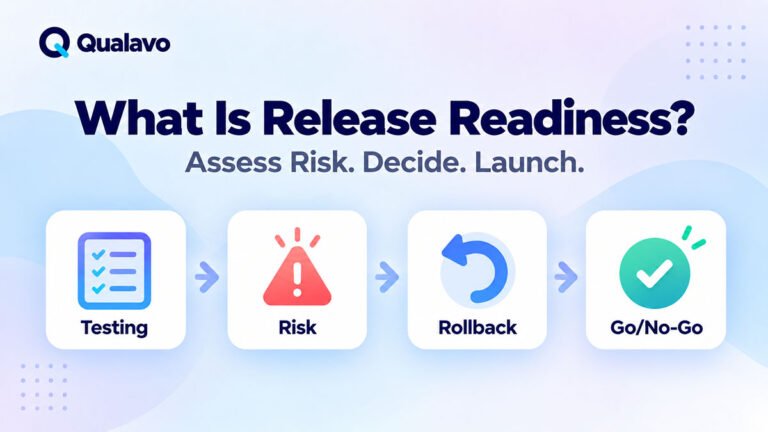
For the wider concept behind this decision, see What Is Release Readiness? A Guide to Website Launch Decisions.
What Is a Release-Blocking Bug?
A release-blocking bug is a defect serious enough that the website or feature should not be released until the issue is resolved or the risk is otherwise reduced to an explicitly acceptable level.
A blocker typically affects one or more of these areas:
critical functionality, revenue, authentication, authorization, data integrity, security, legal or compliance requirements, or a critical user journey.
The important point is that a blocker is defined by its impact on the release.
It is not simply a bug with an impressive-looking error message.
Start With Critical User Journeys
The easiest way to evaluate release impact is to identify the website’s most important user journeys.
For an e-commerce site:
Product → Cart → Checkout → Payment → Order Confirmation
For a lead-generation website:
Landing Page → Service Page → Contact Form → Lead Received
For SaaS:
Signup → Verification → Login → Core Workflow
If a defect prevents users from completing one of these journeys, it should receive serious release consideration.
This is why critical workflows should be identified before testing begins.
For the complete pre-launch workflow, see How to Test a Website Before Launch: A Step-by-Step QA Process.
Critical Bugs Should Normally Block Release
A Critical-severity defect will usually be a release blocker.
Examples include:
complete website outage, checkout unavailable, login unavailable for all users, destructive data corruption, serious authorization failure, or a core business function being completely unusable.
If the defect means the product cannot perform its primary purpose, releasing it usually creates more risk than delaying it.
Severity terminology should already be defined before the release decision.
For the distinction between impact and urgency, see Bug Severity vs Priority: What’s the Difference?.
High-Severity Bugs Need Context
A High-severity defect often blocks release, but not automatically.
Consider:
The customer dashboard export feature does not work.
If exporting is a primary contracted feature of the release, this could be a blocker.
If it is a secondary feature rarely used and a practical workaround exists, the team may decide to release with the issue documented.
The decision depends on:
impact + affected users + workaround + business importance + exposure
rather than the severity label alone.
Checkout Failures Should Usually Block an E-commerce Release
If customers cannot reliably complete purchases, the business cannot perform one of its primary functions.
Examples include:
payment failure, incorrect order totals, missing orders, duplicate charges, broken shipping calculation, or checkout submission failure.
These defects can directly affect revenue and customer trust.
For a detailed checkout workflow, see How to Test an E-commerce Checkout Flow.
A minor visual issue in checkout may not block launch.
A functional issue preventing or corrupting transactions usually should.
Incorrect Pricing Can Be Release-Blocking
Pricing defects deserve special attention.
Examples include:
incorrect product prices, discounts applied incorrectly, wrong tax calculation, duplicated charges, or totals changing unexpectedly between cart and payment.
These issues may have direct financial consequences.
Even when checkout technically succeeds, a website should not be considered ready if customers are charged incorrect amounts.
For broader transactional coverage, see E-commerce Website Testing Checklist: What to Test Before Launch.
Broken Forms Can Block Important Website Releases
On a lead-generation website, the contact or enquiry form may effectively be the site’s conversion mechanism.
Suppose the page shows:
Thank you for your message.
but the enquiry never reaches the CRM or inbox.
From the visitor’s perspective, everything appears successful.
From the business perspective, every lead is lost.
That can be a release blocker even though the website looks perfectly functional.
Always test forms end-to-end.
Authentication Failures Can Block Release
For applications requiring user accounts, authentication is often a critical workflow.
Potential blockers include:
users cannot sign up, users cannot log in, password reset does not work, verification prevents account activation, or sessions fail immediately after login.
For deeper coverage, see How to Test Login, Signup and Password Reset Flows.
A SaaS application that launches while most users cannot authenticate is not meaningfully available.
Authorization Bugs Can Be Even More Serious
Authentication answers:
Who are you?
Authorization answers:
What are you allowed to access?
A website may have perfectly functioning login while still containing a serious authorization defect.
For example:
User A can access User B’s private information.
or:
A normal customer can open administrator functionality.
These problems can involve privacy, security, and data exposure.
They should usually be treated as release blockers until properly understood and resolved.
Security Issues Need Risk-Based Decisions
Routine QA can identify some security-related problems, but it is not the same as a formal security assessment.
Potential release blockers include:
sensitive information exposed publicly, broken access control, production debug information revealing sensitive details, protected content accessible without authorization, or serious session problems.
For basic pre-launch coverage, see Website Security QA Checklist: Basic Checks Before Launch.
For the distinction between routine security QA and specialist assessment, see Security Testing vs Penetration Testing: What’s the Difference?.
Data Loss or Corruption Should Usually Block Release
Any defect that can destroy, overwrite, duplicate, or incorrectly associate important data deserves strong consideration as a blocker.
Examples include:
saving one customer’s information into another account, deleting data unexpectedly, losing submitted form data, corrupting an order, or failing to persist important application changes.
The interface may appear usable while the underlying data becomes unreliable.
Data integrity problems can be harder to recover from than visible UI defects.
Privacy Problems Can Be Release-Blocking
A privacy-related defect can be severe even if it affects only a small number of users.
For example:
a private document is publicly accessible, customer information appears in another account, sensitive data is exposed in a URL, or a permission rule allows unintended access.
The number of affected users should not be the only criterion.
The sensitivity of the exposed information matters.
Production Configuration Problems Can Block Launch
Sometimes the code is correct but the production configuration is not.
Examples include:
wrong API credentials, staging payment gateway still enabled, production email not configured, incorrect domain settings, broken redirects, or public production pages remaining blocked from search engines.
These defects may not exist in staging.
This is one reason launch readiness requires operational checks in addition to functional QA.
For a broader launch-day framework, see Website Launch Checklist: What to Verify on Launch Day.
A Broken Primary Browser Can Block Release
Suppose the website works in Chrome but the checkout is unusable in Safari.
Whether that blocks release depends on whether Safari is an important supported environment.
If a significant share of customers use Safari, the defect may represent unacceptable risk.
Browser decisions should be based on a defined coverage strategy rather than discovered at the last minute.
See Browser and Device Test Matrix: How to Choose What to Test for a structured approach.
Mobile Failures Can Be Release-Blocking
A website should not be considered ready simply because desktop testing passed.
If a significant portion of the audience uses mobile devices, defects affecting critical mobile workflows can block release.
Examples include:
mobile navigation cannot open, submit button is inaccessible, checkout fields overlap, modal cannot be closed, or critical content is hidden.
For a full responsive QA framework, see Responsive Website Testing Checklist for Desktop, Tablet and Mobile.
Accessibility Defects Need Impact Assessment
Not every accessibility defect automatically blocks every release.
But some defects can prevent users from completing critical tasks.
Examples include:
keyboard users cannot reach checkout, focus is trapped in an unusable dialog, important form fields have inaccessible controls, or critical information cannot be perceived.
These problems should be evaluated in the context of the website, user base, applicable requirements, and release risk.
For practical coverage, see Website Accessibility Testing Checklist: A Practical QA Guide.
A Minor Visual Bug Usually Should Not Block Release
Many Low-severity defects can safely remain open.
Examples include:
small spacing differences, slightly misaligned icons, minor typography inconsistencies, or a cosmetic issue on a low-priority page.
These defects should still be recorded.
But delaying a business-critical release over every small visual inconsistency may create more harm than accepting the known issue temporarily.
Release quality does not mean visual perfection.
But Cosmetic Does Not Always Mean Low Risk
Context can change the decision.
Suppose the defect is:
The client’s company name is misspelled in the homepage hero.
Technically, the website still functions.
But if a major campaign begins tomorrow, the issue may carry high business importance.
This is where severity and priority differ.
The defect may have limited functional severity but very high priority.
Missing Content Can Sometimes Block Release
Placeholder content such as:
Lorem ipsum
or:
TODO
on a public production page may be unacceptable.
Likewise, incorrect legal text, pricing, contact information, or contractual information may require correction before launch.
Content problems should be evaluated according to their actual business impact.
A typo in an old blog post is very different from an incorrect price on the primary product page.
SEO Problems Can Sometimes Block Launch
Not every SEO issue should stop a website release.
But some configuration mistakes can create major consequences.
Examples include:
production site set to noindex, critical redirects missing during a migration, canonical URLs pointing to staging, or important pages accidentally inaccessible to search engines.
These may justify delaying launch if organic search is important to the business.
A minor meta-description issue normally would not.
Analytics Problems Rarely Break the Website — But Can Still Matter
Analytics failures often have no visible impact on users.
That does not make them irrelevant.
Imagine a major paid advertising campaign starts immediately after launch but conversion tracking does not work.
The website may function perfectly, yet the business loses critical attribution data.
Whether this blocks launch depends on campaign importance and whether the problem can be corrected without losing essential data.
Third-Party Integration Failures Need Context
Websites often depend on external services.
Examples include:
CRM, payment gateway, email platform, booking system, analytics, maps, or authentication provider.
If the integration supports a critical workflow, failure may block release.
For example:
Contact Form → CRM
If the CRM integration fails but leads can still be safely received and processed another way, there may be a temporary workaround.
If all submissions disappear, the risk is much higher.
A Workaround Can Change the Release Decision
A workaround does not automatically make a serious defect acceptable.
It must be realistic.
Ask:
Can normal users discover it?
Does it preserve the intended outcome?
Does it introduce another risk?
Can the support team reasonably manage it?
For example:
Users can complete checkout only by manually editing the URL.
That is technically a workaround.
It is not a practical customer workaround.
Consider How Many Users Are Affected
A defect affecting everyone deserves different treatment from one affecting a rare configuration.
But user count is only one dimension.
Consider:
frequency × impact
A rare bug causing catastrophic data loss can be more serious than a frequent but harmless visual problem.
Release risk requires both probability and consequence.
Consider the Duration of Exposure
A known issue may be acceptable for a short controlled period but unacceptable indefinitely.
For example:
a secondary report is unavailable for several hours while a fix is deployed.
The same feature remaining broken for several months may create a very different business decision.
Release decisions should therefore include the expected remediation timeline.
Incomplete Testing Can Itself Block Release
Sometimes there is no confirmed blocker.
The problem is that an important area could not be tested.
For example:
payment sandbox unavailable, production integration credentials missing, Safari testing incomplete, or critical test accounts unavailable.
The absence of a discovered defect does not mean the feature is safe.
Untested critical functionality creates uncertainty.
That uncertainty is itself a release risk.
A Failed Test Is Different From an Untested Area
These states should not be confused.
Failed:
The team knows the behavior is wrong.
Untested:
The team does not know whether the behavior is correct.
Both can prevent a confident release decision.
The final QA report should show coverage limitations clearly rather than silently treating untested areas as passed.
Regression Risk Matters
Suppose a major checkout defect was fixed one hour before launch.
The original issue may now pass.
But if the fix changed shared checkout logic, related regression testing may still be needed.
A release can remain unsafe even after the original defect is technically resolved.
Ask:
What else could this fix have affected?
Last-minute fixes deserve risk-based regression testing before release.
Retest Every Release-Blocking Fix
A developer status of:
Fixed
does not mean QA should consider the blocker closed.
A proper workflow is:
Open → Fix → Ready for Retest → Retest Passed → Closed
Reproduce the original failure after the new build is available.
Then verify related functionality where the change creates regression risk.
For consistent defect documentation, see Bug Report Template: What Every Defect Report Should Include.
Do Not Lower Severity to Make the Release Pass
Deadlines can create pressure to reinterpret defects.
For example:
We cannot fix the High bug before launch, so let’s mark it Medium.
This does not reduce the actual impact.
If the business accepts the risk, document:
Risk accepted
rather than changing the factual severity classification.
Severity and release acceptance are separate decisions.
Known Bugs Can Be Released Intentionally
A professional release process does not require zero open defects.
A project may legitimately launch with known Medium or Low issues.
In some cases, even a High issue might be consciously accepted if:
the affected workflow is non-critical, exposure is limited, a reliable workaround exists, and stakeholders explicitly accept the remaining risk.
The important point is that the decision is informed and documented.
Use Conditional Go for Manageable Risks
Release decisions do not always need to be simply:
Go
or:
No-Go
A useful third option is:
Conditional Go
This means the release may proceed subject to defined conditions.
For example:
Release approved provided the affected feature remains disabled until the fix is verified.
or:
Release approved with the known reporting defect accepted for 48 hours.
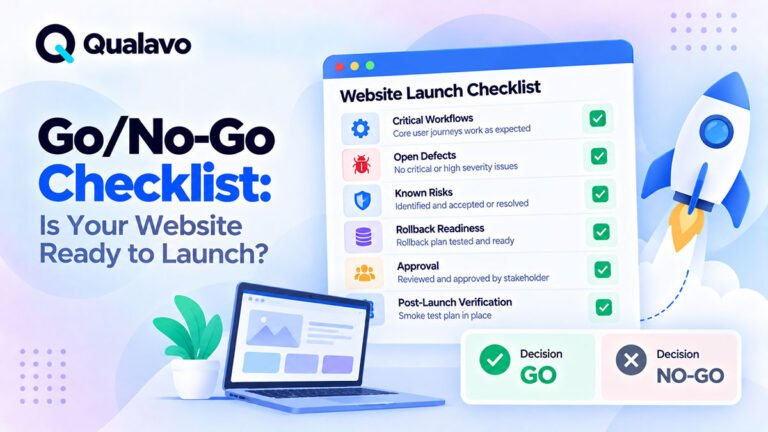
For the full framework, see Go/No-Go Checklist: Is Your Website Ready to Launch?.
Typical No-Go Conditions
Although every project is different, a website release should normally be reconsidered when one or more of the following is true:
- A critical user journey is unavailable.
- Revenue-generating functionality is broken.
- Serious data loss or corruption is possible.
- Sensitive information is exposed.
- Authentication or authorization is seriously compromised.
- A required production integration does not work.
- A major supported browser or device cannot complete a critical workflow.
- A legal or mandatory business requirement is not met.
- A Critical defect remains unresolved.
- A critical area has not been tested and the remaining uncertainty is unacceptable.
- There is no viable rollback or recovery plan for a high-risk deployment.
These are stronger release signals than the raw number of bugs.
Bug Count Alone Is a Poor Release Metric
Consider two releases.
Release A
25 Low-severity visual issues.
Release B
1 Critical checkout defect.
Release A may be perfectly reasonable to launch.
Release B probably is not.
Therefore:
We only have one bug left.
does not tell you whether the release is safe.
Impact matters more than count.
Use a Release Risk Matrix
A practical release discussion can evaluate each major defect using four questions:
Impact: How serious is the failure?
Exposure: How many users or workflows are affected?
Workaround: Can the problem be safely bypassed?
Uncertainty: How confident are we in the remaining test coverage?
The release decision becomes much clearer when these factors are discussed explicitly.
Example: Broken Checkout
Issue: Payment cannot be completed.
Severity: Critical
Affected Users: All customers
Workaround: None
Recommendation: No-Go
The business cannot complete its primary revenue-generating workflow.
Example: Safari Menu Failure
Issue: Main navigation cannot be opened on iPhone Safari.
Severity: High
Affected Users: Significant mobile segment
Workaround: Poor
Recommendation: Likely No-Go
The exact decision depends on audience data, but a major supported environment cannot navigate the site.
Example: Minor Footer Alignment
Issue: Footer icons have inconsistent spacing on tablet.
Severity: Low
Affected Users: Tablet visitors
Workaround: Not required
Recommendation: Go
The issue can be documented and corrected later.
Example: Reporting Feature Broken
Issue: Internal report export fails.
Severity: High
Affected Users: Administrators only
Workaround: Report can be generated manually
Feature Importance: Secondary
Recommendation: Possible Conditional Go
The defect is significant, but the overall product may remain safely usable.
Example: Untested Payment Integration
Issue: No confirmed defect.
Problem: Production-equivalent payment testing could not be completed.
Impact if Broken: Critical
Confidence: Low
Recommendation: Potential No-Go until adequate verification is completed.
This example shows why release readiness is about risk, not merely bug status.
Document the Release Decision
After reviewing open issues, record the conclusion.
A simple release record might state:
Critical defects: 0
High defects: 1
Known limitations: Safari visual issue
Untested areas: None
Recommendation: Go
Production smoke test: Required
For larger projects, include this information in the client QA report.
See How to Write a Website QA Report for Clients for a practical reporting structure.
Explain the Decision, Not Just the Label
A release recommendation should include reasoning.
Instead of:
No-Go.
write:
No-Go because checkout payment fails for all test transactions and there is no workaround.
Instead of:
Conditional Go.
write:
Conditional Go with the export feature disabled until the High-severity defect is fixed and retested.
This makes the recommendation much easier for stakeholders to understand.
Production Verification Still Matters After Go
A Go decision means the team believes deployment risk is acceptable.
It does not mean production verification can be skipped.
After release, verify the most important production workflows.
Typical checks include:
homepage, navigation, primary form, login, checkout, critical integrations, and analytics.
For the dedicated process, see Post-Deployment Smoke Testing: What to Check After Release.
A Practical Release-Blocking Bug Checklist
Before deciding that an open defect is safe to release, ask:
- Does it block a critical user journey?
- Does it affect revenue or payment?
- Can it cause data loss or corruption?
- Does it expose sensitive information?
- Does it break authentication or authorization?
- Does it affect a large or important user segment?
- Does it break an officially supported browser or device?
- Is a critical integration unavailable?
- Is there a realistic workaround?
- Has the affected fix been retested?
- Has related regression testing been completed?
- Is any important functionality still untested?
- Has the remaining risk been documented?
- Has the appropriate stakeholder accepted that risk?
- Is production verification planned?
If several high-impact answers indicate unacceptable risk, the release should probably wait.
Do Not Aim for a Zero-Bug Release
A zero-bug policy sounds attractive but is rarely practical.
Software quality is about controlled risk.
Trying to fix every Low-severity issue before every release can:
delay useful improvements, consume development capacity, introduce new regressions, and distract from more important problems.
The goal is not:
Zero open defects.
The goal is:
No unacceptable release risk.
That distinction is central to mature QA.
Make Release Blocking Criteria Explicit
Teams should define blocker criteria before launch day.
For example:
Automatic No-Go
Critical defect in a critical workflow.
Release Review Required
Any open High-severity issue.
Normally Acceptable
Medium and Low issues with documented impact.
The exact policy will vary by organization.
What matters is avoiding improvised decisions under deadline pressure.
Connect Defect Triage to Release Readiness
A mature workflow looks like:
Find Bug → Assess Severity → Determine Priority → Fix or Accept → Retest → Assess Remaining Risk → Go / Conditional Go / No-Go
This connects individual QA findings to the actual business decision.
Bugs are not just tickets.
They are evidence used to understand whether the website is ready to release.
Final Thoughts
The bugs that should block a website release are not simply the bugs with the highest number attached to them.
A release should be stopped when a defect creates unacceptable business, user, security, data, or operational risk.
Pay particular attention to bugs affecting:
critical user journeys, checkout, authentication, permissions, sensitive data, integrations, supported environments, and data integrity.
Also remember that incomplete testing can itself create enough uncertainty to justify a No-Go decision.
At the same time, do not delay every release because minor defects remain open.
Low-risk issues can often be documented, accepted, and fixed later.
The right question is therefore not:
Are there any bugs left?
It is:
Do we understand the remaining risk well enough to release this website safely?
That is the foundation of a reliable Go, Conditional Go, or No-Go decision.