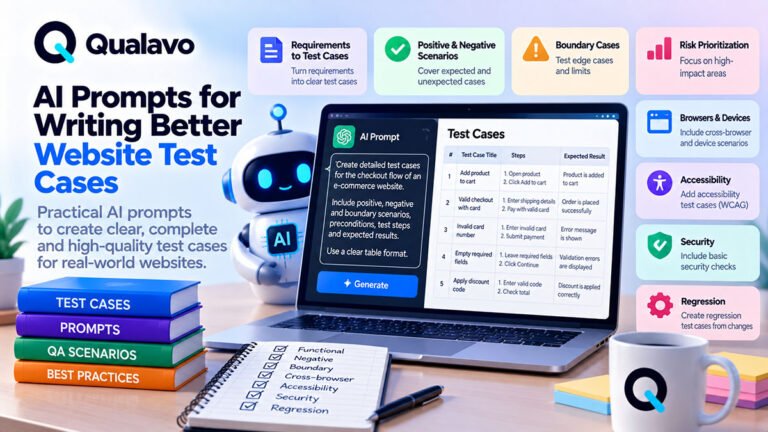
How to Use AI for Website QA Without Replacing Human Testing
Where AI Fits Into Website QA
AI can make website QA faster.
It can help testers:
- generate test ideas;
- identify missing scenarios;
- structure test cases;
- improve bug reports;
- summarize test results;
- review requirements;
- suggest edge cases;
- organize release documentation.
But AI should not be treated as a replacement for human testing.
A website is used by real people in real browsers, on real devices, under unpredictable conditions.
Human testers still need to verify:
- whether the interface actually works;
- whether workflows make sense;
- whether visual behavior is acceptable;
- whether an issue is genuinely important;
- whether business rules are correct;
- whether the release risk is acceptable.
The most useful model is therefore:
Human QA + AI Assistance
not:
AI instead of QA
Why AI Is Useful for QA
Traditional QA involves a significant amount of repetitive thinking and documentation.
A tester may need to:
- brainstorm scenarios;
- turn requirements into test cases;
- organize defects;
- rewrite unclear bug descriptions;
- summarize dozens of findings;
- prepare release reports.
AI can reduce the effort required for these tasks.
That allows testers to spend more time on:
- exploration;
- investigation;
- verification;
- risk assessment;
- real user behavior.
AI is particularly useful when it helps humans think more systematically.
AI Is Best Used as a QA Assistant
Think of AI as another tool in the QA workflow.
It can help answer questions such as:
What scenarios might I have missed?
What negative test cases should I consider?
Is this bug report clear enough?
Which areas look high-risk?
Can these test results be summarized for a client?
But AI does not automatically know:
- the real production environment;
- undocumented business rules;
- actual user expectations;
- whether the UI is visually correct;
- whether a generated assumption is true.
Its output still requires validation.
1. Use AI to Generate Test Ideas
One of the simplest uses of AI is test ideation.
Suppose you are testing a contact form.
You could describe:
- the fields;
- validation rules;
- expected behavior;
- submission process.
Then ask AI to generate test scenarios.
It may suggest:
- valid submission;
- empty required fields;
- malformed email;
- maximum input length;
- special characters;
- leading/trailing spaces;
- repeated submission;
- network failure;
- server error;
- mobile interaction.
This can help expand coverage quickly.
AI-Generated Test Cases Still Need Review
Do not copy every generated test case into your test suite automatically.
AI may produce:
- irrelevant cases;
- duplicates;
- impossible scenarios;
- assumptions not supported by requirements.
Review each suggestion.
Ask:
- Is this scenario relevant?
- Does it reflect real product behavior?
- Is the risk significant enough to test?
- Is it already covered elsewhere?
AI helps generate options.
Humans decide what matters.
2. Use AI to Identify Edge Cases
Testers often focus naturally on normal user behavior.
AI can help brainstorm less obvious scenarios.
For example, for a signup flow:
- duplicate account;
- expired verification link;
- multiple verification emails;
- unusual email formatting;
- password reset before verification;
- session expiration;
- opening the verification link twice.
These ideas can strengthen exploratory testing.
For authentication testing:
How to Test Login, Signup and Password Reset Flows
3. Turn Requirements Into Test Scenarios
AI can help convert requirements into structured test coverage.
Example requirement:
Users should be able to apply a discount code during checkout. Expired or invalid codes should not change the order total.
AI can transform this into scenarios such as:
- valid code;
- invalid code;
- expired code;
- code below minimum spend;
- excluded product;
- repeated use;
- case sensitivity;
- whitespace;
- total recalculation.
This can save planning time.
But the original requirement remains the source of truth.
AI-generated interpretation should not silently replace it.
4. Use AI to Improve Bug Reports
Bug reports are another strong use case.
A tester may write:
Form broken on Safari.
AI can help turn this into a more structured defect report.
For example:
Title: Contact form does not submit in Safari after valid data is entered
Environment: Safari / macOS / Staging
Steps:
- Open Contact.
- Complete all required fields.
- Click Submit.
Expected: Form submits and confirmation appears.
Actual: Loading indicator disappears and no confirmation is shown.
AI can improve clarity and formatting.
It should not invent technical facts.
For a full bug structure:
Bug Report Template: What Every Defect Report Should Include
Never Let AI Invent Missing Bug Details
If the tester did not know:
- browser version;
- exact error;
- reproduction rate;
- server response;
AI should not fill these in as if they were known.
Use placeholders instead.
For example:
Browser version: [Confirm before submitting]
This keeps the report accurate.
A polished but fabricated bug report is worse than an incomplete honest one.
5. Use AI for Exploratory Testing Ideas
Exploratory testing depends heavily on curiosity.
AI can help suggest directions.
For example:
I am testing a responsive pricing page with three plans, monthly/yearly billing, tooltips, CTA buttons and a mobile accordion. What exploratory scenarios should I try?
AI may suggest testing:
- rapid billing toggle changes;
- viewport changes while accordion is open;
- long plan names;
- keyboard navigation;
- browser zoom;
- repeated CTA clicks;
- inconsistent pricing between views.
This can help testers explore beyond scripted checks.
6. Use AI to Challenge Your Test Coverage
Another useful technique is to give AI your existing test scope.
For example:
Here are the 25 scenarios I plan to test for checkout. Identify important risk areas that are missing. Do not repeat cases already covered.
This changes the role of AI.
Instead of generating a test plan from scratch, it acts as a reviewer.
That can be more useful because the tester has already defined the main coverage.
For checkout-specific QA:
How to Test an E-commerce Checkout Flow
7. Use AI to Review Browser and Device Coverage
You can provide:
- audience data;
- browser usage;
- device distribution;
- existing matrix.
Then ask AI to identify obvious gaps.
Example:
48% iPhone Safari, 26% Android Chrome, 18% Chrome Windows, 5% Edge Windows, 3% other. Our current QA matrix covers Chrome Windows, Safari macOS and Chrome Android. What important coverage is missing?
AI can point out that iPhone Safari deserves stronger coverage.
The final decision should still be based on real analytics, requirements, and risk.
For a structured approach:
Browser and Device Test Matrix: How to Choose What to Test
8. Use AI for Accessibility Test Planning
AI can help organize accessibility checks.
For example:
Generate a manual accessibility sanity checklist for a modal dialog.
Possible output may include:
- keyboard focus;
- focus trapping;
- Escape behavior;
- accessible name;
- close button;
- focus return;
- zoom behavior.
This is useful for planning.
But AI cannot prove that the actual modal is accessible without testing the real implementation.
For broader accessibility guidance:
WCAG 2.2 Explained for Website QA Teams
9. Use AI to Summarize QA Results
QA teams often have to turn detailed results into short summaries.
AI can help transform:
- open defect lists;
- test status;
- known issues;
- retest results;
into concise stakeholder language.
For example:
Raw data:
- 31 bugs reported;
- 27 closed;
- 4 open;
- 0 Critical;
- 0 High;
- 3 Medium;
- 1 Low.
AI-assisted summary:
Testing is complete across the agreed scope. No critical or high-severity issues remain open. Four non-blocking defects remain and should be monitored or resolved after release.
The numbers still need to be verified by the human tester.
10. Use AI for Client-Friendly Reporting
Technical QA information often needs translation.
For example:
Internal note:
HTTP 500 returned from POST /contact endpoint.
Client wording:
The contact form failed to submit successfully because the server returned an error.
AI can help simplify language without losing meaning.
For client reporting:
How to Write a Website QA Report for Clients
11. Use AI to Draft QA Executive Summaries
AI can also help prepare:
- scope summary;
- key findings;
- release risk;
- recommendation;
- next steps.
But it should work from verified data.
A useful workflow is:
Verified QA Data → AI Draft → Human Review → Final Report
Do not use:
Incomplete QA Data → AI Guess → Client Report
For the executive-summary structure:
QA Executive Summary: What Should It Include?
12. Use AI to Find Inconsistencies
AI can be useful when reviewing large sets of QA information.
For example:
- test plan says Safari is in scope;
- test results contain no Safari execution;
- release report says browser testing is complete.
AI may help flag the inconsistency.
Similarly:
- one ticket says High severity;
- executive report says no high-severity defects were found.
This type of review is valuable for documentation quality.
What AI Cannot Reliably Replace
AI has limitations that are especially important in QA.
It cannot reliably replace:
- real browser interaction;
- physical device testing;
- visual judgement;
- business context;
- human usability assessment;
- final defect severity decisions;
- release accountability.
These areas require direct evidence and human judgment.
AI Cannot See What You Did Not Give It
AI only knows the information provided to it or available through connected tools.
If a tester says:
Review my checkout QA coverage.
but provides only five test cases, AI cannot know whether:
- the payment gateway has special rules;
- guest checkout exists;
- subscription checkout differs;
- certain countries are excluded.
Context matters.
The quality of AI output depends heavily on the quality of the input.
AI Can Be Confident and Wrong
One of the biggest risks is plausible-sounding incorrect output.
For example, AI may confidently suggest:
The requirement says password reset tokens expire after 30 minutes.
when the requirement never said that.
This is why human verification is essential.
Treat AI output as:
suggested analysis
not:
verified truth
AI Does Not Replace Real Browser Testing
If AI says:
The page should work in Safari.
that is not evidence.
Open Safari and test it.
If AI says:
This modal appears keyboard accessible.
that is not enough.
Use the keyboard.
If AI says:
The mobile layout should fit at 375px.
test the viewport or real device.
QA is evidence-driven.
AI Does Not Replace Real Device Testing
Mobile behavior depends on things such as:
- virtual keyboards;
- touch interaction;
- safe areas;
- mobile Safari;
- device orientation;
- real viewport behavior.
AI may help generate what to test.
It cannot reproduce every real-device condition through text analysis alone.
AI Does Not Decide Release Risk for You
AI can organize release evidence.
It can say:
- one critical workflow failed;
- two high-severity defects remain;
- production configuration is incomplete.
But the final release decision belongs to the responsible human stakeholders.
For structured release decisions:
Go/No-Go Checklist: Is Your Website Ready to Launch?
Human Judgment Is Especially Important for Severity
Consider two defects:
Defect A
Logo is misaligned by 4 pixels.
Defect B
Checkout payment fails for Safari users.
An AI system can understand the descriptions.
But the real impact depends on:
- business importance;
- user distribution;
- release context;
- contractual requirements.
Severity is not purely mechanical.
Protect Sensitive Information
QA data can contain sensitive information.
Examples:
- customer data;
- credentials;
- production URLs;
- API keys;
- internal system details;
- logs;
- payment information.
Do not paste confidential information into an AI system without understanding the applicable privacy, security, contractual, and organizational rules.
Before using AI with QA data:
- remove unnecessary personal information;
- redact credentials;
- remove secrets;
- use test data where possible;
- follow company policy.
AI convenience should not weaken data handling practices.
Never Send Passwords or Secrets Into Prompts
Do not include:
- real passwords;
- API secrets;
- private keys;
- authentication tokens;
- payment card data.
If a bug contains sensitive values, replace them with placeholders.
Example:
Authorization: Bearer [REDACTED]
instead of sharing the real token.
Use Good Prompts
AI output improves when the prompt contains clear context.
Weak prompt:
Give me checkout tests.
Better:
I am testing a B2C e-commerce checkout that supports guest checkout, registered users, coupon codes, standard and express shipping, VAT, Stripe card payments and mobile Safari. Generate high-risk functional and negative test scenarios. Group them by checkout stage and do not include performance testing.
The second prompt defines:
- product type;
- functionality;
- scope;
- desired format.
This produces more useful results.
Give AI Constraints
Useful constraints include:
- target browser;
- target device;
- user role;
- project type;
- scope;
- risk level;
- excluded areas;
- expected output format.
For example:
Generate only manual test scenarios. Do not include automated tests, security penetration testing or features not listed below.
This reduces irrelevant output.
Ask AI to State Assumptions
A useful prompt instruction is:
If information is missing, list your assumptions separately instead of treating them as facts.
This makes generated test plans easier to review.
You can then confirm or reject each assumption.
Ask AI to Find Gaps, Not Just Generate More
More test cases are not automatically better.
Instead of repeatedly asking:
Give me 50 more test cases.
ask:
Here is my current coverage. Identify the five highest-risk gaps and explain why they matter.
That encourages prioritization.
Use AI Before Testing
AI can support the planning phase.
Examples:
- analyze requirements;
- generate test ideas;
- identify risk;
- build initial checklists;
- suggest edge cases.
A practical workflow:
Requirements → AI Assistance → Human Test Plan → Testing
Use AI During Testing
During exploratory QA, AI can help with:
- unusual input ideas;
- boundary cases;
- questions to investigate;
- debugging context;
- clearer defect documentation.
But keep the browser or device as the source of actual evidence.
Use AI After Testing
After execution, AI can help:
- group findings;
- summarize results;
- improve wording;
- prepare reports;
- identify documentation inconsistencies;
- generate next-step checklists.
A complete AI-assisted QA process could look like:
Plan → Test → Report → Analyze → Retest → Release
with AI assisting several stages without owning them.
A Practical AI-Assisted Website QA Workflow
Step 1 — Define the Scope
Human decides:
- what is being tested;
- what matters;
- what is out of scope.
Step 2 — Ask AI for Coverage Ideas
AI suggests:
- scenarios;
- edge cases;
- risks.
Step 3 — Human Reviews the Suggestions
Remove:
- irrelevant cases;
- duplicates;
- unsupported assumptions.
Step 4 — Test the Real Website
Use:
- browsers;
- devices;
- real workflows.
Step 5 — Record Evidence
Capture:
- actual result;
- environment;
- screenshots;
- logs where needed.
Step 6 — Use AI to Improve Documentation
AI may help structure:
- bug reports;
- summaries;
- reports.
Step 7 — Human Verifies Everything
Before the result becomes official, confirm:
- facts;
- severity;
- scope;
- release impact.
This preserves human accountability.
Example: AI-Assisted Contact Form Testing
Suppose the feature is:
Contact form with Name, Email, Phone and Message fields.
AI Assistance
Generate:
- positive cases;
- negative validation cases;
- mobile scenarios;
- accessibility checks;
- edge cases.
Human Testing
Tester verifies:
- form visually;
- submission;
- error states;
- keyboard behavior;
- email delivery;
- mobile experience.
AI Documentation
AI helps summarize the findings.
Human Verification
Tester confirms every statement before submitting the final report.
That is a good division of responsibilities.
Example: AI-Assisted Checkout Testing
AI can brainstorm:
- invalid coupons;
- shipping boundaries;
- failed payments;
- duplicate submission;
- cart changes.
The tester then executes those scenarios in the real environment.
If checkout fails, AI may help structure the defect report.
It should not decide that the issue is fixed until the tester retests it.
Example: AI-Assisted Release Review
Suppose the QA cycle ends with:
- 0 Critical;
- 0 High;
- 2 Medium;
- 3 Low;
- all critical workflows passing.
AI can draft the release summary.
The QA lead or responsible stakeholder should review:
- whether the data is correct;
- whether any limitations were omitted;
- whether the release recommendation is appropriate.
AI can organize the decision evidence.
Humans remain responsible for the decision.
A Practical AI for QA Checklist
Before using AI during website QA, confirm:
- The testing scope was defined by a human.
- AI suggestions are reviewed before use.
- Generated assumptions are verified.
- The real website is tested.
- Important flows are tested in real browsers.
- Relevant mobile scenarios use representative devices where needed.
- Bug reports contain verified facts.
- AI did not invent missing environment details.
- Sensitive data is removed or protected.
- Severity is reviewed by a human.
- Release risk is reviewed by responsible stakeholders.
- AI-generated reports are fact-checked before delivery.
Where AI Adds the Most Value
AI is particularly effective for:
- brainstorming;
- structuring;
- summarizing;
- rewriting;
- finding gaps;
- generating variations;
- reducing repetitive documentation.
These are areas where speed can improve without removing human control.
Where Human Testing Adds the Most Value
Humans remain strongest at:
- observing real behavior;
- recognizing confusing UX;
- understanding context;
- detecting subtle visual problems;
- judging business impact;
- exploring unexpected behavior;
- making release decisions.
The two capabilities complement each other.
Do Not Measure AI Success by the Number of Tests Generated
An AI system can produce hundreds of test cases quickly.
That does not mean those cases provide good QA coverage.
A smaller set of high-risk, relevant scenarios may provide much more value.
Measure usefulness by questions such as:
- Did AI identify a meaningful gap?
- Did it save documentation time?
- Did it make a bug easier to reproduce?
- Did it improve reporting clarity?
- Did it help the tester think of a valuable edge case?
Quality matters more than generated volume.
Build AI Into a Repeatable QA Process
AI works best when it supports an existing QA system.
A mature workflow might look like:
Scope → AI-Assisted Planning → Human Testing → AI-Assisted Documentation → Human Verification → Release Review
This keeps AI in the areas where it is useful while preserving evidence-based testing and human accountability.
Qualavo Professional includes structured QA workflows and AI prompt resources designed to support planning, coverage, bug reporting, and QA documentation without replacing manual testing.
Final Thoughts
AI can make website QA faster and more systematic.
It can help testers:
generate ideas, find gaps, improve bug reports, organize evidence, and summarize results.
But it should not replace:
real browsers, real devices, real interaction, human judgment, or release accountability.
The strongest approach is not choosing between AI and human QA.
It is combining them.
Use AI to accelerate thinking and documentation.
Use human testing to verify reality.
And never publish, close, or approve a QA result simply because an AI system said it looked correct.
Want a structured QA workflow with practical AI-assisted testing resources? Explore Qualavo Professional.