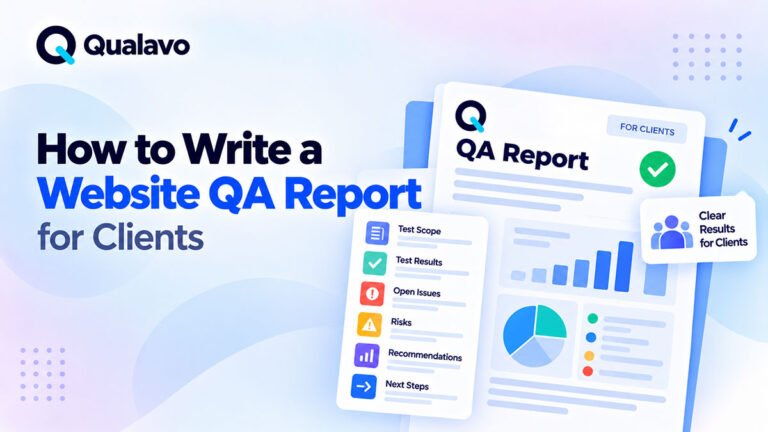
QA Executive Summary: What Should It Include?
What Is a QA Executive Summary?
A QA executive summary is a short, decision-focused overview of the most important testing results.
It is designed for people who may not want or need to read every bug report, test case, or technical detail.
Typical readers include:
- clients;
- project managers;
- product owners;
- agency account managers;
- delivery leads;
- senior stakeholders;
- release approvers.
A good executive summary answers a small number of important questions:
- What was tested?
- What was not tested?
- What important issues were found?
- What remains unresolved?
- What is the current level of release risk?
- What action is recommended next?
The purpose is not to replace the detailed QA report.
It is to make the outcome of testing understandable at a glance.
If you need a broader introduction to client-facing QA documentation, see:
Why a QA Executive Summary Matters
Testing can produce a large amount of information.
A single website project may contain:
- dozens of test areas;
- multiple browsers and devices;
- hundreds of checks;
- many reported bugs;
- retest results;
- known issues;
- release notes.
That level of detail is useful for the QA and development teams.
It is not always useful for a stakeholder making a release decision.
The executive summary translates detailed testing into a concise business-level view.
Instead of presenting:
147 test cases executed, 18 defects logged, 12 closed, 4 retested, 2 deferred…
the summary should explain what those numbers mean.
For example:
Core user journeys were tested successfully across the agreed desktop and mobile environments. Two medium-severity issues remain open, but neither blocks the primary conversion flow. No critical or high-severity defects are currently known.
That is far more useful for decision-making.
The Core Sections of a QA Executive Summary
A practical QA executive summary should normally include:
- project or release context;
- QA scope;
- test coverage;
- overall result;
- key defects;
- unresolved issues;
- release risk;
- limitations;
- recommendation;
- next steps.
The exact structure can vary, but these sections cover the information most stakeholders need.
1. Project or Release Context
Start by identifying what was tested.
Include only the information necessary to orient the reader.
Examples:
- project name;
- website or application name;
- release version;
- environment;
- QA period;
- report date.
Example:
Project: Acme Website Redesign
Environment: Staging
QA period: 14–18 September 2026
Report date: 18 September 2026
If the report relates to a specific release, include the release identifier.
This prevents confusion later when multiple QA reports exist for the same project.
2. QA Scope
Briefly explain what the QA review covered.
This section should make it clear what the team actually tested.
Example:
QA covered the main public website, contact and lead-generation forms, responsive layouts, primary navigation, key content pages, supported browsers, accessibility sanity checks, and release readiness.
Avoid vague wording such as:
The website was tested.
That does not explain the actual coverage.
If some areas were excluded, mention that too.
For example:
Payment processing and authenticated account functionality were out of scope for this QA cycle.
This helps prevent readers from assuming untested areas were validated.
3. Test Coverage
The executive summary should give a concise view of how broad the testing was.
Depending on the project, this may include:
- pages reviewed;
- critical user journeys;
- browsers;
- devices;
- screen sizes;
- functional areas;
- test cases;
- accessibility checks;
- integrations.
Example:
Coverage:
- 12 critical user journeys
- 4 supported browsers
- 5 responsive viewport groups
- 28 key pages
- 6 lead-generation forms
Avoid overwhelming the summary with detailed test-case tables.
Those belong in the main QA report or supporting documents.
4. Overall QA Result
This is one of the most important sections.
Give a short factual summary of the current state.
Example:
Core functionality is operating as expected across the agreed test scope. No critical defects were identified. Three medium-severity and four low-severity issues remain open.
This should not be vague.
Avoid:
Testing went well.
or:
The site looks good.
These statements do not provide enough information.
A good overall result should describe:
- whether critical workflows passed;
- whether major blockers exist;
- whether open defects remain;
- whether retesting was completed.
5. Key Defects
Do not list every issue in the executive summary.
Highlight only the defects that materially affect:
- release risk;
- user experience;
- business goals;
- critical workflows;
- supported environments.
Example:
Key Issue 1
Contact form submission fails in Safari 18.6
Impact: Safari users cannot complete the primary lead-generation flow.
Status: Fixed and successfully retested.
Key Issue 2
Mobile navigation overlaps page heading at 320px width
Impact: Visual/usability issue on small mobile screens.
Status: Open.
The detailed bug list can remain elsewhere.
The executive summary should focus on what decision-makers need to know.
6. Open and Known Issues
Stakeholders should understand what remains unresolved.
A good summary can group issues by severity.
Example:
Open issues:
- Critical: 0
- High: 0
- Medium: 2
- Low: 4
If a known issue is being intentionally accepted for release, explain it briefly.
For example:
Two medium-severity visual issues remain open on secondary pages. Workarounds are available, and neither affects critical user journeys.
This is more useful than simply saying:
6 bugs remain.
7. Release Risk
The executive summary should communicate risk clearly without exaggeration.
Useful risk factors include:
- unresolved high-impact defects;
- incomplete test coverage;
- failed critical workflows;
- untested integrations;
- limited device coverage;
- recent changes not yet regression-tested.
Example:
Current release risk is primarily limited to minor responsive inconsistencies on secondary content pages. No known defects affect checkout, login, or primary navigation.
This communicates what the risk actually is.
Avoid generic labels without explanation.
If you use a risk rating such as Low / Medium / High, define what it means in your QA process.
8. Testing Limitations
A strong QA report should be honest about what testing did not prove.
Examples:
- testing was performed only on staging;
- certain third-party systems were unavailable;
- production analytics were not validated;
- accessibility review was limited to sanity checks;
- security testing did not include penetration testing;
- older browsers were out of scope.
Example:
Security coverage was limited to QA sanity checks and did not include penetration testing or a formal security audit.
This is particularly important because stakeholders may otherwise assume broader coverage than was actually performed.
9. Release Recommendation
The executive summary should end with a clear release-oriented statement.
Common formats include:
- Go;
- Conditional Go;
- No-Go.
The exact labels are less important than the reasoning.
Example: Go
QA recommends proceeding with release. No critical or high-severity defects remain open, and all agreed critical user journeys have passed testing.
Example: Conditional Go
QA recommends release provided the two identified form validation issues are accepted as known defects and scheduled for post-launch resolution.
Example: No-Go
QA does not recommend release at this stage because the primary checkout workflow is currently blocked on Safari.
The recommendation should be based on evidence, not intuition.
Go/No-Go Checklist: Is Your Website Ready to Launch?
10. Next Steps
Finish the summary with clear actions.
Example:
Next steps:
- Resolve the two remaining medium-severity issues.
- Retest the affected pages.
- Perform production smoke testing after deployment.
- Confirm final client sign-off.
This makes ownership and sequence clear.
Example of a Complete QA Executive Summary
Here is a practical example.
Project
Acme Website Redesign
QA Scope
Testing covered the primary website, responsive layouts, navigation, contact and lead-generation forms, supported desktop and mobile browsers, core accessibility checks, and release readiness.
Coverage
- 30 priority pages
- 10 critical user journeys
- Chrome, Safari, Firefox and Edge
- Desktop, tablet and mobile viewports
Overall Result
Core website functionality is operating as expected. No critical or high-severity defects are currently open.
Defect Summary
- Critical: 0
- High: 0
- Medium: 2
- Low: 3
Key Open Issues
- Minor navigation spacing issue on small mobile screens.
- Validation message alignment issue on one secondary form.
Neither issue prevents users from completing critical workflows.
Limitations
Testing was performed in the staging environment. Production analytics and third-party tracking will require post-deployment verification.
Release Risk
Current release risk is low and limited to non-blocking UI inconsistencies.
Recommendation
Proceed with release, followed by production smoke testing and post-launch verification of analytics and forms.
Next Steps
- Deploy approved release.
- Perform production smoke test.
- Verify form delivery and analytics.
- Resolve remaining low-impact issues in the next maintenance cycle.
Keep the Executive Summary Short
The executive summary should not become a second full QA report.
A useful rule is:
Include conclusions and context, not raw detail.
The main report can contain:
- full defect tables;
- screenshots;
- test cases;
- browser matrices;
- detailed evidence;
- retest notes.
The executive summary should remain easy to scan.
For many website projects, one page is enough.
For more complex SaaS or agency projects, two pages may be appropriate.
If it takes ten minutes to understand the executive summary, it is probably too long.
Use Business Language, Not Only QA Language
The reader may not be a tester.
Instead of only writing:
P1 defect resolved, P2 deferred.
explain the impact:
The release-blocking checkout defect has been resolved. One non-blocking mobile layout issue has been deferred.
Technical classifications can still be included, but business meaning should be clear.
Avoid False Precision
Do not make the executive summary look more certain than the testing actually was.
For example, avoid:
The website is 100% bug-free.
QA cannot prove that.
A more accurate statement is:
No critical defects were identified within the agreed test scope.
That clearly communicates both the result and its limitation.
Separate Facts From Recommendations
A strong summary distinguishes what was observed from what the QA team recommends.
For example:
Fact:
Two medium-severity issues remain open.
Assessment:
Neither affects a critical user journey.
Recommendation:
Release can proceed if these issues are accepted as known defects.
This structure helps stakeholders understand the reasoning.

Executive Summary vs Full QA Report
The two documents serve different purposes.
Executive Summary
Designed for:
- quick review;
- decision-making;
- stakeholders;
- release approval.
It focuses on:
- scope;
- outcome;
- major risks;
- key defects;
- recommendation.
Full QA Report
Designed for:
- QA teams;
- developers;
- project managers;
- detailed project history.
It can contain:
- complete defect lists;
- detailed coverage;
- evidence;
- retest results;
- technical notes;
- test matrices.
The executive summary should point readers to the full report when they need more detail.
How to Write a Website QA Report for Clients
QA Executive Summary Checklist
Before delivering your summary, confirm:
- The project or release is clearly identified.
- The QA scope is defined.
- Important exclusions are stated.
- Test coverage is summarized.
- Overall testing results are clear.
- Critical defects are highlighted.
- Open issues are summarized.
- Release risk is explained.
- Testing limitations are documented.
- A clear recommendation is included.
- Next steps are listed.
- The document is concise and easy to scan.
If those elements are present, the executive summary should give stakeholders a reliable view of the release state.
Make QA Reporting Repeatable
Executive summaries work best when teams use a consistent structure across projects.
Standardization makes it easier to:
- compare releases;
- communicate with clients;
- identify risk;
- review open issues;
- approve launches;
- hand projects over.
For agencies handling multiple client projects, a repeatable reporting format is particularly valuable.
Qualavo Professional includes structured client QA reporting and handover resources for more advanced website QA workflows.
Teams managing QA across multiple clients can extend this approach further with Qualavo QA Agency, including standardized white-label reporting and release governance.
Final Thoughts
A QA executive summary should make a complex testing cycle easy to understand.
It should tell stakeholders:
what was tested, what was found, what remains, what the risk is, and what should happen next.
Keep it concise.
Keep it factual.
Focus on decisions rather than raw testing detail.
A good executive summary does not hide complexity.
It translates it into useful information.
Need a structured way to report QA results and hand over website projects? Explore the Qualavo QA systems.