How to Build a Website QA Process for a Digital Agency
Why Digital Agencies Need a Defined QA Process
Digital agencies often work across multiple clients, projects, teams, platforms, and deadlines at the same time.
One week may involve:
- a WordPress launch;
- an e-commerce checkout update;
- a SaaS release;
- a landing page campaign;
- several client bug fixes.
Without a defined QA process, testing can quickly become inconsistent.
One project receives detailed browser testing.
Another gets a quick visual check before launch.
A third relies on the developer who built the feature to verify their own work.
This creates unnecessary release risk.
A structured website QA process gives the agency a repeatable way to:
- define what needs to be tested;
- assign QA responsibility;
- document defects consistently;
- prioritize issues;
- retest fixes;
- make release decisions;
- report results to clients;
- manage QA across multiple projects.
The objective is not to make every project identical.
It is to create a reliable baseline that can be adapted to each client.
Agency QA Is Different From Single-Project QA
Testing one website is relatively straightforward.
Agency QA has an additional operational challenge:
consistency across clients.
Different clients may have:
- different technology stacks;
- different browsers;
- different business priorities;
- different release schedules;
- different approval processes;
- different risk tolerance.
An agency QA process needs enough standardization to remain repeatable while still allowing project-specific adjustments.
A useful model is:
Standard Core Process + Client-Specific QA Scope
The core process stays consistent.
The scope changes based on the project.
Start With a Standard Agency QA Workflow
A practical agency workflow can look like:
Scope → Plan → Test → Report → Triage → Fix → Retest → Release Decision → Handover
Each step should have:
- a clear owner;
- a clear output;
- a clear completion condition.
This avoids vague stages such as:
Someone should check the site before launch.
Instead:
QA executes the approved test scope, records defects, retests completed fixes, and provides release status before deployment.
That is much easier to manage.
1. Define the QA Scope Before Testing Starts
Do not wait until the website is “finished” before deciding what to test.
For each project, define:
- pages in scope;
- workflows in scope;
- browsers;
- devices;
- integrations;
- forms;
- authentication;
- e-commerce;
- accessibility;
- release criteria.
Also define what is out of scope.
For example:
QA includes public website functionality, responsive testing, browser coverage, lead forms, and accessibility sanity checks. Payment processing and third-party CRM behavior are excluded from this release.
That prevents assumptions later.
For a broader planning framework:
How to Create a Website QA Test Plan
2. Identify Critical User Journeys
Agency QA should prioritize what matters most to the client.
Examples:
Marketing Website
Homepage → Service → Contact Form → Lead Received
E-commerce
Product → Cart → Checkout → Payment → Confirmation
SaaS
Signup → Verify → Login → Core Action
Booking Website
Service → Availability → Booking → Confirmation
These flows deserve deeper testing than low-impact pages.
If time becomes limited before launch, the team should already know which journeys must pass.
3. Define Browser and Device Coverage
Do not let every tester choose their own browser coverage.
Create a browser/device matrix based on:
- client analytics;
- target audience;
- project requirements;
- known technical risks.
A simple agency model might use:
Tier 1
Full critical-flow testing.
Tier 2
Core workflows and visual compatibility.
Tier 3
Smoke testing only.
For details:
Browser and Device Test Matrix: How to Choose What to Test
A consistent matrix reduces both under-testing and unnecessary over-testing.
4. Assign QA Ownership
One of the biggest agency QA problems is unclear ownership.
Who is responsible for:
- preparing the test scope?
- testing?
- documenting bugs?
- triage?
- retesting?
- client communication?
- approving release?
Do not rely on informal assumptions.
Define ownership explicitly.
A simple model may include:
Developer
Builds and fixes.
QA / Tester
Tests and retests.
Project Manager
Coordinates scope and client communication.
Client / Product Owner
Approves business acceptance where required.
For larger agencies, this can be formalized with a RACI model.
5. Separate Development Testing From QA
Developers should test their own work.
But developer testing should not automatically replace QA.
Why?
The developer already knows:
- how the feature was built;
- what path they expect users to follow;
- what assumptions were made.
A second tester may approach the feature differently and expose issues the developer did not anticipate.
A stronger model is:
Developer verification → Independent QA → Retest
For very small agency teams, full separation may not always be possible.
Even then, use structured checklists and different testing passes to reduce bias.
6. Use Standardized Bug Reporting
Bug reporting should not change from project to project.
Use one agency-wide core format.
A practical bug report may include:
- title;
- environment;
- URL;
- preconditions;
- steps to reproduce;
- expected result;
- actual result;
- severity;
- evidence;
- retest status.
For a reusable structure:
Bug Report Template: What Every Defect Report Should Include
Consistency helps when several testers and developers work across multiple clients.
7. Use a Clear Severity Model
Agencies should define severity consistently.
For example:
Critical
Blocks a release or critical business function.
High
Major user or business impact.
Medium
Meaningful defect with limited business impact.
Low
Minor visual or usability issue.
The exact labels matter less than consistency.
Avoid a situation where one team calls something Critical and another calls the same impact Medium.
This becomes especially important when reporting to clients.
8. Add a Triage Step
Reported bugs should not automatically go directly into development.
Triage helps determine:
- severity;
- priority;
- owner;
- release impact;
- whether the issue is valid;
- whether it is duplicate;
- whether it should be deferred.
A practical workflow:
New → Reviewed → Assigned → Fixed → Ready for Retest → Closed
This makes status clearer across agency projects.
9. Retest Every Important Fix
A developer marking a ticket as fixed does not mean QA is complete.
The original defect should be retested.
Check:
- original issue is resolved;
- expected behavior works;
- correct environment was tested;
- related functionality still works.
For high-impact changes, add regression testing.
Avoid closing defects based only on code changes.
10. Build Regression Testing Into the Process
Agency projects often continue after launch.
Clients request:
- content updates;
- plugin updates;
- new features;
- design changes;
- integrations;
- performance improvements.
Changes can break existing functionality.
Create a repeatable regression baseline for important areas.
Examples:
- navigation;
- forms;
- authentication;
- checkout;
- account workflows;
- critical integrations.
The regression set should grow based on real project risk and previous defects.
11. Define Release Readiness Criteria
Testing should lead to a clear release decision.
Before launch, confirm:
- critical workflows pass;
- blockers are resolved;
- high-risk fixes are retested;
- known issues are documented;
- browser/device coverage is complete;
- rollback is understood;
- production smoke testing is planned.
For a structured release decision:
Go/No-Go Checklist: Is Your Website Ready to Launch?
12. Use Go, Conditional Go and No-Go
Agencies benefit from a consistent release status.
Go
Release can proceed.
Conditional Go
Release can proceed with explicitly accepted conditions or known issues.
No-Go
Release should not proceed until blocking risk is resolved.
This is more useful than:
Looks fine to me.
The decision should be documented.
13. Document Known Issues
Clients should understand what remains open at release.
Document:
- issue;
- severity;
- impact;
- workaround;
- owner;
- planned resolution.
This protects both the agency and the client from misunderstandings later.
A known defect should not be hidden inside an internal ticket system if it materially affects the release.
14. Create a Client-Facing QA Summary
Internal QA data may be too detailed for clients.
Clients usually need:
- what was tested;
- coverage;
- major issues;
- remaining risk;
- release recommendation;
- next steps.
A concise QA executive summary is often more valuable than a raw list of bugs.
For guidance:
QA Executive Summary: What Should It Include?
15. Separate Internal and Client-Facing Reporting
Agencies often need two levels of documentation.
Internal QA Report
May include:
- detailed defects;
- technical notes;
- screenshots;
- logs;
- developer information.
Client Report
Should focus on:
- testing scope;
- outcome;
- risk;
- major issues;
- recommendation;
- next steps.
Do not expose unnecessary technical noise to the client.
Translate QA results into business-relevant language.
16. Standardize Client Handover
After release, the project should not simply disappear from QA.
A handover may include:
- final QA status;
- known issues;
- production verification;
- outstanding tasks;
- maintenance recommendations;
- ownership after launch.
This creates a clean transition from delivery to support or maintenance.
17. Plan Post-Deployment Smoke Testing
The release process should continue after deployment.
Immediately after launch, verify:
- site availability;
- critical pages;
- forms;
- login;
- checkout;
- key integrations;
- tracking.
For a full checklist:
Post-Deployment Smoke Testing: What to Check After Release
This is especially important for agencies because production environments are often controlled partly by clients or external hosting providers.
18. Build a Rollback Process
If something critical fails after deployment, the team needs a recovery plan.
The rollback process should define:
- who decides;
- who performs rollback;
- what conditions trigger it;
- what version is restored;
- what happens to data changes.
Do not wait for a production failure to discuss rollback.
19. Create an Agency QA SOP
Once the workflow is stable, document it as a Standard Operating Procedure.
The SOP may define:
- QA stages;
- roles;
- bug lifecycle;
- severity;
- test evidence;
- retesting;
- reporting;
- release decision;
- client handover.
This helps onboard new team members and reduces process drift.
20. Keep the Core Process Standardized
Each client is different.
The process should still have a standard baseline.
For example:
Always Required
- QA scope;
- critical-flow testing;
- bug reporting;
- retesting;
- release decision;
- production smoke test.
Project-Specific
- e-commerce;
- SaaS;
- WordPress;
- accessibility;
- security sanity checks;
- browser coverage.
This model provides consistency without forcing every project into the same checklist.
21. Use Project-Specific QA Modules
A flexible agency process can add modules based on project type.
WordPress Project
Include:
- plugins;
- CMS workflows;
- forms;
- roles;
- staging/production behavior.
E-commerce Project
Include:
- cart;
- checkout;
- payment;
- tax;
- shipping;
- confirmation.
SaaS Project
Include:
- authentication;
- roles;
- permissions;
- core workflows;
- subscriptions.
Accessibility-Sensitive Project
Include deeper WCAG testing.
This modular model scales better than one enormous universal checklist.
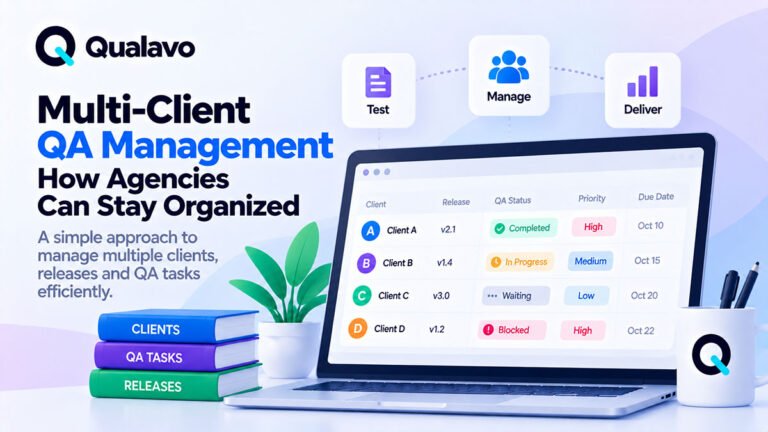
22. Track QA Across Multiple Clients
As the agency grows, individual spreadsheets and isolated tickets become difficult to manage.
A multi-client QA view can track:
- client;
- project;
- release;
- QA status;
- open blockers;
- release date;
- owner;
- latest result.
This helps operations teams understand:
- what is in QA;
- what is blocked;
- what is ready;
- what needs attention.
23. Make QA Capacity Visible
Agency QA can become a bottleneck if several projects reach release at the same time.
Track:
- tester availability;
- estimated QA effort;
- release dates;
- retest load;
- client priority.
Do not assume QA effort is free or unlimited.
A project plan should account for:
testing + bug fixing + retesting
not testing alone.
24. Define Evidence Standards
Decide what evidence testers should attach.
Examples:
- screenshot for visual defects;
- video for interaction defects;
- environment details;
- timestamp;
- logs where relevant.
Standard evidence makes handoff between QA and development faster.
It also makes client reporting stronger.
25. Avoid Over-Documenting
A mature QA process does not mean producing unnecessary paperwork.
Every document should answer a real operational question.
For example:
Test Plan: What are we testing?
Bug Report: What failed?
QA Summary: What is the overall result?
Release Decision: Can we launch?
Handover: What remains after release?
If a document does not improve execution or communication, reconsider whether it is needed.
26. Use White-Label Reporting Where Appropriate
Some agencies deliver QA as part of their own service.
In that case, client-facing reports may need:
- agency logo;
- agency colors;
- client name;
- project details;
- consistent formatting.
White-label reporting helps QA look like an integrated agency capability rather than an external add-on.
This can be especially useful when QA is included in:
- website builds;
- maintenance plans;
- launch services;
- retainers.
27. QA Can Become an Agency Service
A repeatable QA process can become more than an internal safety step.
Agencies may use it as:
- launch QA;
- independent QA review;
- maintenance QA;
- pre-release audit;
- client handover service.
The key is repeatability.
If the quality depends entirely on one person’s memory, it is difficult to scale.
28. Track Useful QA Metrics
Do not measure everything.
Useful metrics may include:
- defects by severity;
- blockers per release;
- retest failure rate;
- defects found after launch;
- QA cycle duration;
- release readiness status.
Metrics should support decisions.
Avoid vanity metrics such as:
We executed 2,000 test cases.
without explaining what that tells you about release quality.
29. Review Escaped Defects
An escaped defect is a problem discovered after release that QA did not catch.
Do not use these only to blame testers.
Use them to improve the process.
Ask:
- Was the scenario out of scope?
- Was the environment missing?
- Did the checklist need updating?
- Was the defect introduced after QA?
- Was the issue intermittent?
Then improve the baseline.
30. Update the QA Process Over Time
A good agency QA system evolves.
Review the process after:
- major releases;
- production incidents;
- client complaints;
- repeated bug patterns.
If the same issue repeatedly escapes QA, add a relevant check.
The goal is continuous improvement without uncontrolled process growth.
A Practical Agency QA Workflow
A repeatable digital agency QA process can look like this:
1. Scope
Define what will be tested.
2. Plan
Choose environments, workflows, browsers and devices.
3. Test
Execute the agreed checks.
4. Report
Document defects consistently.
5. Triage
Prioritize and assign issues.
6. Fix
Resolve defects.
7. Retest
Verify fixes.
8. Release Review
Assess remaining risk.
9. Deploy
Release the approved build.
10. Smoke Test
Verify production.
11. Handover
Document final status and remaining issues.
This provides a stable framework that can be reused across clients.
Agency QA Checklist
Before calling your QA process complete, confirm:
- QA scope is defined.
- Critical user journeys are identified.
- Browser/device coverage is documented.
- QA ownership is clear.
- Bug template is standardized.
- Severity model is consistent.
- Triage workflow exists.
- Fixes are retested.
- Regression coverage is defined.
- Known issues are documented.
- Release criteria are defined.
- Go/No-Go decision is recorded.
- Client reporting is standardized.
- Production smoke testing is planned.
- Handover is completed.
- QA process is reviewed periodically.
Start Simple, Then Scale
A small agency does not need a complex enterprise QA department.
Start with:
Checklist + Bug Report + Browser Matrix + Release Decision
Then add:
- formal test plans;
- specialized modules;
- client reporting;
- multi-client dashboards;
- SOPs;
- RACI;
- metrics.
The process should grow with operational complexity.
Do not add complexity before it provides value.
Make Agency QA Repeatable
The strongest agency QA systems are not dependent on one individual.
They provide repeatable standards that different team members can follow across different client projects.
That means:
standard workflows, clear ownership, reusable templates, consistent reporting, and explicit release decisions.
Qualavo QA Agency is designed for teams managing QA across multiple client projects, with standardized workflows, white-label reporting, defined responsibilities, multi-client visibility, and release sign-off.
For teams that first need a deeper project-level QA workflow before adding multi-client operations, Qualavo Professional to the Professional product page.
Final Thoughts
A digital agency QA process should make releases more predictable.
It should not create unnecessary bureaucracy.
The best process helps the team answer:
What are we testing?
Who owns it?
What failed?
Has it been fixed?
Can we release?
What does the client need to know?
Standardize the core.
Adapt the scope.
Document important decisions.
And improve the process based on real project experience.
That is how website QA becomes a scalable agency capability rather than a last-minute launch check.
Managing QA across multiple client projects? Explore Qualavo QA Agency.
[BUTTON: Explore QA Agency → Agency product page]