Role and Permission Testing for SaaS Applications
Why Role and Permission Testing Matters in SaaS
Many SaaS applications do not give every user the same level of access.
A typical product may include roles such as:
- Owner;
- Administrator;
- Manager;
- Agent;
- Editor;
- Member;
- Viewer;
- Billing Administrator.
Each role may be allowed to see different information and perform different actions.
That makes permission testing one of the most important areas of SaaS QA.
A feature can work perfectly for an administrator while being completely broken for a normal user.
Even more seriously, a user may gain access to data or actions they should never have.
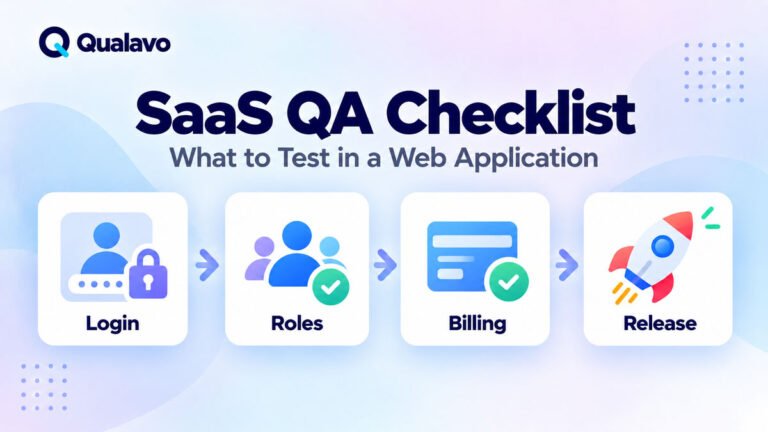
For a broader SaaS testing framework, see SaaS QA Checklist: What to Test in a Web Application.
Authentication and Authorization Are Different
Role testing becomes much clearer when authentication and authorization are separated.
Authentication asks:
Who is this user?
Authorization asks:
What is this user allowed to do?
A user may successfully log in but still be restricted from certain:
- pages;
- records;
- settings;
- actions;
- reports;
- administrative functions.
Testing login alone therefore does not prove that permissions are correct.
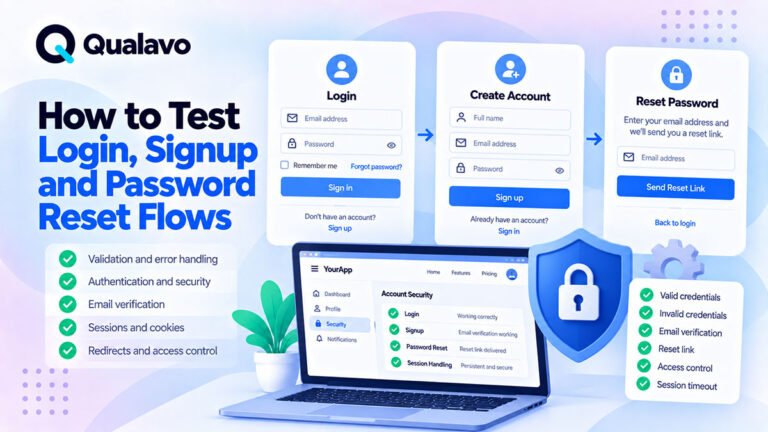
For authentication-specific QA, see How to Test Login, Signup and Password Reset Flows.
Start by Identifying Every User Role
Before creating permission tests, document the roles that exist.
For example:
| Role | Typical Responsibility |
|---|---|
| Owner | Full account control |
| Admin | Manage users and configuration |
| Manager | Manage operational workflows |
| Member | Use normal product functionality |
| Viewer | Read-only access |
Do not rely only on role names.
A role called Manager means nothing unless the expected permissions are documented.
The QA team needs to understand what each role:
can see, can change, can create, can delete, and must not access.
Build a Role and Permission Matrix
A permission matrix is one of the most useful tools for SaaS QA.
For example:
| Function | Owner | Admin | Member | Viewer |
|---|---|---|---|---|
| View records | ✓ | ✓ | ✓ | ✓ |
| Create records | ✓ | ✓ | ✓ | ✕ |
| Edit records | ✓ | ✓ | ✓ | ✕ |
| Delete records | ✓ | ✓ | ✕ | ✕ |
| Manage users | ✓ | ✓ | ✕ | ✕ |
| Billing settings | ✓ | ✕ | ✕ | ✕ |
This creates an explicit source of truth for testing.
Without a matrix, permission QA can become guesswork.
For broader QA planning, see How to Define QA Scope for a Website Project.
Test Both Allowed and Forbidden Actions
A permission test should not only confirm what a user can do.
It should also confirm what the user cannot do.
For every important permission, test both directions.
For example:
Admin
Can edit users.
Member
Cannot edit users.
Both conditions matter.
Testing only the Admin account proves that the feature works.
It does not prove that access is properly restricted.
Test Read Permissions
Start with visibility.
Can each role see the information it is supposed to see?
Test:
- pages;
- dashboard widgets;
- tables;
- reports;
- records;
- settings;
- navigation items.
Then test the opposite.
Can a restricted user see data that should be hidden?
Read permissions are particularly important for applications containing:
customer data, financial information, internal notes, private documents, or organization-specific records.
Test Create Permissions
If users can create records, verify which roles are allowed to do so.
Examples include:
- contacts;
- tasks;
- projects;
- reports;
- invoices;
- users;
- teams.
For an unauthorized role, do not only check whether the Create button is hidden.
Also test whether the underlying action remains inaccessible.
UI visibility is not the same as authorization.
Test Edit Permissions
Editing permissions can be more complicated than simple page access.
A user may be allowed to:
view a record,
but not:
edit it.
Or they may be allowed to edit only certain fields.
For example:
A Manager may change:
Status
but not:
Owner
or:
Billing Information
Test field-level permissions where the product supports them.
Test Delete Permissions Carefully
Delete operations deserve additional attention because mistakes may cause permanent data loss.
Check:
- which roles can delete;
- whether confirmation is required;
- whether soft delete or permanent delete is used;
- whether dependent data is affected;
- whether deleted records can be restored.
A Viewer should not gain deletion capability simply because they know the endpoint or record ID.
Test CRUD Permissions Systematically
A practical model is:
Create → Read → Update → Delete
For every important object, identify which operations each role can perform.
For example:
Member
Create: ✓
Read: ✓
Update: ✓
Delete: ✕
Viewer
Create: ✕
Read: ✓
Update: ✕
Delete: ✕
This makes role coverage much easier to organize.
Do Not Test Permissions Only Through the Menu
A common mistake is assuming that a hidden menu item means the feature is protected.
Suppose a normal Member does not see:
Admin → Users
That is a good UI state.
But QA should also test the direct URL.
For example:
Member → Direct Admin URL
Expected:
Access denied, redirect, or another appropriate restriction.
If the page opens, hiding the navigation item did not actually enforce authorization.
Test Direct URL Access
Direct URL testing is one of the highest-value permission checks.
For restricted pages:
- Log in with an authorized role.
- Copy the URL.
- Log out.
- Log in as a restricted role.
- Open the URL directly.
The restricted user should not gain access simply because they know the address.
Repeat this for critical administrative and data-sensitive areas.
Test Backend Actions, Not Just Pages
Authorization should also protect actions performed through:
- AJAX;
- APIs;
- form submissions;
- background requests.
A button being hidden in the frontend does not prove the server rejects unauthorized actions.
Routine QA does not need to become a penetration test, but important permission boundaries should be verified at the application level.
For the distinction between functional security QA and specialist security assessment, see Security Testing vs Penetration Testing: What’s the Difference?.
Test Record Ownership
Some SaaS applications restrict access based on ownership rather than only role.
For example:
An Agent may access:
their own contacts
but not:
another Agent’s contacts.
This adds another dimension to the permission model.
Test:
User A → User A Record
and:
User A → User B Record
The expected results may be different even though both users have the same role.
Test Organization and Workspace Isolation
Multi-tenant SaaS applications require especially careful permission testing.
Suppose:
Company A
and:
Company B
use the same application.
A user from Company A should not be able to access Company B’s private information.
Test isolation around:
- records;
- search;
- reports;
- exports;
- files;
- dashboards;
- notifications;
- URLs.
Cross-tenant data exposure can be a serious release-blocking issue.
Test Shared Records
Some SaaS products allow users to share records between:
- people;
- teams;
- departments;
- workspaces.
Test the complete sharing lifecycle.
For example:
Private → Shared With User B → Access Granted → Sharing Removed → Access Revoked
Make sure old access does not remain after sharing is removed.
Test Team-Based Permissions
A user may belong to one or more teams.
Permissions can then depend on:
role + team membership
rather than role alone.
For example:
A Manager may edit contacts only within their assigned team.
Test:
- own team;
- another team;
- multiple-team membership;
- removed membership.
These combinations can expose subtle authorization bugs.
Test Role Changes
Permissions may change while a user account remains active.
For example:
Admin → Member
After changing the role, verify that the user immediately loses Admin-only capabilities according to the product design.
Do not assume that logging out and back in is always required unless that is part of the specification.
Also test:
Member → Admin
to confirm newly granted permissions become available correctly.
Test Role Downgrades Carefully
Downgrading a user can expose cached permission problems.
For example:
- User is Administrator.
- User opens an Admin page.
- Another Administrator changes their role to Member.
- User refreshes or performs an action.
The system should enforce the new permission state correctly.
Cached pages or client-side state should not preserve unauthorized access.
Test Role Upgrades
The opposite scenario matters too.
A user promoted from Member to Manager may need immediate access to additional functionality.
Verify:
- navigation;
- pages;
- actions;
- records;
- API-backed controls.
Permission changes should create a consistent application state.
Test Disabled and Suspended Users
Account status may interact with roles.
A suspended Administrator should not retain full application access simply because their role is still Administrator.
Test relevant account states such as:
- Active;
- Suspended;
- Disabled;
- Pending;
- Invited.
Authorization often depends on more than one field.
Test Invited Users
Many SaaS applications allow administrators to invite new users.
Test:
Invite → Email → Accept → Account Creation → Correct Role
Verify that the invited user receives exactly the intended permissions.
Also test:
- expired invitation;
- reused invitation;
- cancelled invitation;
- role changed before acceptance.
Test Default Role Assignment
New users may receive a default role.
Verify that signup does not accidentally create users with excessive privileges.
For example:
A normal public signup should not result in an Administrator account because of an incorrect default configuration.
Default-role testing is especially important after authentication or user-management changes.
Test User Management Permissions
Determine which roles can:
- invite users;
- edit users;
- disable users;
- change roles;
- remove users.
Then verify each restriction.
A user-management page may contain several permission levels within the same interface.
For example:
A Manager may invite Members but may not create another Administrator.
Test these boundaries explicitly.
Test Privilege Escalation Through Normal Product Workflows
Routine QA should check that users cannot accidentally grant themselves greater access through legitimate UI flows.
For example:
A normal Member should not be able to:
change their own role, assign themselves administrative permissions, or join a restricted organization without approval.
This is still normal authorization QA rather than specialist penetration testing.
Test Navigation for Every Role
Navigation should reflect available permissions.
A Viewer should not see administration options they cannot use.
An Administrator should not be missing essential controls.
However, remember:
navigation visibility is usability
while:
server-side permission enforcement is security.
Both need testing.
Test Dashboard Content
Dashboards often aggregate data from many application areas.
That makes them a common permission risk.
Verify that widgets and statistics do not reveal information a user could not access elsewhere.
For example:
A restricted user might not be able to open customer records but still see confidential customer totals on the dashboard.
That is still a permission defect.
Test Search Permissions
Search can expose data that normal navigation hides.
Test whether restricted records appear in:
- global search;
- autocomplete;
- filters;
- search suggestions.
A user should not discover confidential records through search simply because the main listing hides them.
Test Filter and Dropdown Data
Permission issues can also appear in selectors.
For example:
A Member may open a dropdown and see users, projects, organizations, or records they are not supposed to know exist.
Test:
- autocomplete;
- dropdown options;
- filter values;
- assignment lists.
Data exposure can happen before the user even opens a record.
Test Reports
Reporting functionality frequently combines large amounts of data.
Verify that reports respect:
- organization boundaries;
- team boundaries;
- role permissions;
- record ownership.
A user who cannot view individual records should not gain access to the same information through a report.
Test Exports
Exports are particularly important because they can expose large quantities of information at once.
Check which roles can export:
- CSV;
- Excel;
- PDF;
- other data formats.
Then verify that the exported dataset respects the same restrictions as the application UI.
A filtered screen should not generate an export containing unauthorized records.
Test File and Attachment Permissions
SaaS applications may allow users to upload private documents.
Test whether:
- authorized users can download files;
- restricted users cannot;
- direct file URLs remain protected where required;
- deleted permissions revoke file access.
File access should follow the application’s permission model.
Test Notification Permissions
Notifications can leak information even when the application itself is protected.
Examples include:
- email;
- in-app notifications;
- push notifications.
Verify that users do not receive notifications about:
projects, records, customers, or teams
they are no longer authorized to access.
Role or team changes should update notification behavior.
Test Email Content
A user may be correctly blocked from a page while an automated email still reveals restricted information.
Check important transactional emails after:
role changes, ownership changes, sharing changes, and account removal.
Permission boundaries should extend beyond the application screen.
Test API-Driven Features
Modern SaaS applications frequently use APIs behind the interface.
A normal QA tester does not necessarily need to perform specialist API security testing.
However, when an important frontend action depends on an API, verify that changing the user’s role produces the expected frontend and backend behavior.
A restricted user should not be able to complete an unauthorized action simply because the UI makes a request incorrectly.
Test Saved URLs and Bookmarks
A user may bookmark a page while they have access.
Later, their permissions may change.
Test:
Access Granted → Save URL → Permission Removed → Reopen URL
The application should reevaluate authorization rather than relying on previous access.
Test Multiple Browser Tabs
Permissions can change while another browser tab remains open.
For example:
- User opens an Admin screen.
- Another Admin downgrades the user’s role.
- The first user returns to the old tab.
- They attempt an Admin action.
The action should be revalidated.
An old interface should not provide continued authorization.
Test Session Behavior After Permission Changes
Depending on the product, a permission change may:
take effect immediately,
or:
require a new session.
Whatever the intended behavior, test it consistently.
Do not leave permission changes undefined.
If security-sensitive roles are involved, immediate enforcement is often particularly important.
Test Logout and Login Again
After changing a role, perform a clean authentication cycle.
This helps verify that the permission state persists correctly.
For the wider authentication lifecycle, see How to Test Login, Signup and Password Reset Flows.
Test Permissions on Mobile
Permission testing is primarily about access rather than layout.
But responsive interfaces may expose different controls.
For example:
Desktop may use a full sidebar.
Mobile may use a compact menu or action dropdown.
Verify that mobile users see only the actions appropriate to their role.
Do not assume the desktop permission UI automatically covers mobile.
Test Empty States for Restricted Roles
Restricted users may see fewer records than administrators.
Check that empty states remain understandable.
For example:
No records available.
may be more appropriate than displaying a broken table.
Be careful not to reveal why hidden data exists.
A message such as:
15 records hidden because you do not have permission
may itself expose information the user should not know.
Test Error Messages
When access is denied, the application should communicate clearly without exposing unnecessary technical information.
Depending on the situation, appropriate behavior may include:
- redirect;
- 403-style access-denied page;
- disabled action;
- clear permission message.
Avoid technical stack traces or internal authorization details.
Test Permission Changes Around Active Work
Consider what happens when access is removed while a user is actively editing something.
For example:
- User opens a record.
- Administrator removes their permission.
- User attempts to save.
The backend should evaluate the current permission state.
The fact that the edit form was previously loaded should not automatically allow the update.
Test Ownership Changes
A record may move from one owner to another.
Test:
Owner A → Owner B
Then verify whether Owner A retains access according to the product rules.
Ownership changes often create edge cases in:
lists, filters, notifications, reports, and direct URLs.
Test Deleted Users
When a user is removed, determine what happens to their:
- records;
- tasks;
- ownership;
- shared items;
- comments;
- audit history.
The application should preserve data according to the business rules without accidentally exposing or orphaning information.
Test Permission Inheritance
Some systems use hierarchical permissions.
For example:
Organization → Team → Project → Record
A permission at one level may automatically apply below it.
Test inheritance in both directions.
For example:
Grant project access.
Verify record access.
Remove project access.
Verify record access is also removed where expected.
Test Overrides
Some systems support exceptions to inherited permissions.
For example:
A user normally has access to all team projects except one restricted project.
Test the interaction between:
general permissions + specific overrides.
These combinations can create complicated bugs.
Test Billing Permissions Separately
Billing often deserves its own permission category.
Determine which roles can:
- view subscription information;
- change plan;
- update payment method;
- view invoices;
- cancel subscription.
Do not assume that an operational Administrator should automatically have financial permissions.
The exact model depends on the product.
Test Subscription-Based Permissions
SaaS access may depend on both:
role
and:
subscription plan.
For example:
A Member on the Basic plan may have different capabilities from a Member on the Professional plan.
This creates a matrix such as:
Role × Plan × Feature
Test the high-risk combinations rather than assuming role testing alone is sufficient.
Test Feature Flags
Some users or organizations may receive features through feature flags.
Verify that the flag does not accidentally bypass normal permissions.
For example:
Feature enabled + Viewer role
should still respect Viewer restrictions.
Feature flags should extend functionality, not silently eliminate authorization rules.
Test Permission Boundaries After Upgrades
Subscription upgrades can unlock additional features.
Test:
Basic → Professional
and verify that the correct features become available.
Then consider downgrade behavior as well.
A downgraded organization should not retain unauthorized premium functionality indefinitely unless the product intentionally allows a grace period.
Test Audit Logs
If the application contains an audit trail, verify that important administrative actions are recorded.
Examples include:
- role changed;
- user invited;
- user removed;
- permission changed;
- sensitive record deleted.
Also verify who can access audit logs.
An audit log containing sensitive administrative information should itself have appropriate permissions.
Use Risk-Based Testing for Large Permission Matrices
Large SaaS products can create enormous combinations.
Imagine:
6 roles × 20 modules × 4 CRUD operations
That already creates 480 permission combinations before adding organizations, plans, or ownership.
Testing every combination manually after every release may be unrealistic.
Use risk-based prioritization.
Deeply test:
- administrative permissions;
- customer data;
- destructive actions;
- financial functions;
- cross-tenant isolation;
- recently changed permissions.
For the complete approach, see Risk-Based Testing: How to Prioritize What Matters Most.
Prioritize Negative Permission Tests
Permission testing is unusual because negative scenarios are often just as important as positive ones.
For example:
Admin can delete record
is useful.
But:
Viewer cannot delete record
may carry greater security significance.
When time is limited, protect the negative authorization coverage around high-risk actions.
Include Permissions in Regression Testing
Permission defects can easily return after:
- user-management changes;
- routing changes;
- API changes;
- frontend refactoring;
- new roles;
- new modules.
Maintain a stable permission regression suite.
For example:
Owner → Full Access
Admin → Operational Administration
Member → Normal Workflow
Viewer → Read Only
Then add release-specific cases when the permission model changes.
Retest Nearby Roles After a Permission Fix
Suppose a developer fixes:
Viewer can edit records.
Do not verify only the Viewer role.
Also consider:
- Member editing;
- Admin editing;
- Owner editing.
A permission fix may accidentally affect neighboring roles.
The potential blast radius should determine the regression scope.
Report Permission Bugs Precisely
Avoid bug reports such as:
Permissions broken.
A useful report might be:
Title: Viewer can edit customer records through direct URL
Role: Viewer
Environment: Staging
Precondition: Customer record exists
Steps:
- Log in as Viewer.
- Open the customer record URL directly.
- Change the customer name.
- Save.
Expected:
Viewer cannot edit the record.
Actual:
Change is successfully saved.
For a reusable format, see Bug Report Template: What Every Defect Report Should Include.
Severity Depends on What the Permission Bug Allows
Not all permission defects are equally serious.
For example:
Low / Medium
Viewer sees an Edit button, but clicking it is correctly rejected.
High
Viewer can modify business data.
Critical
User can access another customer’s private data or administrative security controls.
Classify impact consistently.
For a detailed framework, see Bug Severity vs Priority: What’s the Difference?.
Some Permission Bugs Should Block Release
Authorization issues can create serious security and privacy risk.
Potential blockers include:
- cross-customer data exposure;
- unauthorized administrative access;
- unauthorized deletion;
- permission bypass affecting sensitive information;
- broken tenant isolation.
For release guidance, see Which Bugs Should Block a Website Release?.
A permission defect should not be downgraded simply because the release date is approaching.
Include Permissions in Release Readiness
Before releasing a significant SaaS change, review:
- critical roles;
- high-risk actions;
- organization isolation;
- open permission bugs;
- incomplete permission coverage.
Authorization should be treated as part of release readiness rather than an optional technical detail.
For the broader framework, see What Is Release Readiness? A Guide to Website Launch Decisions.
Use Go/No-Go Decisions for Serious Authorization Risk
A release with a confirmed cross-tenant data exposure problem should not be treated the same as a release with a minor UI defect.
Use an explicit release decision:
Go
Conditional Go
or:
No-Go
depending on the remaining risk.
For a practical decision checklist, see Go/No-Go Checklist: Is Your Website Ready to Launch?.
Verify Critical Permissions After Deployment
Most role testing should happen before production.
After deployment, run a focused smoke test for critical permissions where appropriate.
Examples:
- Admin can access administration.
- Normal user cannot access administration.
- User can access their normal workspace.
- Restricted functionality remains restricted.
For the wider production verification process, see Post-Deployment Smoke Testing: What to Check After Release.
A Practical Role and Permission Testing Checklist
Role Setup
- All application roles are documented.
- Permission expectations are defined.
- A role/permission matrix exists.
- Test users exist for important roles.
Navigation and Visibility
- Authorized menu items are visible.
- Restricted menu items are hidden where appropriate.
- Dashboard data follows permissions.
- Search results follow permissions.
- Dropdowns and filters do not expose restricted data.
CRUD Permissions
- Create permissions are correct.
- Read permissions are correct.
- Update permissions are correct.
- Delete permissions are correct.
- Field-level restrictions work where applicable.
Direct Access
- Restricted URLs are protected.
- Bookmarked pages recheck permissions.
- Hidden buttons do not provide the only protection.
- Backend actions respect permissions.
Ownership and Tenant Isolation
- Users can access their own records as intended.
- Users cannot access restricted users’ records.
- Organization boundaries work.
- Workspace boundaries work.
- Team boundaries work.
User Management
- Invitations assign the correct role.
- Default roles are correct.
- Role upgrades work.
- Role downgrades work.
- Suspended users lose access appropriately.
- Removed users lose access.
Data and Reporting
- Reports respect permissions.
- Exports respect permissions.
- Files respect permissions.
- Notifications respect permissions.
- Emails do not expose restricted information.
Advanced States
- Permission changes affect active sessions correctly.
- Multiple-tab behavior is safe.
- Ownership changes update access.
- Permission inheritance works.
- Overrides work correctly.
- Subscription-plan restrictions work.
- Feature flags preserve authorization.
Release
- Critical permission fixes are retested.
- Related roles receive regression testing.
- Open permission defects are reviewed.
- High-risk authorization scenarios are covered.
- Production smoke testing is planned.
Example SaaS Permission Matrix
Imagine a project-management SaaS with four roles.
Owner
Can:
manage billing, manage users, change workspace settings, create and delete projects, and access all project data.
Admin
Can:
manage users, create projects, edit projects, and manage operational settings.
Cannot:
manage account ownership or certain billing functions.
Member
Can:
work on assigned projects, create tasks, update assigned content, and collaborate.
Cannot:
manage users or workspace settings.
Viewer
Can:
view assigned projects and tasks.
Cannot:
create, edit, delete, or administer.
A QA cycle should verify these differences rather than simply testing that each role can log in.
Do Not Trust the UI Alone
One of the most important principles in permission QA is:
Hidden is not the same as protected.
Removing a button from the interface improves usability for restricted users.
It does not prove the action is secure.
High-risk permissions should be enforced by the application itself.
QA should verify both the user interface and the actual behavior.
Do Not Assume Admin Success Proves the Feature Works
Testing everything as an Administrator can hide real product defects.
Administrators often have:
broader permissions, additional navigation, different record visibility, and fewer restrictions.
The normal customer’s experience may be completely different.
Representative user roles should therefore be part of every meaningful SaaS QA cycle.
Keep Permission Tests Maintainable
A permission suite can become enormous.
Do not create hundreds of nearly identical manual cases without a strategy.
Maintain:
Core Role Regression + High-Risk Permission Tests + Release-Specific Coverage
This provides stronger long-term value than brute-force test volume.
Build Permission Testing Into the SaaS QA Process
A practical workflow is:
Define Roles → Create Permission Matrix → Identify High-Risk Actions → Test Allowed Access → Test Forbidden Access → Test Ownership/Tenant Boundaries → Report Defects → Retest → Run Permission Regression → Review Release Risk
This makes authorization testing a normal part of product QA rather than something checked only after a security incident.
For teams testing SaaS applications, Qualavo QA Professional provides structured QA workflows covering SaaS testing, security sanity checks, regression, release readiness, defect reporting, and client-facing QA documentation.
Final Thoughts
Role and permission testing is one of the most important parts of SaaS QA because a feature can be functionally correct and still expose the wrong data or actions to the wrong user.
Start by defining:
roles, permissions, ownership rules, organization boundaries, and high-risk actions.
Then test both sides of every important rule:
what the user is allowed to do
and:
what the user must not be allowed to do.
Do not rely only on hidden buttons or navigation.
Test direct access, record ownership, tenant isolation, role changes, exports, reports, files, notifications, and active sessions.
Give the deepest coverage to permissions involving:
sensitive data, administration, deletion, billing, cross-tenant access, and privilege changes.
A strong permission model is not proven because an Administrator can use the application.
It is proven when every role receives exactly the access it needs — and nothing more.