SaaS QA Checklist: What to Test in a Web Application
What Is SaaS QA?
SaaS QA is the process of testing a software-as-a-service application to make sure its core workflows, user accounts, permissions, integrations, data handling, and release behavior work reliably.
Compared with a simple marketing website, SaaS applications usually have more state and more logic.
They may include:
- authentication;
- user roles;
- dashboards;
- forms;
- CRUD operations;
- subscriptions;
- billing;
- notifications;
- integrations;
- user-generated data;
- account settings.
Because of this, SaaS QA should go beyond visual review.
The tester needs to verify how the application behaves across different users, states, permissions, and workflows.
SaaS QA Should Focus on Real User Journeys
A web application can have hundreds of screens.
Testing every page with equal depth is usually inefficient.
Start by identifying the workflows that matter most.
Examples:
Typical SaaS Journey
Signup → Verify Email → Login → Complete Core Action → Save → Logout
Account Management Journey
Login → Update Profile → Change Password → Save → Confirm
Subscription Journey
Signup → Select Plan → Payment → Upgrade/Downgrade → Cancel
These journeys should receive the deepest coverage.
1. Test Signup
Signup is one of the first critical SaaS flows.
Check:
- required fields;
- valid registration;
- invalid email;
- duplicate email;
- password rules;
- password confirmation;
- terms acceptance;
- success state;
- account creation;
- default role;
- verification email.
Do not stop after the form submits.
Verify the full account lifecycle.
2. Test Email Verification
If email verification is required, check:
- email arrives;
- sender is correct;
- link works;
- correct environment is used;
- account becomes verified;
- expired link behavior;
- resend verification;
- duplicate link behavior.
Email verification often exposes environment-specific defects.
3. Test Login
Verify:
- valid credentials;
- invalid password;
- unknown account;
- empty fields;
- locked or disabled account;
- redirect after login;
- session creation.
For deeper coverage:
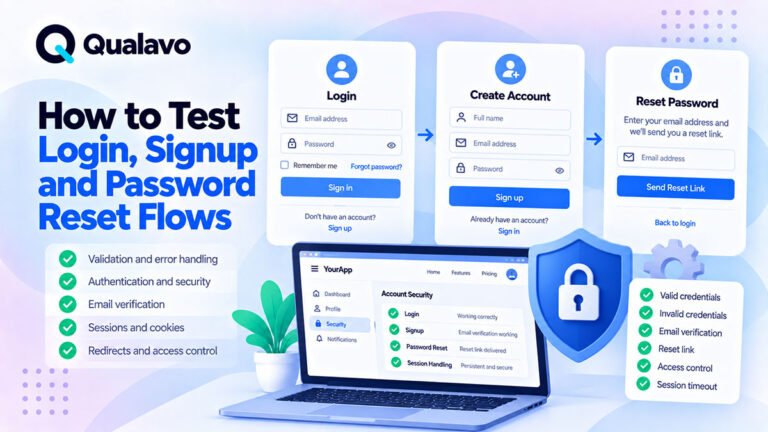
How to Test Login, Signup and Password Reset Flows
4. Test Logout
Logout should:
- terminate access;
- remove or invalidate the active session as intended;
- prevent access to protected pages;
- redirect appropriately.
After logout, try:
- browser Back;
- direct protected URL;
- refresh.
The user should not remain authenticated unexpectedly.
5. Test Password Reset
Check:
- reset request;
- reset email;
- valid token;
- expired token;
- reused token;
- new password;
- old password;
- session behavior after reset.
Password recovery is one of the most important account-access flows.
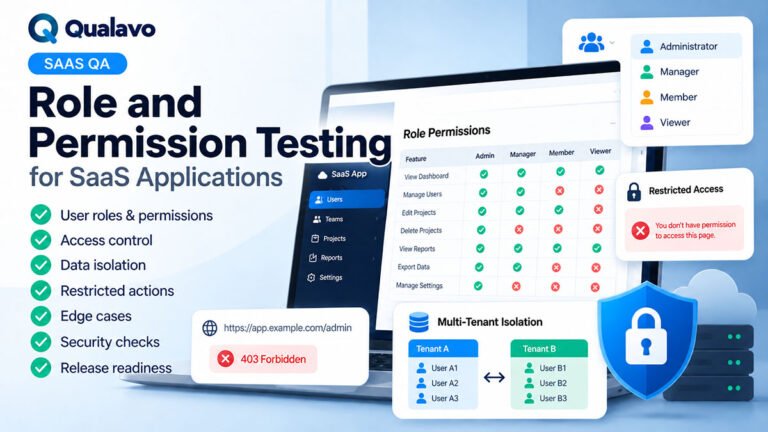
6. Test User Roles and Permissions
Many SaaS products have multiple roles.
Examples:
- Admin;
- Manager;
- Member;
- Client;
- Read-only User.
Verify:
- correct menu visibility;
- correct action permissions;
- protected URLs;
- edit rights;
- delete rights;
- admin-only areas.
Do not rely only on hidden UI.
Try direct access to restricted routes.
7. Test Authorization Separately From Authentication
Authentication answers:
Who is the user?
Authorization answers:
What is the user allowed to do?
A user may be logged in correctly but still access something they should not.
Examples:
- standard user opening admin page;
- user viewing another customer’s record;
- read-only user editing data.
These issues can be serious.
8. Test the Core Product Workflow
Every SaaS application has one or more actions that define the product.
Examples:
- create project;
- upload document;
- send campaign;
- create invoice;
- publish content;
- assign task;
- generate report.
Test the full flow.
For example:
Create → Edit → Save → View → Update → Delete
This gives better coverage than checking isolated buttons.
9. Test CRUD Operations
CRUD means:
Create
Read
Update
Delete
These operations are common in web applications.
For each important object, test:
- create new record;
- view record;
- edit record;
- save changes;
- delete record;
- cancel delete;
- restore where supported.
Also check permissions for each operation.
10. Test Required Fields
For important forms, submit with required data missing.
Check:
- validation appears;
- message is clear;
- field is identified;
- invalid submission does not create partial data.
Do not test only completely empty forms.
Test missing fields individually.
11. Test Input Validation
Try realistic invalid inputs.
Examples:
- invalid email;
- negative number;
- overly long text;
- unsupported date;
- special characters;
- leading/trailing spaces.
The goal is not to break the system.
The goal is to verify predictable validation.
12. Test Boundary Values
Boundary testing is useful for:
- limits;
- quantities;
- dates;
- file sizes;
- character limits;
- subscription limits.
If a field supports 1–100:
test:
- 0;
- 1;
- 100;
Bugs often appear at boundaries.
13. Test Search
If the application has search, verify:
- exact term;
- partial term;
- no results;
- special characters;
- case handling;
- clearing search;
- pagination after search.
Also test whether search respects permissions.
A user should not find records they are not allowed to see.
14. Test Filters
Check:
- single filter;
- multiple filters;
- clear filter;
- no-result state;
- sorting combined with filters;
- persistence if expected.
Filters should not produce inconsistent or stale results.
15. Test Sorting
Verify:
- ascending;
- descending;
- numeric data;
- dates;
- names;
- empty values.
Also check whether selected rows or filters behave correctly after sorting if the product supports bulk actions.
16. Test Pagination
Check:
- first page;
- middle page;
- last page;
- next/previous;
- changing filters;
- changing sort order;
- deleting records.
Pagination state should remain logical.
17. Test Bulk Actions
If supported, test:
- select one;
- select multiple;
- select all;
- deselect;
- bulk edit;
- bulk delete;
- bulk assignment.
Also verify:
- selection after sorting;
- selection after filtering;
- confirmation dialogs;
- permissions.
Bulk actions can create high-impact defects because they affect many records at once.
18. Test Data Persistence
After saving data:
- navigate away;
- return;
- refresh;
- log out and back in if relevant.
Verify data remains correct.
A success message does not guarantee the data was actually persisted.
19. Test Unsaved Changes
If the user edits data and navigates away, check expected behavior.
Possible patterns:
- warning appears;
- autosave happens;
- changes are discarded.
The product should behave consistently.
20. Test Concurrent Editing Where Relevant
In collaborative SaaS products, two users may edit the same record.
Check:
- last-write behavior;
- conflict warning;
- locking;
- version handling.
Not every product needs advanced conflict management, but behavior should be understood.
21. Test File Uploads
Check:
- valid file;
- invalid type;
- oversized file;
- duplicate name;
- upload progress;
- cancellation;
- error message.
After upload, verify:
- file appears;
- download works;
- permissions are correct.
22. Test File Downloads
Verify:
- correct file;
- correct filename;
- access permission;
- missing file behavior;
- direct URL behavior.
Private files should not become public accidentally.
23. Test Notifications
SaaS products may use:
- in-app notifications;
- email;
- push;
- SMS.
Verify:
- correct trigger;
- correct recipient;
- correct message;
- correct link;
- no duplicates.
Also test whether notification preferences are respected.
24. Test Transactional Emails
Examples:
- signup;
- password reset;
- account invitation;
- task assignment;
- billing;
- subscription change.
Check:
- delivery;
- sender;
- content;
- links;
- production domain.
For deeper coverage, use the same principles as post-deployment smoke testing.
25. Test In-App Notification State
If notifications can be:
- unread;
- read;
- dismissed;
- cleared;
test each state.
Check:
- badge count;
- mark all as read;
- clear all;
- persistence after refresh.
These small state-management features often produce UI defects.
26. Test Subscription Plans
If the SaaS product has subscriptions, verify:
- plan selection;
- free trial;
- paid plan;
- upgrade;
- downgrade;
- cancellation;
- renewal.
Check how plan changes affect available features.
27. Test Feature Access by Plan
A user on a lower plan should not gain access to premium functionality accidentally.
Check:
- menu visibility;
- feature access;
- direct URL access;
- API behavior where relevant.
Plan restrictions should be enforced beyond the frontend.
28. Test Billing
Billing QA may include:
- pricing;
- tax;
- currency;
- payment;
- invoice;
- failed payment;
- retry;
- billing history.
For paid SaaS, billing is a critical business workflow.
29. Test Free Trials
Check:
- trial starts correctly;
- correct duration;
- trial features;
- expiration;
- upgrade during trial;
- behavior after trial ends.
Also verify notifications around trial expiration.
30. Test Upgrade and Downgrade
Check:
- new features appear;
- restricted features disappear where expected;
- billing changes correctly;
- existing data is handled safely.
A downgrade should not accidentally delete user data unless that is clearly intended and communicated.
31. Test Cancellation
Verify:
- cancellation flow;
- confirmation;
- effective date;
- access after cancellation;
- billing stop;
- account retention.
Avoid ambiguous states where users do not know whether cancellation succeeded.
32. Test Failed Payments
Check:
- declined payment;
- expired card;
- retry;
- grace period;
- account access;
- notification.
The product should not move into an inconsistent subscription state.
33. Test Integrations
Common SaaS integrations include:
- Google;
- Microsoft;
- Slack;
- CRM;
- payment gateways;
- calendar systems;
- storage providers.
Test:
- connection;
- authorization;
- data sync;
- disconnect;
- expired authorization;
- integration errors.
Third-party integrations deserve separate QA because failures may occur outside your own UI.
34. Test OAuth Flows
Where OAuth is used, check:
- connect;
- cancel;
- denied permission;
- successful callback;
- expired token;
- reconnect;
- disconnect.
Also verify:
- correct account connected;
- correct environment callback URL;
- no duplicate integrations.
35. Test Session Expiration
Leave the application idle long enough for the session to expire where practical.
Verify:
- clear message;
- redirect;
- unsaved work handling;
- login recovery.
Avoid silent failures that make the interface appear broken.
36. Test Multiple Browser Tabs
Open the application in several tabs.
Check scenarios such as:
- logout in one tab;
- edit same record in another;
- account switch;
- expired session.
State should remain reasonably consistent.
37. Test Multiple Devices Where Relevant
A user may be logged in on:
- desktop;
- phone;
- tablet.
Check product requirements around:
- session persistence;
- logout;
- password change;
- notifications.
38. Test Responsive Behavior
SaaS interfaces can be more complex than standard websites.
Check:
- navigation;
- tables;
- cards;
- forms;
- modals;
- sidebars;
- filters;
- dashboards.
Some desktop-heavy SaaS products may intentionally provide limited mobile support.
That should be defined clearly.
39. Test Browser Compatibility
Use an agreed matrix.
Potential environments:
- Chrome / Windows;
- Edge / Windows;
- Safari / macOS;
- Firefox / desktop;
- Safari / iPhone;
- Chrome / Android.
For planning:
Browser and Device Test Matrix: How to Choose What to Test
40. Test Accessibility Basics
Check:
- keyboard navigation;
- focus;
- forms;
- labels;
- modal behavior;
- color contrast;
- zoom.
Complex SaaS interfaces can create accessibility problems quickly.
For deeper guidance:
Website Accessibility Testing Checklist: A Practical QA Guide
41. Test Error Handling
Force normal failure states where safe.
Examples:
- invalid form;
- failed API request;
- disconnected integration;
- missing record;
- expired session.
Check:
- message is understandable;
- user can recover;
- no technical stack trace;
- data remains consistent.
42. Test Empty States
New users often see screens with no data.
Check:
- empty dashboard;
- no projects;
- no notifications;
- no search results;
- no invoices.
The interface should explain what to do next.
43. Test Loading States
Check:
- spinner;
- skeleton;
- disabled controls;
- slow data response.
Users should know the system is working.
Avoid allowing repeated actions while an important request is already processing.
44. Test Success States
After an action succeeds, the user should know it succeeded.
Examples:
- saved;
- created;
- deleted;
- invited;
- sent.
Success messaging should be clear without becoming distracting.
45. Test Confirmation Dialogs
For destructive actions such as:
- delete;
- cancel subscription;
- remove user;
verify:
- clear warning;
- action name;
- cancel option;
- final result.
A confirmation dialog should make the consequence understandable.
46. Test Audit History Where Supported
Some SaaS products track:
- who changed something;
- when it changed;
- what changed.
Verify audit history is:
- accurate;
- permission-controlled;
- updated correctly.
47. Test Date and Time Behavior
Dates can cause subtle defects.
Check:
- display format;
- timezone;
- daylight-saving behavior;
- due dates;
- date filters.
For international products, timezone handling is especially important.
48. Test Localization Where Supported
If multiple languages are supported, verify:
- translations;
- long text;
- date formats;
- currencies;
- layout expansion.
A translation can easily break a fixed-width interface.
49. Test Security Sanity Checks
Routine SaaS QA should include basic security-related verification.
Check:
- HTTPS;
- protected routes;
- permissions;
- sensitive data exposure;
- debug output;
- session behavior.
For broader security QA:
Website Security QA Checklist: Basic Checks Before Launch
50. Test API-Dependent Features
If a frontend depends heavily on APIs, verify:
- successful response;
- empty response;
- failed response;
- slow response;
- unauthorized response.
The UI should not become unusable when an API call fails.
51. Test Data Isolation
This is especially important for multi-tenant SaaS.
A user from one account or workspace should not see data belonging to another.
Use approved test accounts.
Check:
- records;
- files;
- reports;
- search;
- URLs.
Data isolation defects can be severe.
52. Test Tenant or Workspace Switching
If users can belong to multiple workspaces, test:
- switch workspace;
- data changes correctly;
- permissions update;
- navigation updates;
- stale data disappears.
Make sure data from the previous workspace is not accidentally retained.
53. Test Invitations
If users can invite others, verify:
- valid invite;
- duplicate invite;
- expired invite;
- wrong account;
- acceptance;
- assigned role.
Invitation flows combine email, authentication, and permissions.
54. Test Deactivation and Removal
When a user is removed:
- access should change as intended;
- sessions should behave correctly;
- owned data should follow business rules.
This is especially important in team-based SaaS products.
55. Test Account Deletion
If users can delete their account:
- confirmation;
- data handling;
- session termination;
- email confirmation;
- recovery policy.
Do not assume deletion is only a UI action.
56. Test Import and Export
If the application supports data import/export, check:
Import
- valid file;
- invalid format;
- duplicate records;
- missing columns;
- large file;
- error reporting.
Export
- correct records;
- correct filters;
- correct columns;
- correct encoding;
- download works.
57. Test Duplicate Handling
SaaS systems often need rules for duplicate:
- users;
- contacts;
- records;
- integrations.
Verify the behavior is intentional.
Examples:
- block;
- warn;
- merge;
- allow.
Unclear duplicate handling can damage data quality.
58. Test Data Validation After Import
Do not only check that the import completes.
Verify:
- records created correctly;
- field mappings;
- duplicates;
- skipped rows;
- invalid data report.
59. Test Autosave
If autosave exists, verify:
- save timing;
- visible status;
- navigation;
- failure handling;
- concurrent edits.
Users should know whether their work was saved.
60. Test Refresh Behavior
Refresh important screens.
Check:
- state;
- filters;
- unsaved data;
- active tabs;
- selected records.
Unexpected state loss can create poor UX.
61. Test Deep Links
A user may open a direct link from:
- email;
- notification;
- bookmark.
Verify:
- login redirect;
- permission check;
- return to target page;
- missing record state.
62. Test Notification Links
Click links inside:
- email notifications;
- in-app notifications.
Check:
- correct destination;
- correct account;
- authorization;
- expired content handling.
63. Test Browser Back and Forward
SaaS interfaces often use dynamic routing.
Test:
- back;
- forward;
- tab changes;
- filters;
- modals.
Navigation should not create broken states.
64. Test Search, Filter and Sort Together
Combination testing is useful.
Example:
- filter by status;
- search by name;
- sort by date;
- move to page 2.
Check that state remains consistent.
Many list-view bugs appear only when features are combined.
65. Test Selection State
For tables or grids, check selected rows after:
- sorting;
- filtering;
- pagination;
- refresh.
The system should not apply bulk actions to unexpected records.
66. Test Destructive Actions Carefully
Examples:
- Delete User;
- Delete Project;
- Remove Integration;
- Cancel Subscription.
Check:
- permission;
- confirmation;
- result;
- undo/restore where supported.
Destructive defects can cause real data loss.
67. Test Critical Workflows on Production After Deployment
After release, run a short smoke test.
Typical SaaS smoke test:
Login → Dashboard → Core Action → Save → Logout
Depending on risk, also check:
- signup;
- integration;
- notification;
- billing.
For a structured process:
Post-Deployment Smoke Testing: What to Check After Release
A Practical SaaS QA Checklist
Authentication
- Signup works.
- Email verification works.
- Login works.
- Invalid login is handled.
- Logout works.
- Password reset works.
- Session expiration behaves correctly.
Roles and Permissions
- Roles have correct access.
- Restricted URLs are protected.
- Users cannot access other users’ private data.
- Admin-only actions are protected.
Core Functionality
- Critical workflow passes.
- Create works.
- Read/view works.
- Update works.
- Delete works.
- Data persists correctly.
Forms and Data
- Required fields validate.
- Invalid input is handled.
- Boundary values are tested.
- Empty states work.
- Import/export works where applicable.
Lists and Navigation
- Search works.
- Filters work.
- Sorting works.
- Pagination works.
- Bulk actions work.
- Selection state is correct.
Notifications and Email
- Emails are delivered.
- In-app notifications work.
- Links are correct.
- Badge/read states work.
Subscription and Billing
- Plans work.
- Upgrade works.
- Downgrade works.
- Cancellation works.
- Payment failure is handled.
- Billing status is correct.
Integrations
- Connect works.
- Disconnect works.
- Authorization callback works.
- Sync works.
- Failure behavior is clear.
Compatibility and Accessibility
- Priority browsers tested.
- Responsive behavior checked.
- Keyboard basics checked.
- Focus and forms checked.
Security Sanity
- HTTPS works.
- Protected routes are protected.
- Permissions are enforced.
- No obvious sensitive data exposure.
- Debug output is disabled.
Release
- Critical defects resolved.
- Important fixes retested.
- Known issues documented.
- Production smoke test planned.
Prioritize SaaS QA by Risk
Not every feature needs the same level of testing.
Higher-priority areas usually include:
- authentication;
- permissions;
- billing;
- core product workflows;
- data integrity;
- critical integrations.
Lower-risk areas may receive lighter coverage.
Use:
business impact + user frequency + complexity + recent changes
to decide depth.
Build a Regression Baseline
SaaS applications change frequently.
A repeatable regression suite should include:
- login;
- core workflow;
- permissions;
- critical forms;
- key integrations;
- billing where relevant.
Add new checks when important regressions are discovered.
Over time, the regression baseline should reflect real product risk.
Do Not Use One Giant Checklist for Every Release
A SaaS application may contain hundreds of features.
Do not rerun every possible test after every minor change.
Use:
Stable Regression Baseline + Release-Specific Testing
For example:
If a release changes only:
- notifications;
- email templates;
focus extra testing there while still running a critical smoke/regression baseline.
Document What Was Actually Tested
Avoid reporting:
SaaS QA passed.
Instead say:
QA covered authentication, role permissions, core CRUD workflows, browser compatibility, notifications, and the primary subscription flow.
This makes coverage transparent.
Connect SaaS QA to Release Readiness
Before release, ask:
- Do critical workflows pass?
- Are permission boundaries working?
- Are important integrations stable?
- Are known defects documented?
- Is billing safe where applicable?
- Was regression testing completed?
For release decisions:
Go/No-Go Checklist: Is Your Website Ready to Launch?
Make SaaS QA Repeatable
A scalable SaaS QA process can follow:
Scope → Critical Journeys → Functional Testing → Role Testing → Integration Testing → Regression → Retest → Release Decision → Production Smoke Test
This is more reliable than random feature checking.
Qualavo Professional includes structured SaaS and web application QA resources for advanced workflows, permissions, authentication, integrations, regression testing, and release readiness.
Final Thoughts
SaaS QA is about more than checking whether individual pages look correct.
A web application needs to behave reliably across:
users, roles, states, data, workflows, integrations, subscriptions, and releases.
Start with the critical user journeys.
Then test the state around them:
what happens when data is missing, permissions change, sessions expire, payments fail, or integrations break.
Use a repeatable regression baseline.
Document what was tested.
Retest important fixes.
And verify production after deployment.
That is how SaaS QA becomes a reliable release process rather than a collection of isolated checks.
Need a structured QA framework for SaaS and web application testing? Explore Qualavo Professional.