Bug Severity vs Priority: What’s the Difference?
Bug Severity and Priority Are Not the Same Thing
When a tester finds a defect, two questions often need to be answered:
How serious is the problem?
and:
How urgently should we fix it?
These questions sound similar, but they describe different things.
Bug severity describes the impact of the defect.
Bug priority describes how urgently the defect should be addressed.
A bug can therefore be severe without being the next issue the team fixes, and a relatively minor defect can sometimes receive very high priority.
Understanding the difference helps QA teams, developers, product owners, and clients make more consistent decisions.
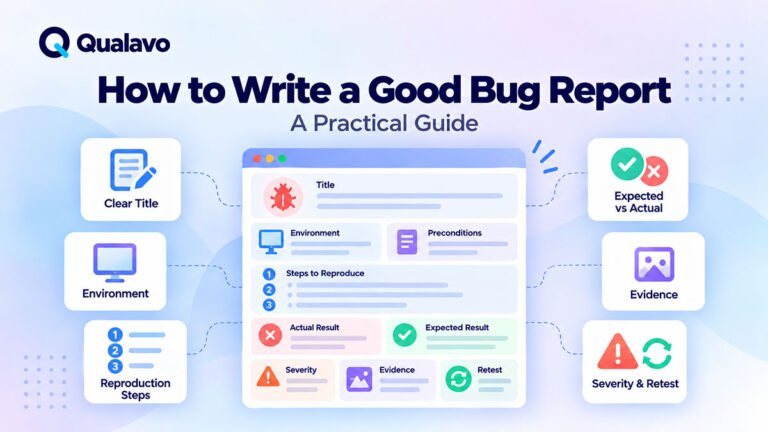
If you are building a defect-reporting process from scratch, start with How to Write a Good Bug Report: A Practical Guide.
What Is Bug Severity?
Bug severity describes how much damage or disruption a defect causes when it occurs.
The assessment usually considers factors such as user impact, business impact, affected functionality, data integrity, security implications, and whether a workaround exists.
For example, if customers cannot complete checkout, the defect has major impact.
If a heading is misaligned by a few pixels on one secondary page, the impact is much smaller.
Severity helps answer:
If this bug occurs, how bad is it?
What Is Bug Priority?
Bug priority describes how soon the team should work on the defect relative to other work.
Priority may depend on factors beyond the technical impact of the bug.
These can include:
release timing, client commitments, campaigns, visibility, dependencies, available resources, and business deadlines.
Priority helps answer:
When should we fix this bug?
This distinction is important because business urgency and defect impact are not always identical.
Severity Measures Impact; Priority Measures Urgency
A simple model is:
Severity = Impact
Priority = Urgency
Imagine that a serious defect exists in a feature that will not be released for another two months.
Its severity may still be High because the feature is significantly broken.
Its current priority, however, may be lower than a Medium-severity defect blocking tomorrow’s production deployment.
The severity describes the defect itself.
The priority describes what the team should do about it now.
A Typical Bug Severity Model
There is no universal severity scale that every organization must use.
The important thing is to define a model clearly and use it consistently.
A practical four-level model is:
Critical
A critical defect prevents a core workflow, creates serious security or data risk, makes the application unavailable, or otherwise makes the release unsafe.
Examples include complete checkout failure, application-wide outage, serious authorization failure, or destructive data corruption.
High
A major feature is significantly affected, but the complete product is not unusable.
Examples might include signup failing for a major user group, an important contact form failing on a supported browser, or a primary mobile navigation becoming unusable.
Medium
The defect affects functionality or usability but does not prevent the main workflow.
Examples might include incorrect validation behavior, a non-critical filter failing, or a layout problem affecting a secondary workflow.
Low
The defect has limited functional or user impact.
Typical examples include minor spacing inconsistencies, small visual defects, or low-impact content problems.
The exact boundaries should reflect the type of website or application being tested.
A Typical Bug Priority Model
Priority can also use four levels.
Urgent / P0
The issue requires immediate attention.
This may include a production outage, active revenue loss, critical security exposure, or another incident that cannot wait for the normal development cycle.
High / P1
The defect should be addressed before other normal work because it affects an important release, customer, workflow, or deadline.
Medium / P2
The issue should be fixed, but other more urgent work can take precedence.
Low / P3
The issue can be scheduled later without creating significant immediate risk.
Some teams use labels such as Highest, High, Normal, Low instead.
The naming is less important than having shared definitions.
Severity vs Priority: Quick Comparison
| Question | Severity | Priority |
|---|---|---|
| What does it measure? | Impact of the defect | Urgency of fixing it |
| Main question | How bad is the bug? | How soon should we fix it? |
| Main inputs | Functional, user, business, security and data impact | Deadlines, releases, clients, dependencies and business needs |
| Usually changes often? | No | It can |
| Who often assesses it? | QA with team input | Product, project, development and QA stakeholders |
| Release relevance | Helps determine risk | Helps determine work order |
Severity and priority should support each other without being treated as interchangeable fields.
Critical Severity and High Priority Often Align
Many defects naturally receive both high severity and high priority.
For example:
Users cannot complete checkout in production.
The severity is likely Critical because a primary revenue-generating workflow is unavailable.
The priority is also likely Urgent because customers are currently affected.
In this situation, there is little disagreement between the two dimensions.
But the distinction becomes more useful when severity and priority do not match.
High Severity Does Not Always Mean Highest Priority
Consider a major defect in a feature that is still under development and will not be released for several weeks.
The feature may be completely unusable.
That makes the severity High or even Critical within that feature.
But if the feature is not currently available to customers and another defect is blocking today’s production release, the future feature may receive lower immediate priority.
Its impact has not changed.
Its position in the team’s work queue has.
This demonstrates why combining severity and priority into one vague concept such as “importance” can cause confusion.
A Lower-Severity Bug Can Have High Priority
The opposite situation also occurs.
Imagine a relatively minor visual defect on the homepage immediately before a major advertising campaign.
The defect may not break any functionality.
From a purely functional perspective, the severity could be Low.
But because thousands of visitors are expected to see the page tomorrow, the business may decide to fix it immediately.
Priority becomes High even though the technical impact remains limited.
Priority Can Change Over Time
Severity is usually relatively stable.
If checkout is completely broken, its impact does not suddenly become minor because the release date changes.
Priority is more dynamic.
A bug might be:
P3 today → P1 next week
because the affected feature is approaching release.
Or:
P1 today → P3 later
because the related feature has been removed from the current release.
This is one reason severity and priority should remain separate fields.
Severity Can Change When New Information Appears
Although severity is generally more stable, it can still change when the team learns more about the defect.
Suppose a tester initially finds that a page fails for one test account and assigns Medium severity.
Further investigation reveals that the failure affects every newly registered customer.
The severity should be reassessed.
Likewise, a bug initially thought to affect all mobile users may later turn out to occur only under a rare unsupported configuration.
Classification should follow evidence.
Who Should Set Bug Severity?
QA testers are usually well positioned to make an initial severity assessment because they understand:
the failure, the affected workflow, reproduction conditions, and user impact.
However, severity should not become an isolated QA opinion.
Developers, product owners, security specialists, or other stakeholders may provide information that changes the assessment.
For example, what appears to be a simple UI problem may actually expose customer data.
Likewise, a dramatic-looking error may have almost no practical impact.
Who Should Set Bug Priority?
Priority is more closely connected to business and delivery decisions.
It may involve:
QA, product owners, project managers, developers, clients, or release owners.
A tester can recommend priority, but the final decision may require broader context.
For example, QA may know that a defect affects one page.
The project manager may know that the page is part of tomorrow’s advertising campaign.
That information changes urgency.
Severity Should Not Be Based on How Difficult the Bug Is to Fix
A common mistake is confusing severity with development effort.
A defect is not Low severity simply because it is easy to fix.
And it is not Critical because fixing it requires several days.
Consider:
Checkout button hidden on mobile because of one CSS rule.
The fix might require five minutes.
The severity can still be Critical if mobile customers cannot purchase anything.
Severity measures impact, not implementation complexity.
Priority Should Not Be Based Only on Fix Difficulty Either
Teams are sometimes tempted to prioritize easy defects simply because they can close them quickly.
That may be useful occasionally, but it should not replace risk-based prioritization.
Fixing ten cosmetic issues while leaving a broken payment workflow unresolved does not make the release safer.
The defect queue should reflect actual product and business needs.
Consider the Affected User Journey
Severity becomes easier to assess when the team understands the affected user journey.
Compare:
Homepage → Product → Cart → Checkout → Payment
with:
Homepage → About → Secondary Information Page
A defect blocking the first flow may prevent revenue.
A similar technical defect in the second flow may have much lower business impact.
This is why QA should identify critical user journeys before testing.
For a complete pre-launch process, see How to Test a Website Before Launch: A Step-by-Step QA Process.
Consider How Many Users Are Affected
Impact is not only about what fails.
It is also about who is affected.
Compare:
Login fails for every customer.
with:
Login fails only for one legacy account using an unsupported configuration.
The first issue clearly creates broader risk.
Affected-user scope can therefore help determine severity.
However, do not rely only on user count.
A defect affecting one administrator may still be critical if that administrator controls an essential production process.
Consider Whether a Workaround Exists
A workaround can affect the practical impact of a defect.
For example:
Customers cannot use the primary checkout button, but another clearly visible checkout route still works.
This may still be serious.
But it is different from:
No customer can complete a purchase through any route.
When documenting severity, consider whether users can realistically complete the intended workflow another way.
The workaround must be practical, not merely technically possible.
Consider Data and Security Impact
Some defects look small from a user-interface perspective but have much larger consequences.
For example:
One customer can view another customer’s order.
The interface may otherwise work perfectly.
But the privacy and authorization implications can make the issue Critical.
Similarly, data corruption or unintended deletion often deserves greater severity than a normal visual or interaction defect.
Routine QA can identify some of these problems through role and permission testing.
For broader security context, see Security Testing vs Penetration Testing: What’s the Difference?.
Consider Browser and Device Coverage
Suppose an important form works in Chrome and Edge but completely fails in Safari.
Severity depends partly on whether Safari is a supported and important environment.
If a large percentage of the site’s users rely on Safari, the impact may be substantial.
If the problem appears only in an explicitly unsupported legacy browser, the classification may be different.
This is why browser expectations should be defined before defects are triaged.
Avoid Using Severity as a Measure of Emotion
Defect classifications should be evidence-based.
Avoid assigning Critical simply because a bug is frustrating, embarrassing, or difficult to reproduce.
Use defined criteria.
Ask:
What workflow is affected?
Who is affected?
Can the user continue?
Is data at risk?
Is there a practical workaround?
Does the problem affect production?
Consistent criteria make defect triage far more useful.
Avoid Making Everything High Priority
When every issue is urgent, priority loses its meaning.
If a backlog contains:
P1, P1, P1, P1, P1, P1
the team still does not know what to fix first.
A priority system should create meaningful ordering.
Some defects need immediate attention.
Others can safely wait.
That distinction is the entire purpose of prioritization.
Avoid Making Cosmetic Bugs Automatically Low Priority
Cosmetic does not always mean unimportant.
Imagine:
- incorrect client branding immediately before launch;
- a misspelled company name on the homepage;
- an incorrect promotional date;
- a visible layout defect in a major campaign hero.
The functional severity may be limited, but the business priority can still be high.
Context matters.
Use Severity Consistently in Bug Reports
Every bug report should contain enough information to support its classification.
Useful context includes:
environment, reproduction steps, expected result, actual result, affected workflow, evidence, and impact.
Without this information, severity becomes guesswork.
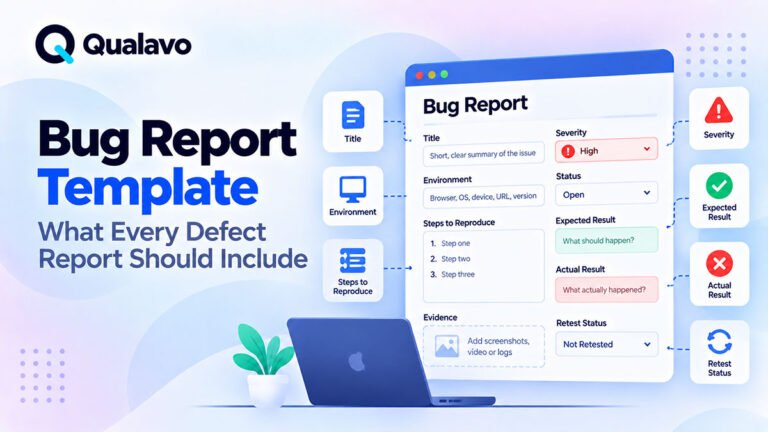
For a reusable defect structure, see Bug Report Template: What Every Defect Report Should Include.
Example 1: Checkout Is Completely Broken
Defect: Clicking Pay never completes the transaction.
Severity: Critical
Priority: Urgent / P0
Why?
The defect blocks a primary revenue-generating workflow and directly affects customers.
Unless a reliable workaround exists, this would normally be treated as a release blocker.
Example 2: Mobile Navigation Is Unusable
Defect: Navigation cannot be opened on supported iPhone devices.
Severity: High
Priority: High / P1
A significant user group cannot navigate the website properly.
If launch is approaching, the issue should receive immediate attention.
Example 3: Secondary Page Has a Spacing Problem
Defect: Two content cards have inconsistent vertical spacing.
Severity: Low
Priority: Low / P3
The issue does not block functionality and has limited user impact.
It can usually wait behind more important defects.
Example 4: Minor Homepage Defect Before a Campaign
Defect: The campaign headline wraps incorrectly on the homepage.
Severity: Low or Medium, depending on impact
Priority: High
The website remains functional, but the page may receive a large amount of traffic within hours.
Business timing raises the priority.
Example 5: Major Feature Broken but Not Yet Released
Defect: A new reporting module cannot generate reports.
Severity: High
Priority: Medium
The feature is substantially broken, but it is behind a feature flag and is not part of the current release.
Severity remains High.
Immediate urgency may be lower.
Use Bug Triage to Resolve Disagreements
Severity and priority should not become endless debates inside individual tickets.
A regular bug triage process can review:
defect impact, priority, ownership, release relevance, and next action.
The purpose is not to argue about labels.
The purpose is to determine what the team should do next.
A short discussion can often resolve differences because QA, development, and product stakeholders bring different information.
Severity Helps With Release Risk
Open defect severity is an important input into release readiness.
A release with:
0 Critical + 0 High + several Low issues
creates a very different risk profile from:
1 Critical + 4 High issues
However, defect counts alone are not enough.
One unresolved Critical issue can matter more than twenty Low issues.
For a broader release framework, see What Is Release Readiness? A Guide to Website Launch Decisions.
Priority Does Not Automatically Determine Release Blocking
A P1 defect is not automatically a release blocker unless your process explicitly defines it that way.
Likewise, a team should not assume every P2 issue is safe to launch.
Release decisions should consider:
severity, affected workflow, test coverage, workaround availability, accepted risk, and business context.
For a structured decision process, see Go/No-Go Checklist: Is Your Website Ready to Launch?.
Known Issues Still Need Classification
Not every defect must be fixed before release.
Some may be intentionally accepted.
For example:
Minor spacing difference on an uncommon tablet width.
The team may decide to release with the issue and fix it later.
That does not mean the defect disappears.
Record:
its severity, its status, the decision, and the remaining risk.
This keeps release history transparent.
Do Not Change Severity Just to Make a Release Look Better
A dangerous anti-pattern is lowering defect severity because the release deadline is approaching.
For example:
We cannot fix this High issue before Friday, so let’s mark it Medium.
The defect’s impact has not changed.
If the organization chooses to accept the risk, document that decision separately.
Severity describes the defect.
Risk acceptance describes the release decision.
They should not be manipulated to make metrics look better.
Use Severity in Client Reporting Carefully
Clients do not always need every technical detail, but major open defects should be visible.
A report might summarize:
Critical: 0
High: 1
Medium: 3
Low: 5
The report should then explain the important business implications rather than presenting numbers alone.
For a complete client-facing structure, see How to Write a Website QA Report for Clients.
Use an Executive Summary for Stakeholders
Senior stakeholders may not need to review the complete defect list.
They need to understand:
what was tested, what significant problems remain, what the risk is, and whether QA recommends release.
A concise summary can translate technical QA results into decision-making information.
See QA Executive Summary: What Should It Include? for a practical structure.
Define the Model Before the Project Gets Busy
The worst time to decide what Critical means is when a Critical-looking bug appears an hour before launch.
Define severity and priority rules in advance.
Document:
- what each level means;
- who assigns it;
- who can change it;
- which defects block release;
- how accepted issues are recorded.
This reduces unnecessary disagreement under deadline pressure.
Example Severity and Priority Matrix
A matrix can help teams think consistently, but it should not become an automatic formula.
| Severity | Typical Impact | Possible Priority |
|---|---|---|
| Critical | Core workflow unavailable, severe security/data risk | Usually Urgent or High |
| High | Major functionality significantly affected | Usually High |
| Medium | Limited functional or usability impact | Medium or High depending on context |
| Low | Minor visual/content/usability issue | Usually Low, but may become High for business reasons |
The important word is usually.
Priority needs context.
A Practical Bug Triage Process
A simple defect workflow can be:
1. Report the defect with clear reproduction information.
2. Assess severity based on actual impact.
3. Determine priority based on urgency and business context.
4. Assign ownership for investigation or remediation.
5. Fix the defect according to priority.
6. Retest the original scenario.
7. Run related regression testing where necessary.
8. Close, defer, or formally accept the remaining issue.
The process connects defect discovery to a clear action rather than allowing tickets to accumulate without decisions.
Bug Severity and Priority Checklist
When classifying a defect, review the following:
- What functionality is affected?
- Is a critical user journey blocked?
- How many users are affected?
- Is there a realistic workaround?
- Is production affected?
- Is customer data or security involved?
- Does the issue affect revenue or another critical business process?
- Is the affected browser or device officially supported?
- Is the feature part of the current release?
- Is there an external deadline or client commitment?
- Does another fix depend on this issue?
- Has severity been separated from priority?
- Is the classification based on evidence rather than emotion?
- Is any accepted release risk documented?
Keep the Model Simple
A severity system does not become better by having ten levels.
Too much granularity often creates arguments about whether an issue is:
Severity 6 or Severity 7.
For many website QA teams, four severity levels and three or four priority levels are enough.
The goal is not perfect categorization.
The goal is consistent communication and better decisions.
Build Severity and Priority Into the QA Workflow
Severity and priority work best when they are part of the full QA process rather than optional labels added at the end.
A mature workflow looks like:
Test → Report → Assess Severity → Set Priority → Fix → Retest → Review Release Risk
This connects individual defects to the wider release decision.
The same principles can be incorporated into a broader Website QA Checklist: What to Test Before Launch so that failed checks are consistently reported, classified, and retested.
Final Thoughts
Bug severity and bug priority answer two different questions.
Severity asks: How serious is the defect?
Priority asks: How soon should we address it?
Most serious defects will also receive high priority, but the two values do not always match.
A major defect in a future feature can have high severity but lower immediate priority.
A minor defect on a highly visible campaign page can have low severity but high priority.
The key is to define the model before testing begins and apply it consistently.
Assess severity from evidence and impact.
Set priority using business and release context.
Then use both values together to support:
better bug triage, clearer communication, smarter development decisions, and safer releases.
That is far more useful than treating every defect as simply “important” or “not important.”