QA Professional
$249
Catch website issues before launch. Save time on QA. Deliver more professional results to clients.
QA Professional gives you a complete, reusable website QA and release workflow — from test planning and bug tracking to launch readiness, post-launch monitoring, and client handover.
18 ready-to-use QA resources · One-time $249 purchase · No subscription
Description
Everything Included in QA Professional
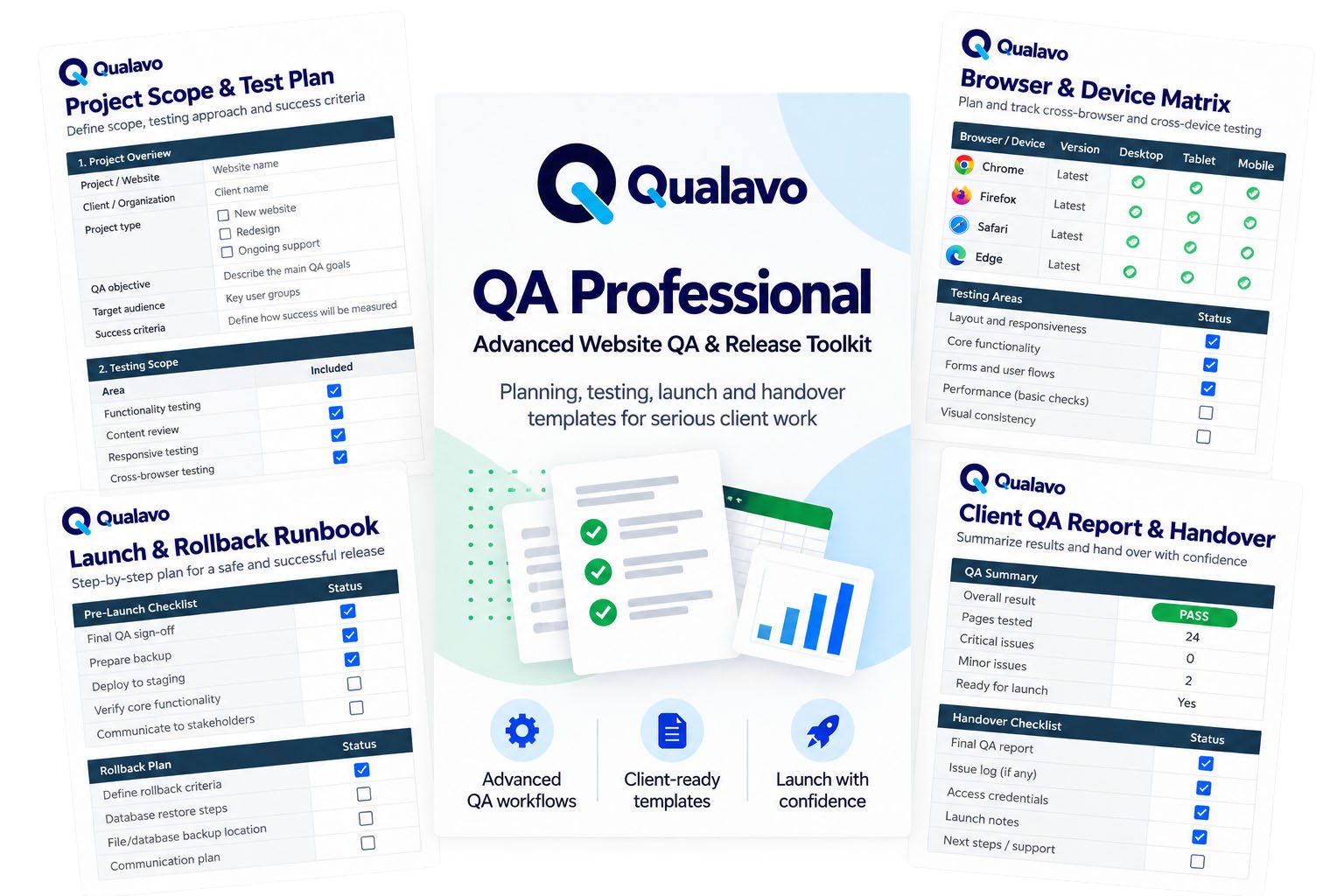
QA Professional includes 18 ready-to-use QA resources covering the complete website QA process — from planning and testing to launch, post-launch monitoring, and client handover.
Core QA System
- Quick Start Guide — Get started with the QA system quickly and consistently.
- Master QA System — Run a structured, repeatable website QA workflow.
- Bug Triage System — Record, prioritise and manage defects consistently.
- Browser & Device Matrix — Plan and document cross-browser and cross-device testing.
- Release Readiness — Assess whether a website is ready for release.
Professional QA Resources
- Website QA Project Scope & Test Plan — Define QA scope, objectives and testing coverage before testing begins.
- E-commerce QA Add-on — Test critical e-commerce functionality and customer journeys.
- WordPress CMS QA Add-on — Test WordPress-specific functionality and common CMS risk areas.
- SaaS Web App QA Add-on — Test critical SaaS application workflows.
- SaaS Advanced QA Mini-Module — Extend SaaS testing with deeper QA coverage.
- Accessibility Deep Dive — Perform more detailed accessibility testing.
- Web Security Sanity Checks — Run practical security-focused checks as part of website QA.
- Launch-Day Rollback Runbook — Plan launch-day checks and prepare a structured rollback process.
- Post-Launch Monitoring & Regression Tracker — Monitor the website after release and track regression checks.
- Client QA Report & Handover — Present QA findings and handover information professionally to clients.
- Client QA Report User Guide — Use the client reporting and handover resource effectively.
- 80 AI Prompts for Website QA — Use practical AI prompts throughout your website QA workflow.
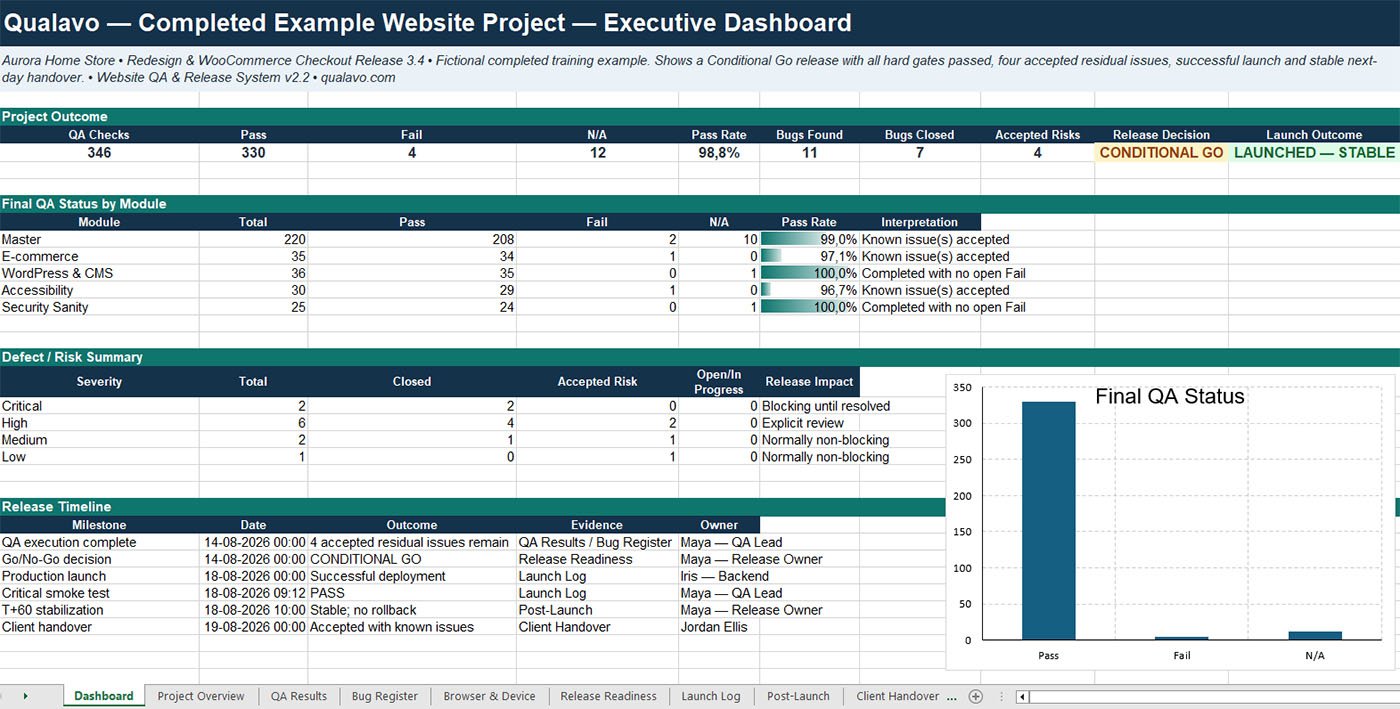
- Completed Example Website Project — See how the QA system can be applied to a completed website project.
See What You’ll Get
Preview real resources included in QA Professional.
See how the system helps you plan testing, manage QA, prepare for launch, and deliver professional results to clients.
Completed Example Website ProjectExplore a completed QA project with defect tracking and release decisions. |
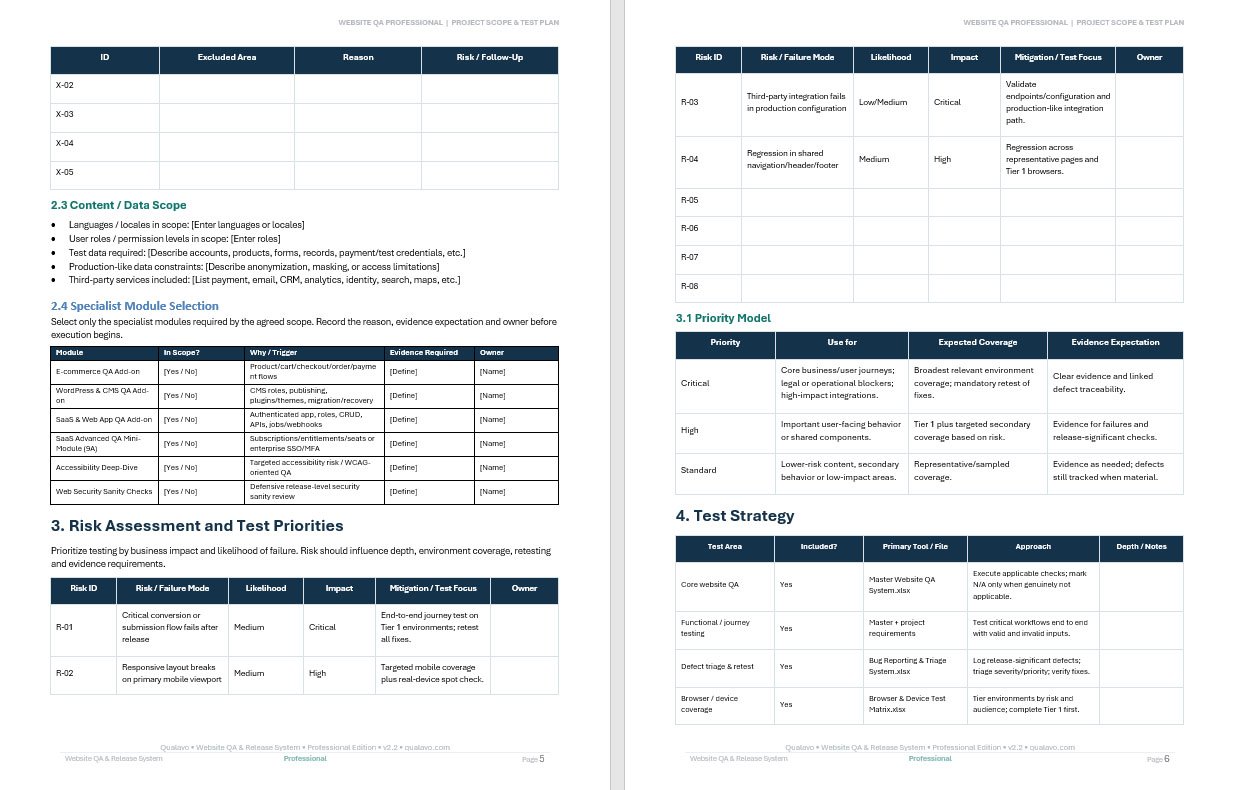
Project Scope & Test PlanDefine testing scope, prioritize risks, and organize QA before release. |
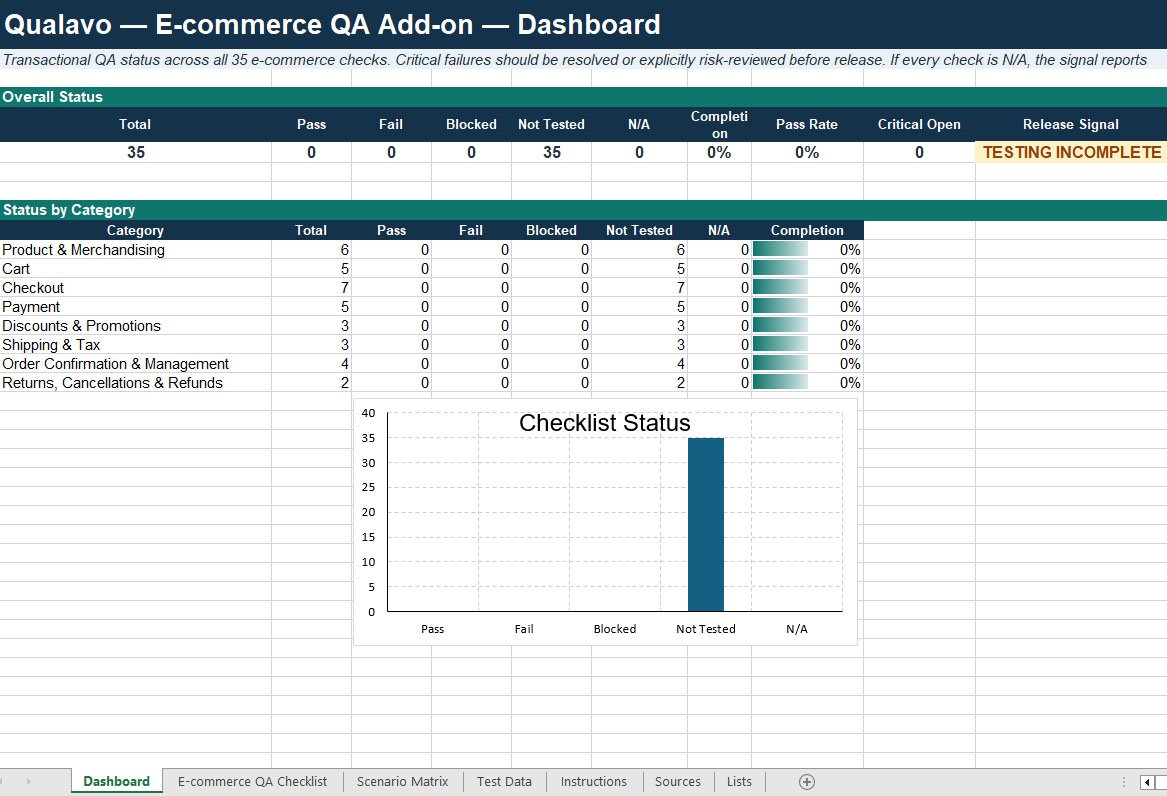
E-commerce QA DashboardTest shopping, checkout, payment, and order workflows. |
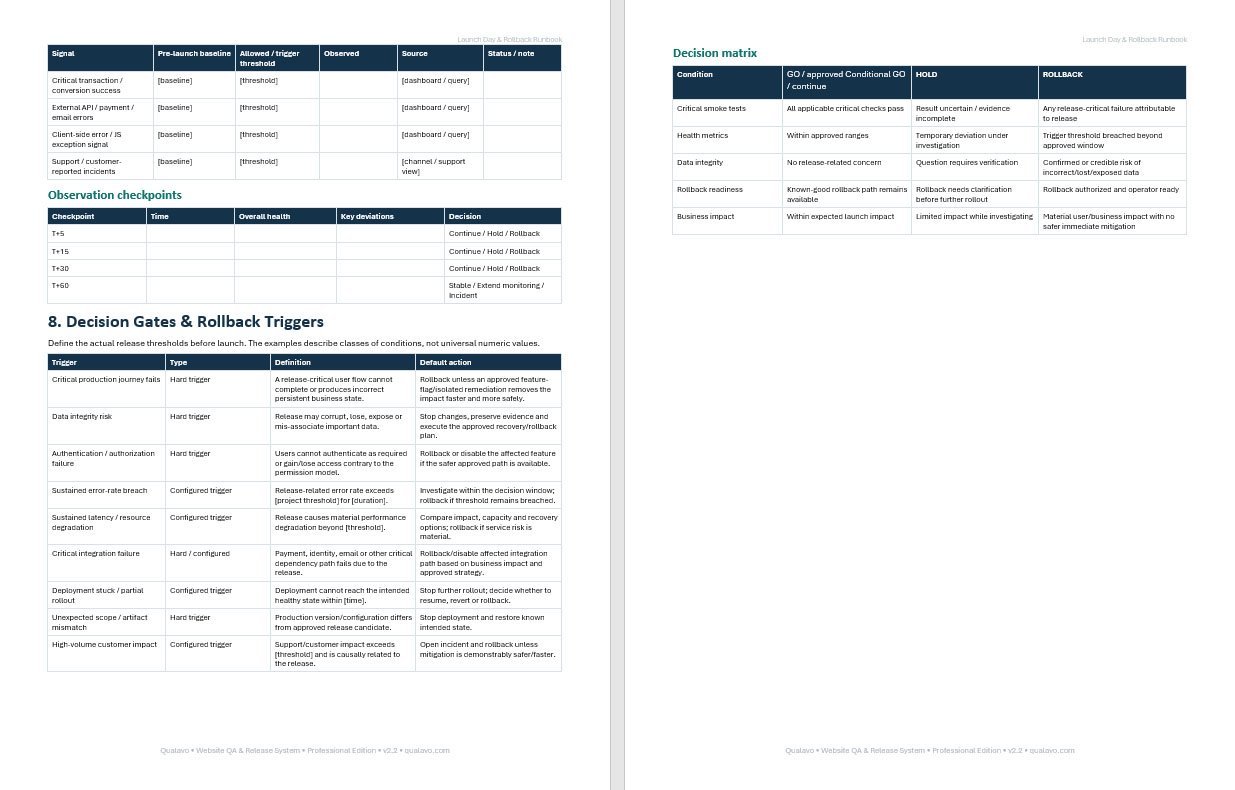
Launch-Day Rollback RunbookManage deployment decisions, launch checks, and rollback triggers. |
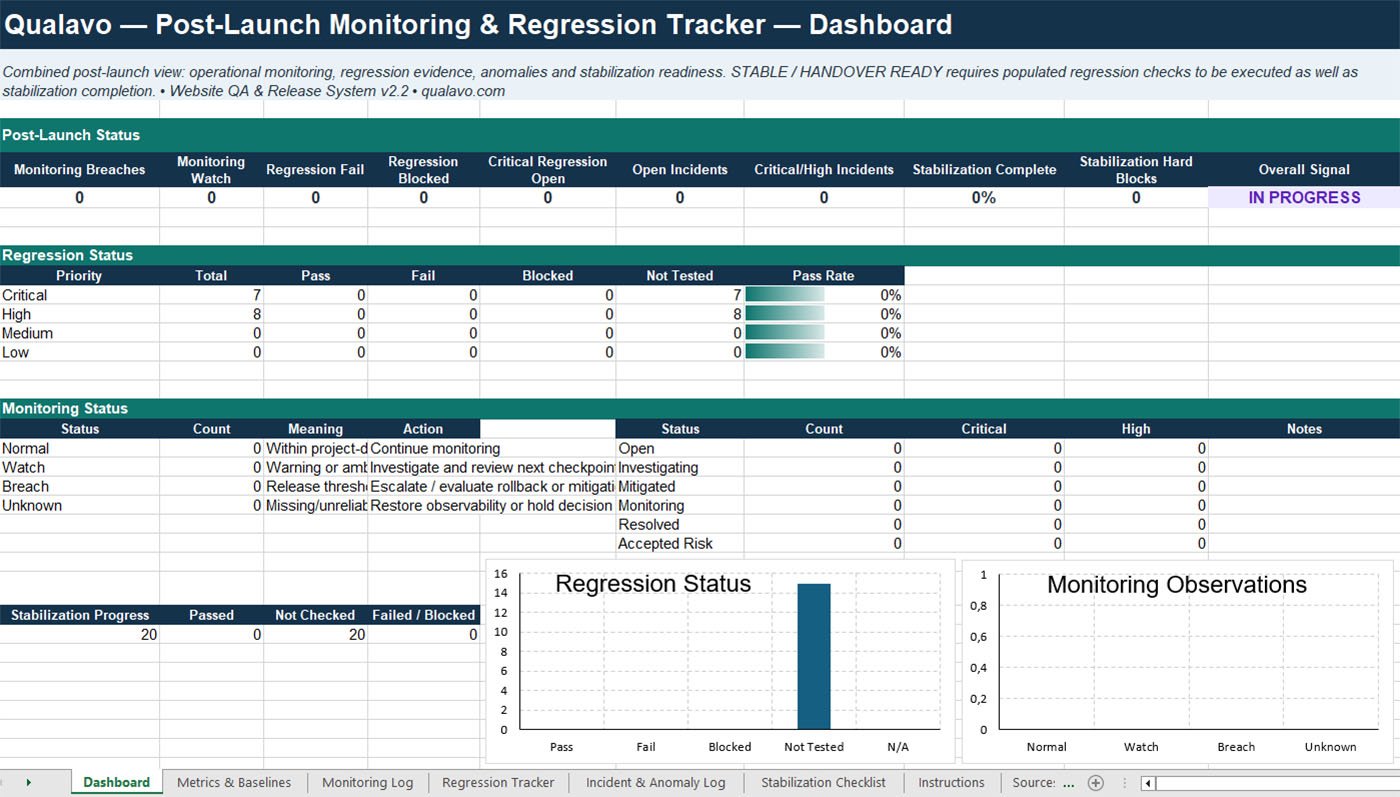
Post-Launch MonitoringTrack post-release health, regression results, and critical incidents. |
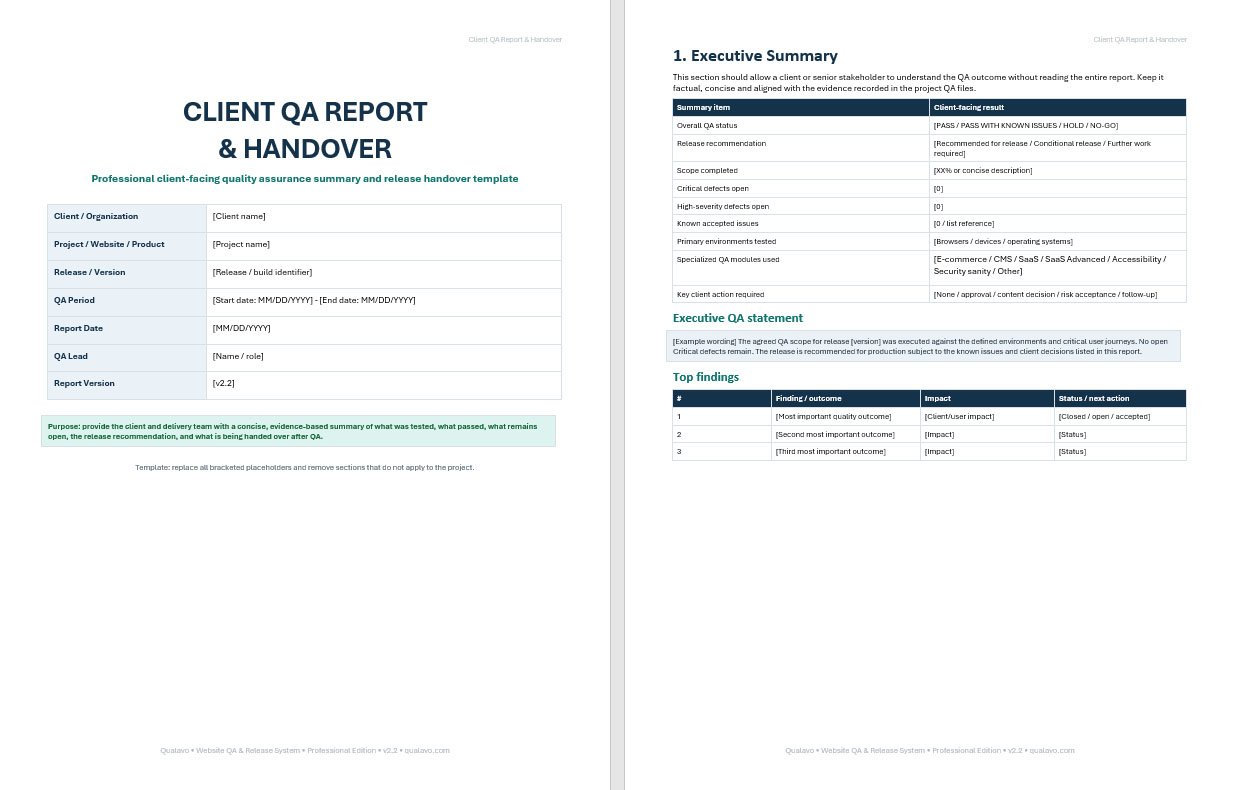
Client QA Report & HandoverDeliver professional QA findings and handover documentation to clients. |
How QA Professional Works in a Real Website Project
Example: You’re preparing an e-commerce website for a client launch.
Instead of building your QA process from scratch, you can use QA Professional throughout the project:
1. Plan Your Testing
Use the Project Scope & Test Plan to define what needs testing, identify high-risk areas, and organize your QA priorities.
2. Test Critical Customer Journeys
Use the E-commerce QA Add-on to systematically check product pages, shopping carts, checkout, payments, and order workflows.
3. Track and Prioritize Bugs
Use the Bug Triage System to document defects, assign severity, and track issues through resolution.
4. Make a Confident Release Decision
Use Release Readiness and the Launch-Day Rollback Runbook to review outstanding risks, confirm launch requirements, and prepare for potential rollback scenarios.
5. Monitor After Launch
Use the Post-Launch Monitoring & Regression Tracker to document post-release checks, monitor issues, and track regression results.
6. Deliver a Professional Client Handover
Use the Client QA Report & Handover to summarize testing results, outstanding issues, release decisions, and recommendations.
The result?
A structured QA process from planning to client handover — with reusable resources you can adapt for your next website project.
Build the process once. Reuse it across projects.
File Formats & Compatibility
QA Professional includes 18 ready-to-use resources, delivered in a downloadable ZIP package.
12 Excel (.xlsx) workbooks — Editable QA checklists, dashboards, trackers, and testing systems.
4 Word (.docx) documents — Customizable QA plans, release procedures, client reports, and AI prompts.
2 PDF (.pdf) guides — Reference materials and instructions for using the system.
No special QA software required.
Designed for Microsoft Excel, Microsoft Word, and standard PDF readers.
Excel and Word resources are editable and reusable across multiple website projects.
Built for Professionals Who Need a Repeatable QA Process
QA Professional is designed for freelance web developers, web designers, WordPress professionals, e-commerce specialists, and QA professionals who manage website projects without a dedicated enterprise QA team.
Use the system across client projects to standardise testing, reduce missed issues, make release decisions with greater confidence, and deliver structured QA documentation to clients.
More Than a Free QA Checklist
Free checklists can help you remember individual testing tasks. QA Professional is designed to help you run the entire QA and release process.
Instead of assembling separate templates, spreadsheets, and checklists for every project, you get a connected set of 18 reusable resources covering QA planning, bug management, browser and device testing, specialized website testing, release readiness, launch and rollback, post-launch monitoring, and client handover.
The difference is not simply more checks — it is a repeatable workflow you can use across projects.
| Free QA Checklist | QA Professional |
|---|---|
| Individual list of checks | Complete QA & release workflow |
| Usually one testing area | 18 connected QA resources |
| Build your own process around it | Ready-to-use structured system |
| Limited project documentation | Planning, testing, release & handover |
| Start over or adapt manually | Editable and reusable across projects |
| Typically no worked example | Completed example website project included |
Built for repeated professional use — not just a one-time website check.
Starter or Professional?
Choose Starter for the essential QA workflow. Choose Professional when you need broader testing coverage, release management, and client-facing QA resources.
| Resource | QA Starter — $99 | QA Professional — $249 |
|---|---|---|
| Quick Start Guide | ✓ | ✓ |
| Master QA System | ✓ | ✓ |
| Bug Triage System | ✓ | ✓ |
| Browser & Device Matrix | ✓ | ✓ |
| Release Readiness | ✓ | ✓ |
| Website QA Project Scope & Test Plan | — | ✓ |
| E-commerce QA Add-on | — | ✓ |
| WordPress CMS QA Add-on | — | ✓ |
| SaaS Web App QA Add-on | — | ✓ |
| SaaS Advanced QA Mini-Module | — | ✓ |
| Accessibility Deep Dive | — | ✓ |
| Web Security Sanity Checks | — | ✓ |
| Launch-Day Rollback Runbook | — | ✓ |
| Post-Launch Monitoring & Regression Tracker | — | ✓ |
| Client QA Report & Handover | — | ✓ |
| Client QA Report User Guide | — | ✓ |
| 80 AI Prompts for Website QA | — | ✓ |
| Completed Example Website Project | — | ✓ |
QA Professional includes everything in Starter plus 13 additional resources for deeper testing, release management and professional client delivery.
Simple, One-Time Purchase
Pay once and use the resources across your website QA projects.
QA Professional is a digital product with no recurring subscription. After purchase, you receive access to the complete package of 18 downloadable QA resources.
The resources are editable and reusable, so you can adapt them to different websites, clients, and project requirements.
✓ One-time payment — $249
✓ 18 downloadable QA resources
✓ Editable and reusable across projects
✓ No recurring subscription
Frequently Asked Questions
Click any question below to view the answer.
How will I receive QA Professional after purchase?
The package contains 18 ready-to-use QA resources in Excel, Word, and PDF formats, delivered in a ZIP file.
Can I edit and customize the files?
Yes. The Excel and Word resources are designed to be edited and adapted to your website projects, testing workflows, and reporting requirements.
The PDF files are provided as reference and instructional resources.
Can I use QA Professional for multiple client projects?
Yes. QA Professional is designed for repeated use across your website projects.
You can customize the editable resources for different clients and projects without rebuilding your QA process from scratch.
Redistribution or resale of the original template package is not included in this permission.
Does QA Professional include team or agency usage rights?
QA Professional is primarily designed for individual web professionals, including freelance developers, designers, and QA specialists.
For team-based workflows, agency-level resources, and white-label client reporting, explore QA Agency.
What if I have trouble downloading my files?
If you experience problems accessing or downloading your purchase, please contact support@qualavo.com.
We can help investigate download or access issues and provide replacement access where appropriate.
Ready to Make Website QA Repeatable?
Stop rebuilding your QA process from scratch for every project.
QA Professional gives you a structured, reusable system for planning, testing, release management, and client handover — all in one package.
Get all 18 QA resources with a one-time $249 purchase.